Almost every single school has classes for children, and during the registration process, it is important to create an account for parents also.
To activate the parents’ accounts, write to our support at support@langlion.com.
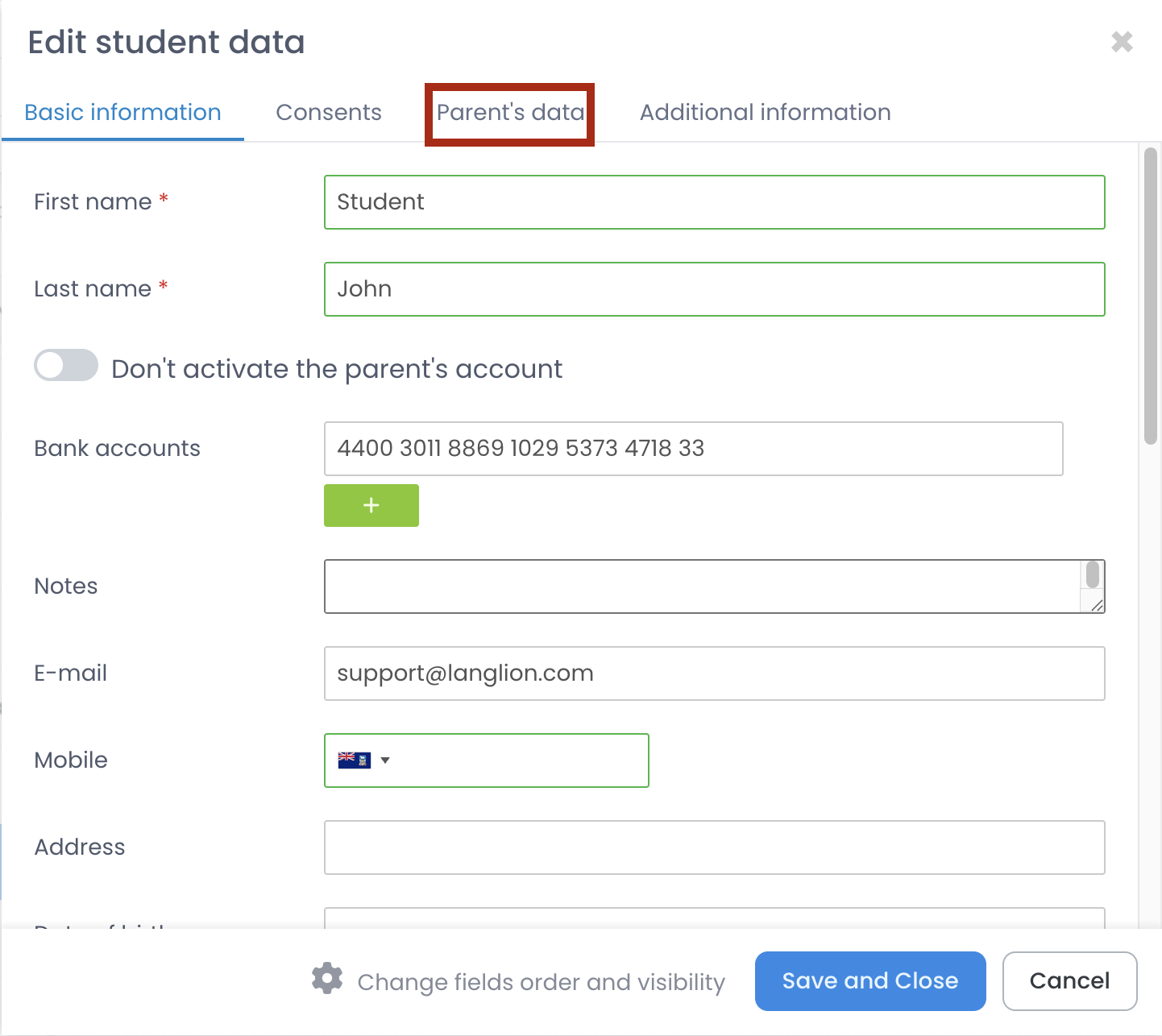
When this option is enabled, the system will create a separate account with login and password and there will be a tab Parent’s data added to each student, where you have to fill out the fields with data (i.e. first and last name, telephone number, e-mail address).
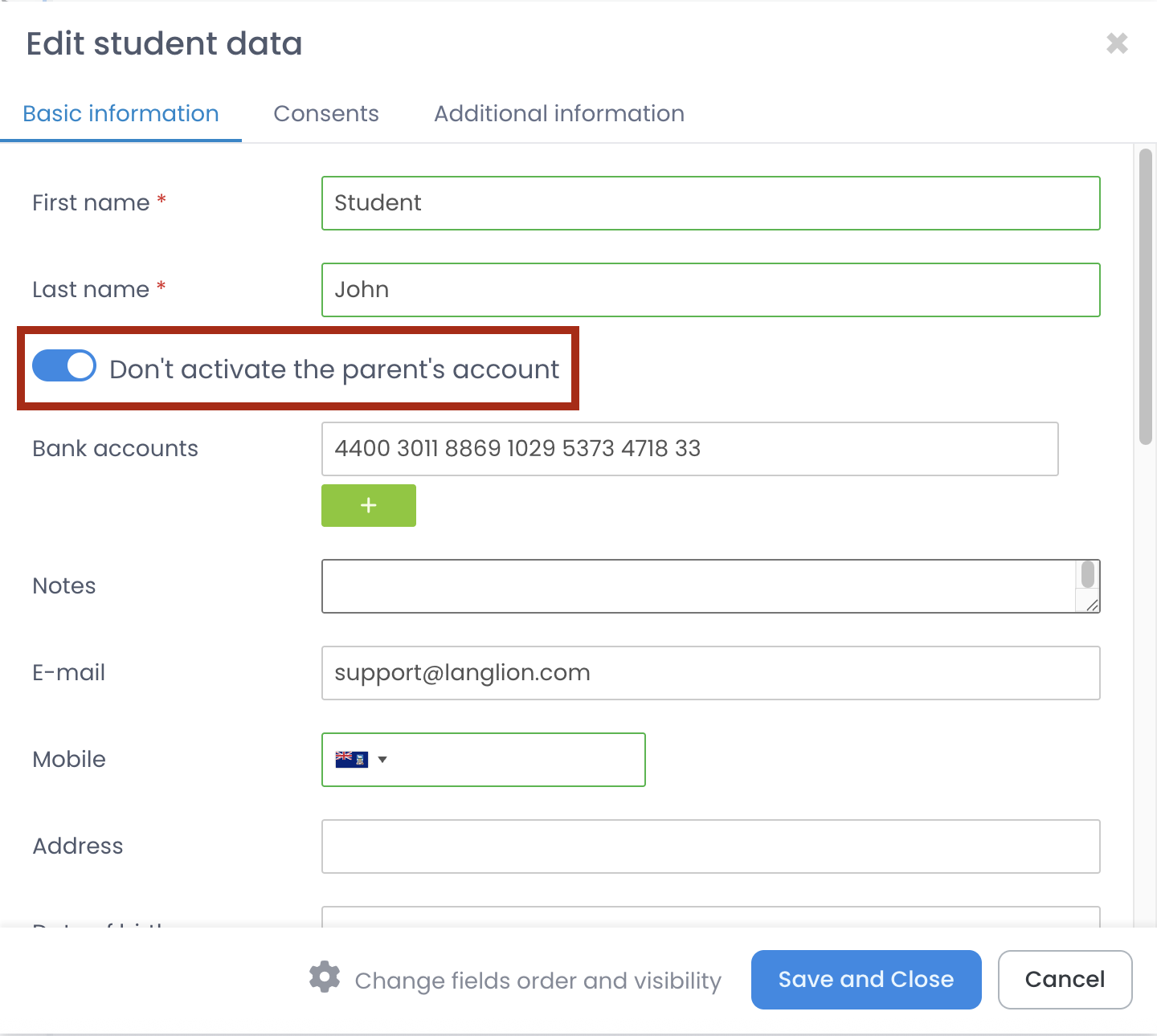
What if a student is an adult and there’s no need for creating parent’s account?
In student’s form select option Don’t activate the parent’s account.
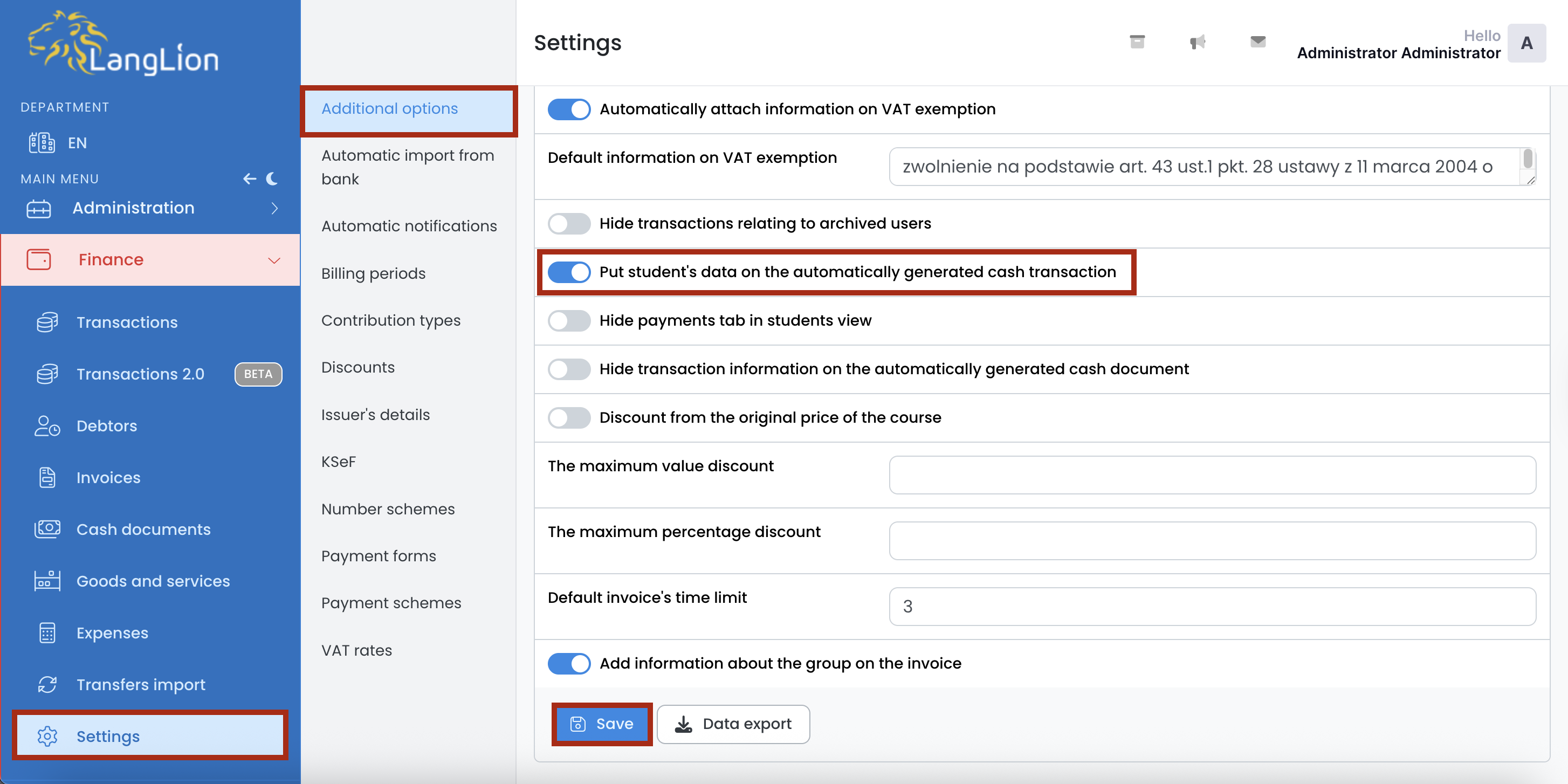
If the parent account has been enabled, but you want to insert the student’s data on the cash document, change the settings in the Finance module.
Go to the Finance module and then Settings and Additional options tab. Now, enable the Put student’s data on the automatically generated cash transaction option and save changes.