Billing data
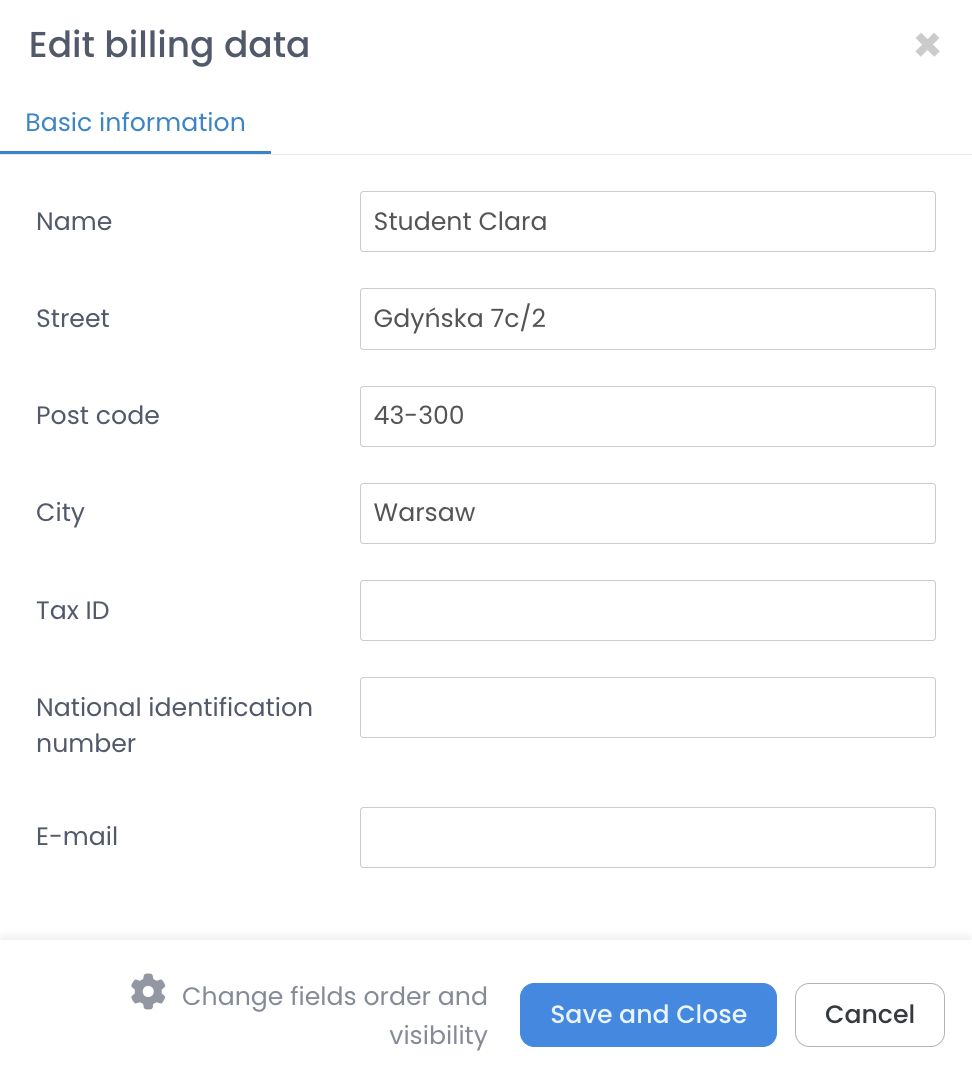
Sometimes a student asks for an invoice but with data different from this in the system, such as a different address. With the billing data option, you can separate student contact data from data that is displayed on financial documents – invoices and cash documents.
Where to find student’s billing data?
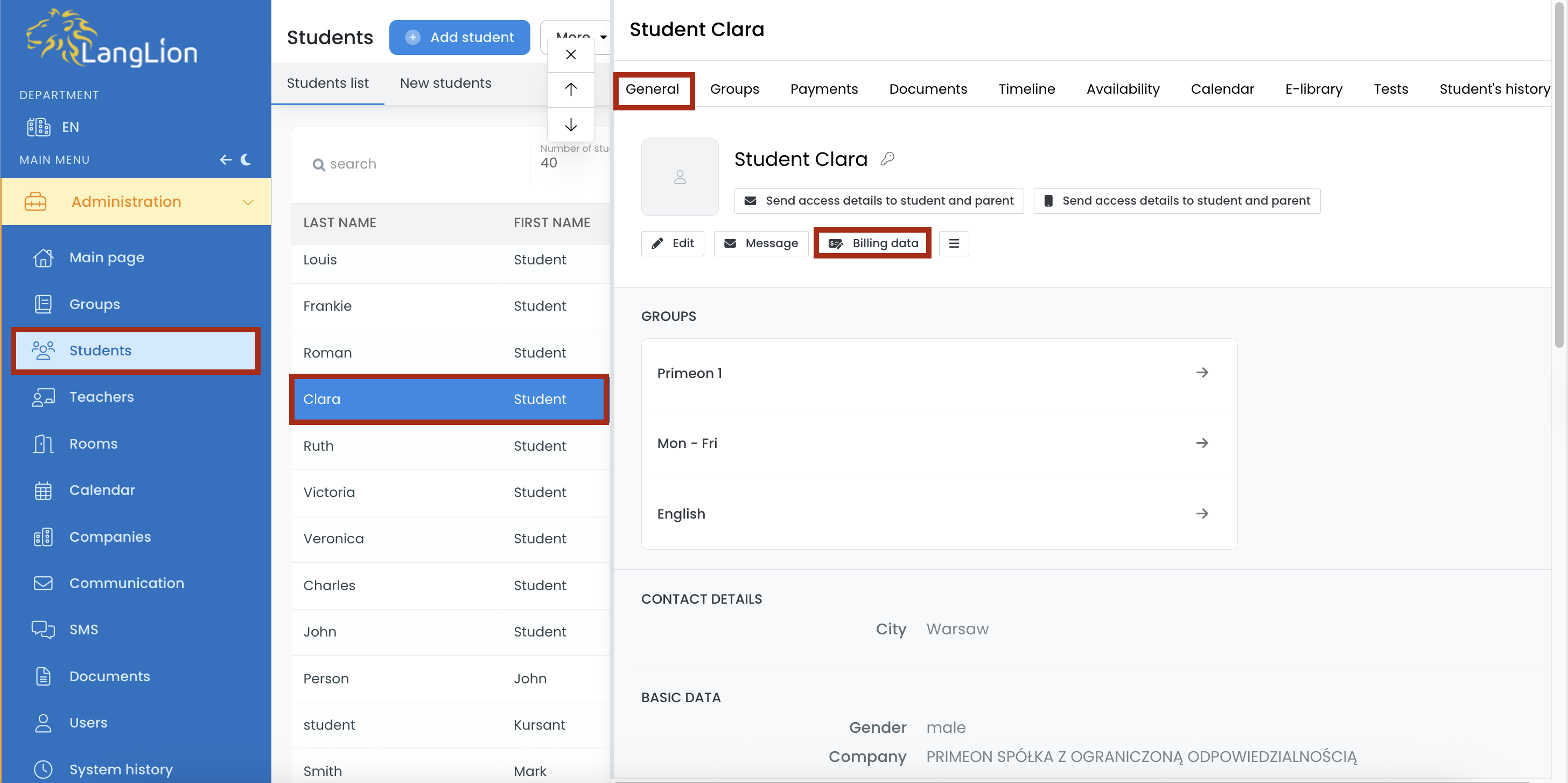
In the Administration module, choose Students tab, select a student, and in the General tab, select Billing data.
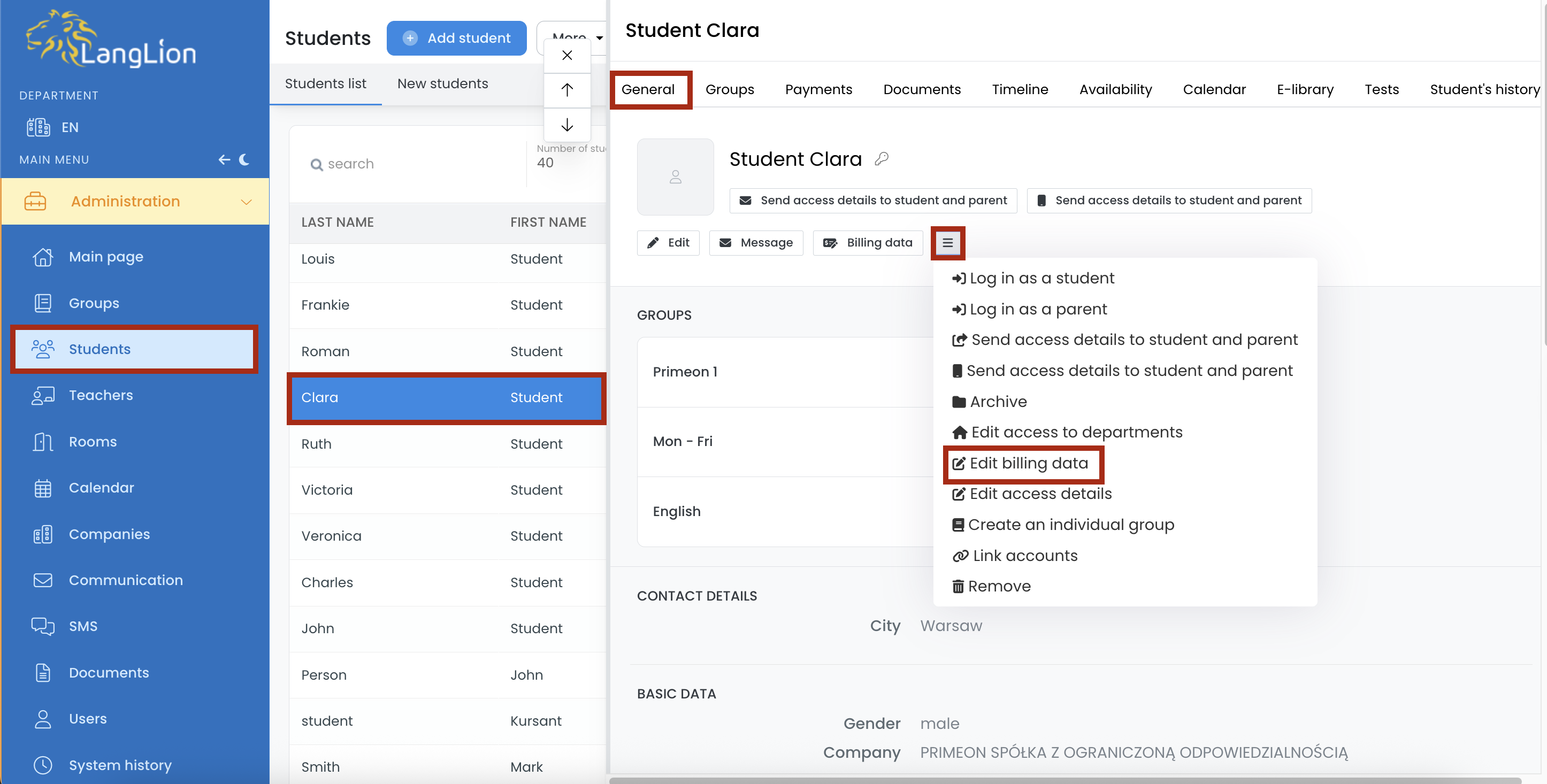
You can also edit a student’s billing data under the General tab -> More -> Edit billing data.
By default, the billing details are filled in with the student’s address information, or – in the case of a minor – with the parent’s details. However, you can change them here at any time.
Sending the financing documents to a different e-mail address
If a student wants to receive invoices to a different e-mail address than the one provided in his contact details, you can enter such an address in the billing data edition.
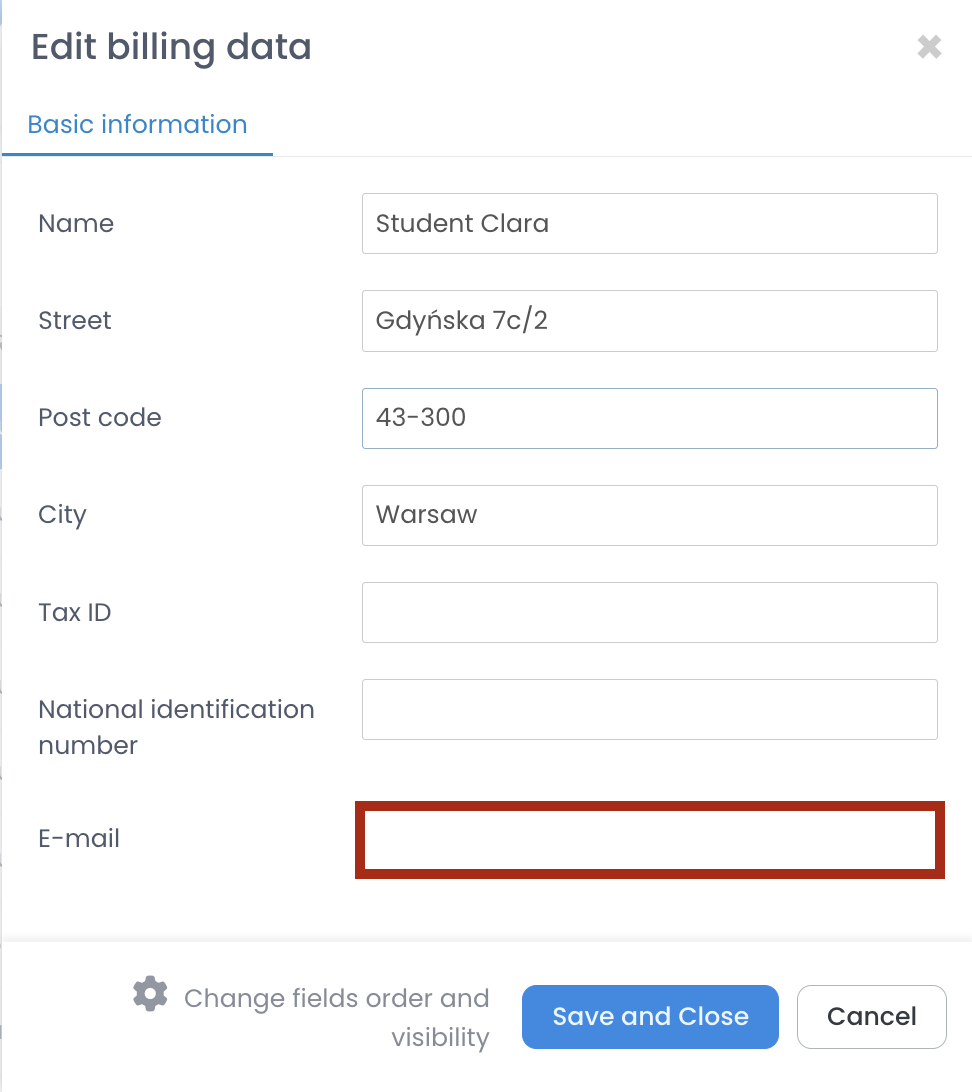
Enter the appropriate information and click Save and Close.
The billing data has been implemented, now they will be used in the student financial documents.
You can edit the student’s billing data at any time.
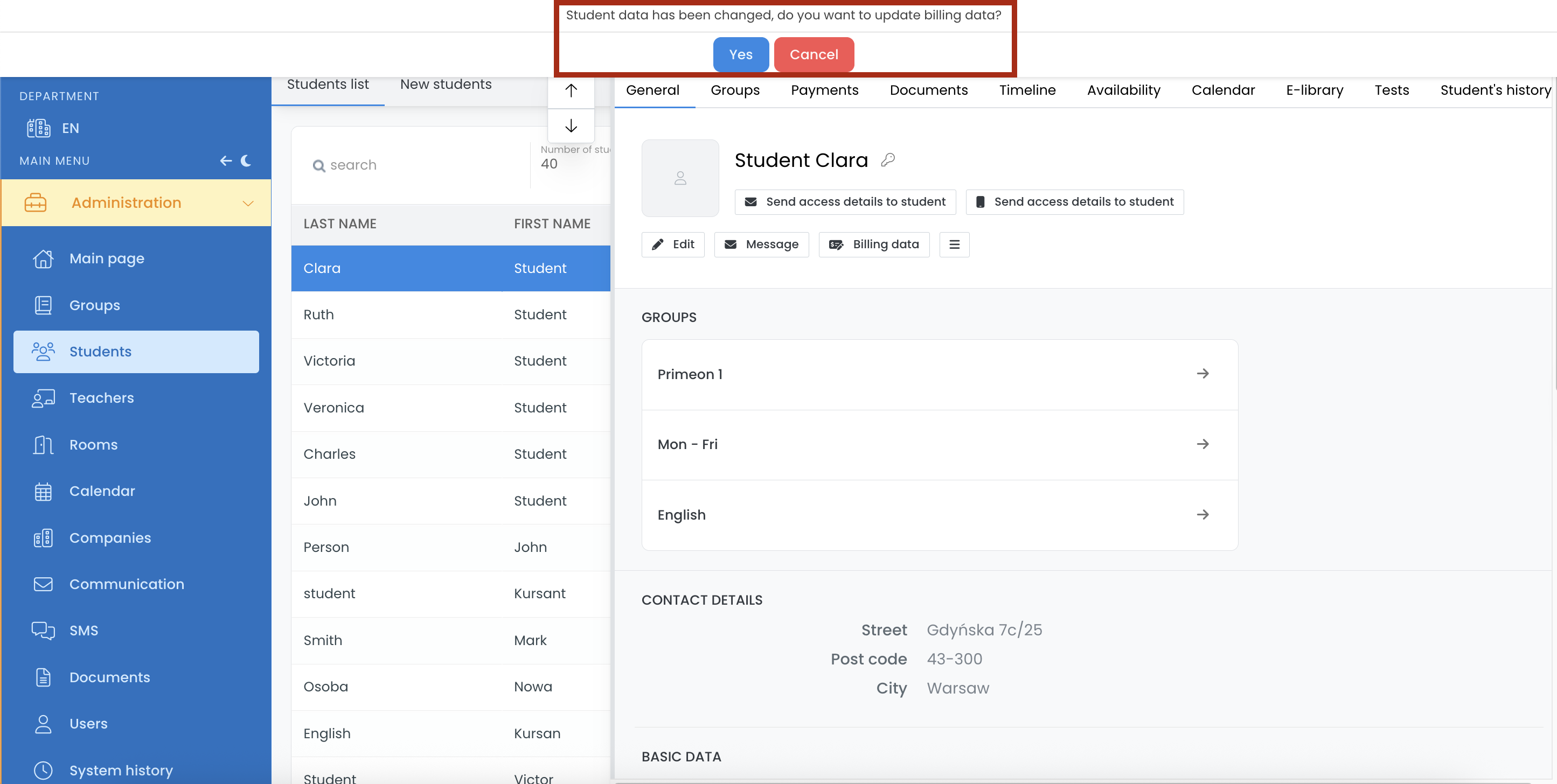
Even when you change the contact details of the student, after you save it, the system will display a message saying that the student data has been changed and will ask if you want to overwrite existing billing data with newly entered information.
Confirm the message if you want the billing data to be updated.