
SMS messages are a remarkably efficient and effective way to communicate.
Are you launching a new course from the next term or offering special prices for students? You can easily let people know about anything new by SMS. This way you can also run personalised marketing campaigns.
With SMS notifications, you can instantly inform students and teachers about cancelled classes, substitutions or timetable changes.
Finding it hard to get course fees paid on time? With the LangLion Platform, you can notify all debtors about overdue payments at once, in a few seconds.
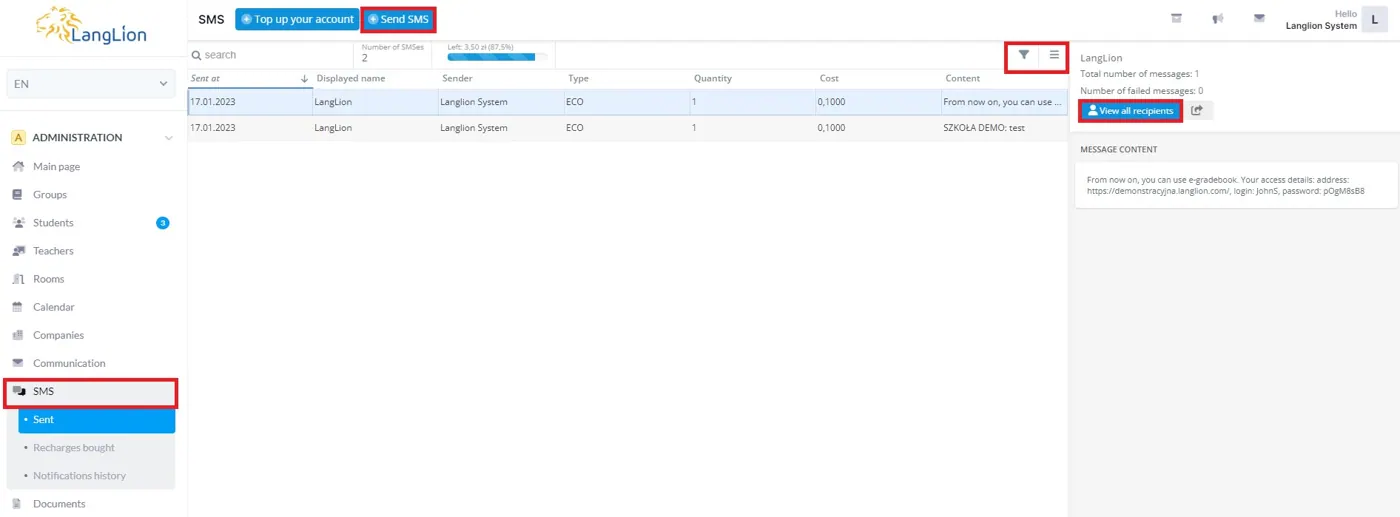
In the "SMS" tab of the "Administration" module, the administrator can send an SMS directly to a specific group, to the students or parents of a given group, to teachers, other administrators and even companies.
How do I start using SMS messages?
Top up your SMS account and enter the message settings.
How do I top up my account?
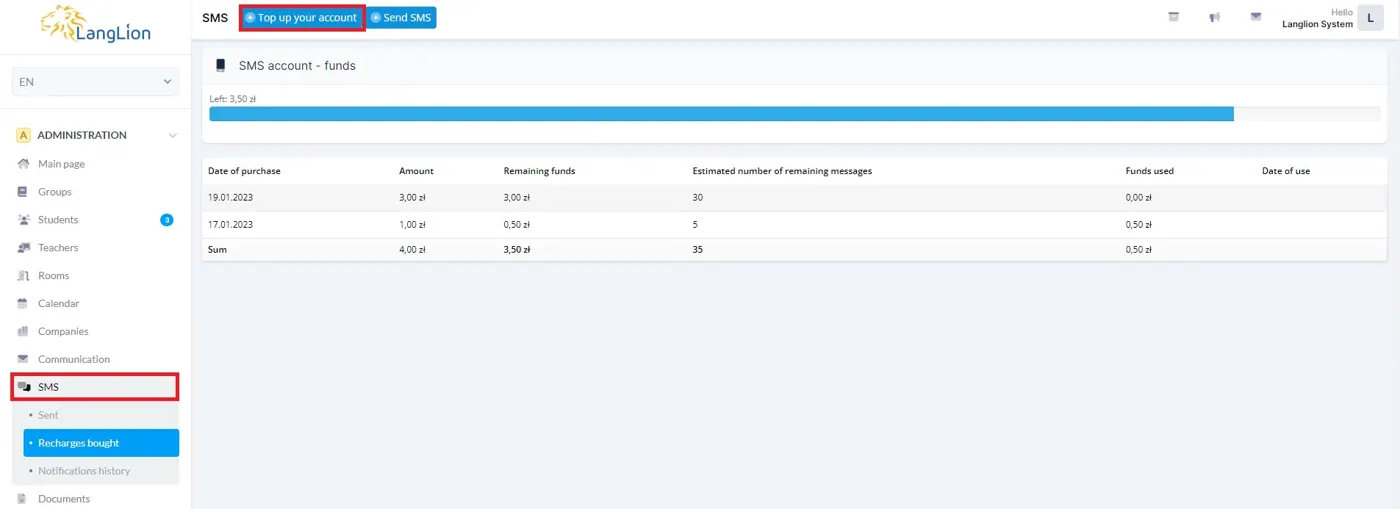
To do this, select the "SMS" tab in the "Administration" module, and then click "Top up your account".
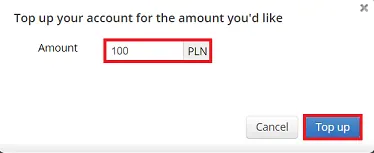
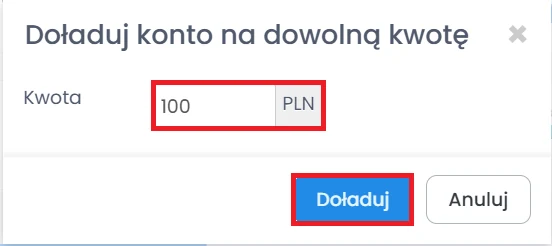
In the empty top-up window, enter any amount you want to add to your account, and then click the "Top up" button.
To check whether you can already send text messages, and how many SMS messages you have available, go to the "Recharges bought" tab.
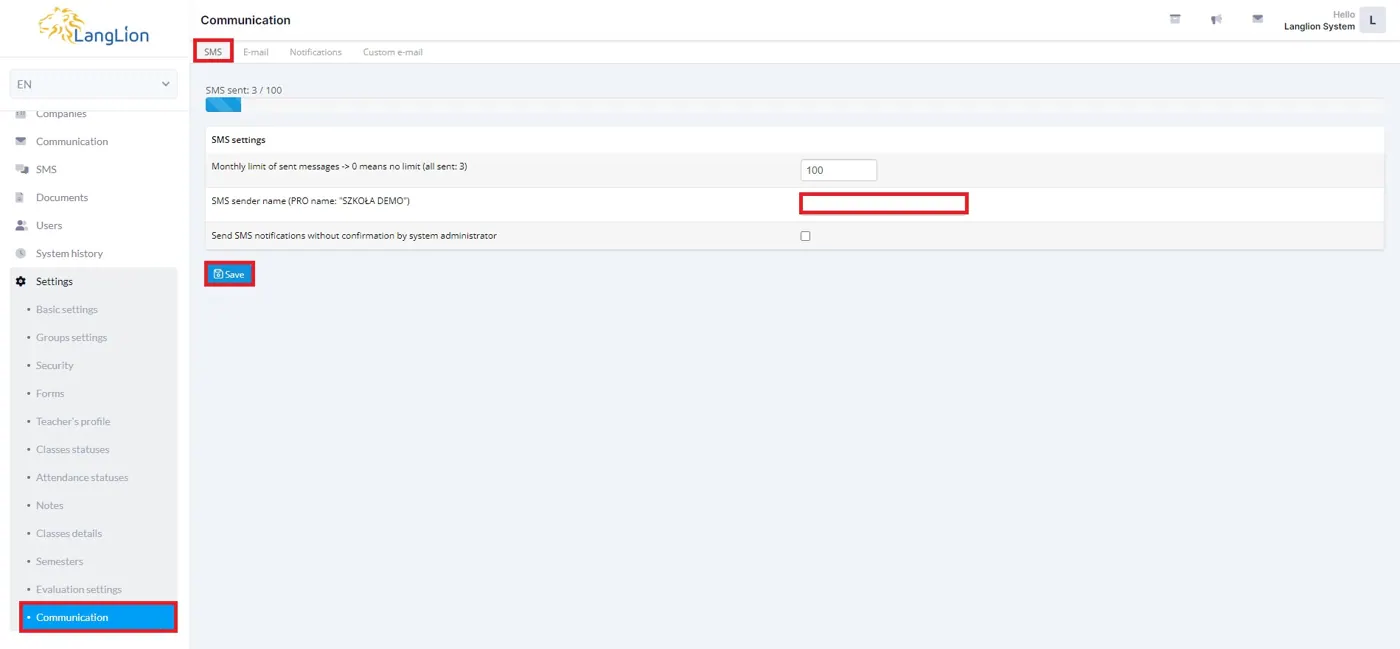
Check that all SMS settings have been entered. To do this, go to the "Settings" tab, then "Communication" -> "SMS".
Enter the SMS sender name and set the Monthly limit of sent messages (0 means no limit). You can also tick Send SMS notifications without confirmation by system administrator.
To start writing a message, just click the "Send SMS" button.
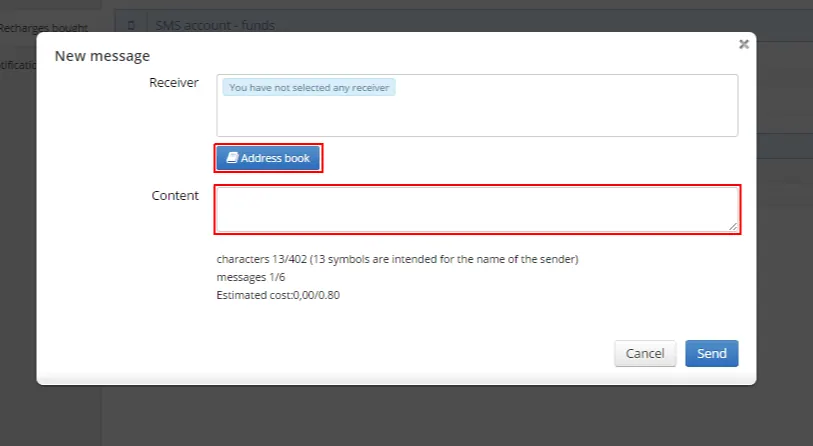
From the Address book, select the users you want to send the SMS to.
An SMS to a company goes to the number in the company's Mobile field (or to Phone, if Mobile is empty). A company with no number is not in the address book – you can add the number in the company details.
In the Content field, type the text of your message. Below it you can see how many characters your message contains, how many SMS messages it has been split into if it exceeds the character limit, and the estimated cost of sending it.
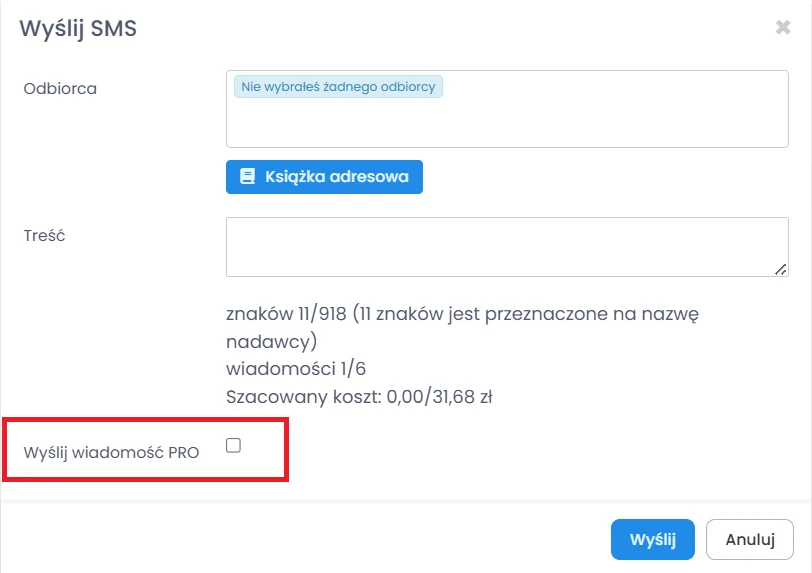
If PRO messages are enabled, tick the relevant checkbox to send them.
After you click "Send", the message is automatically sent to the selected recipients.
How much do SMS messages cost?
You can use two types of messages – ECO and PRO.

Price: PLN 0.10 gross
Sender field – a random number –
160 characters minus the school name
Note!
If a recipient tries to reply to an SMS ECO sent by your school, you will not receive the reply, because the SMS comes from a random number.

Price: PLN 0.14 gross
Sender field – the school name – up to 11 characters (no Polish characters)
The full 160 characters
SMS PRO messages are sent to all recipients in the same way, regardless of the mobile network.
Whether a recipient can reply depends only on the operating system of their phone:
Android – phones using Google's default SMS app cannot reply.
iOS (iPhone) – the system does not allow replies to be blocked, so the user may see a "Reply" option.
Note! If you want to use SMS PRO messages, send a request to support@langlion.com, including your chosen sender name (up to 11 characters) in the message.
One SMS message is 160 characters, using basic encoding, i.e. without Polish/special characters.
If special characters are used, the maximum length is 70 characters per message. In addition, for SMS ECO the sender name (up to 11 characters) must be subtracted from this.
Some characters, such as ~, ^, |, ], [, {, }, € take up the space of two characters in the message (because of the encoding used in GSM networks).
The system combines longer messages, but will not send a message if the total number of characters in the SMS exceeds the set limit: 402 characters with special characters or 918 without special characters.
The operator limit is 6 messages.