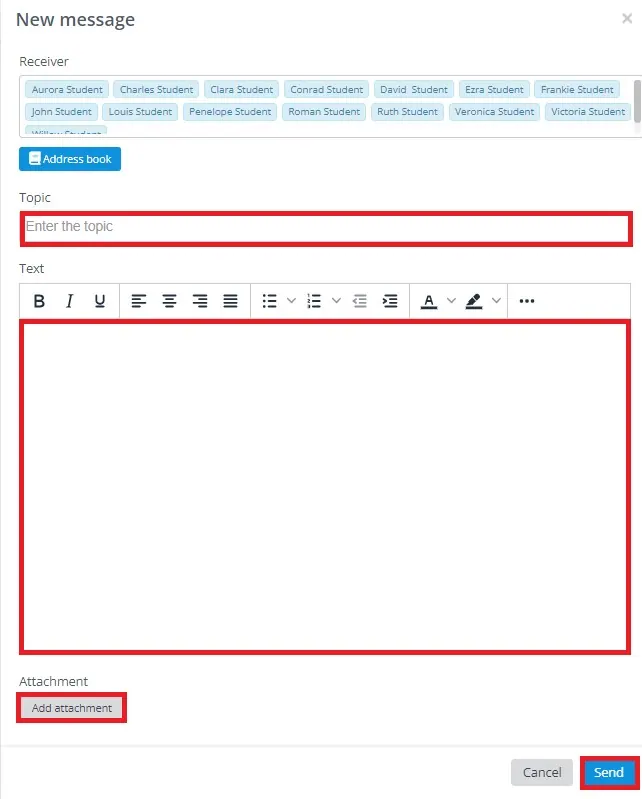
In order to create a message we proceed according to the following steps:
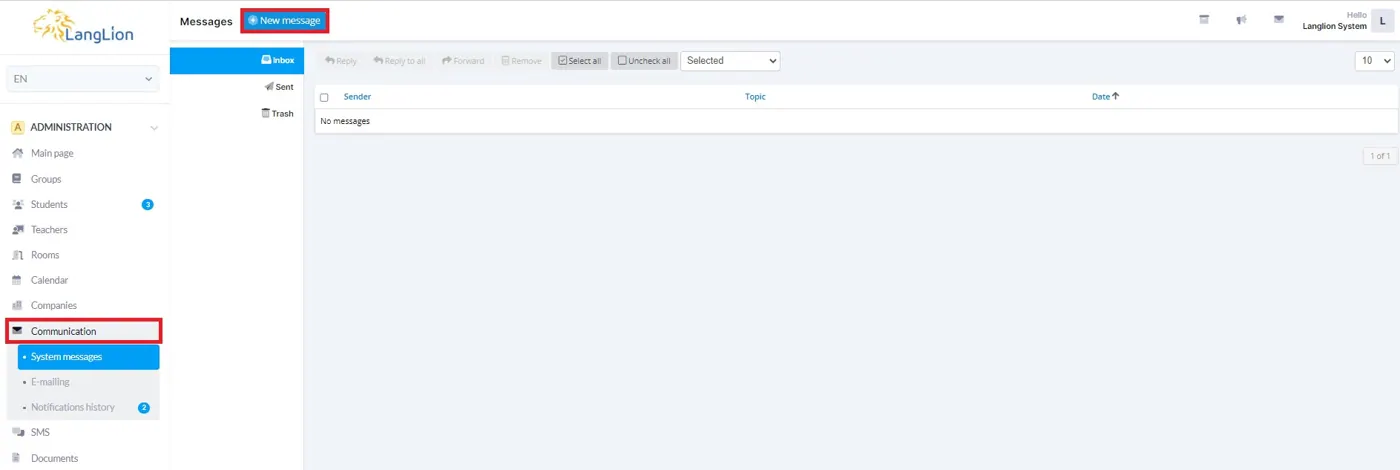
1. Click on New message.
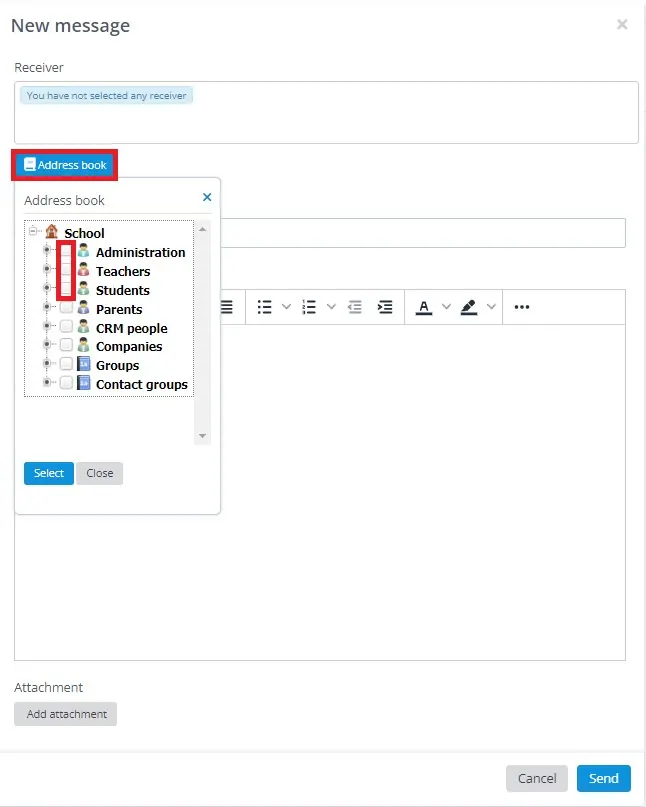
2. Next in the window responsible for creating the message we have to add receiver or a group of receivers, If there’s a need to sendnothing difficult. Now we click on a tree of users and we choose if the message will be sent to a selected group or a few students or teachers.
3. We insert title of our message and its text.
4. We can also attach various files from our computer.
5. To finish we click Send, or if we have changed our mind, click Cancel.