
To create an individual group:
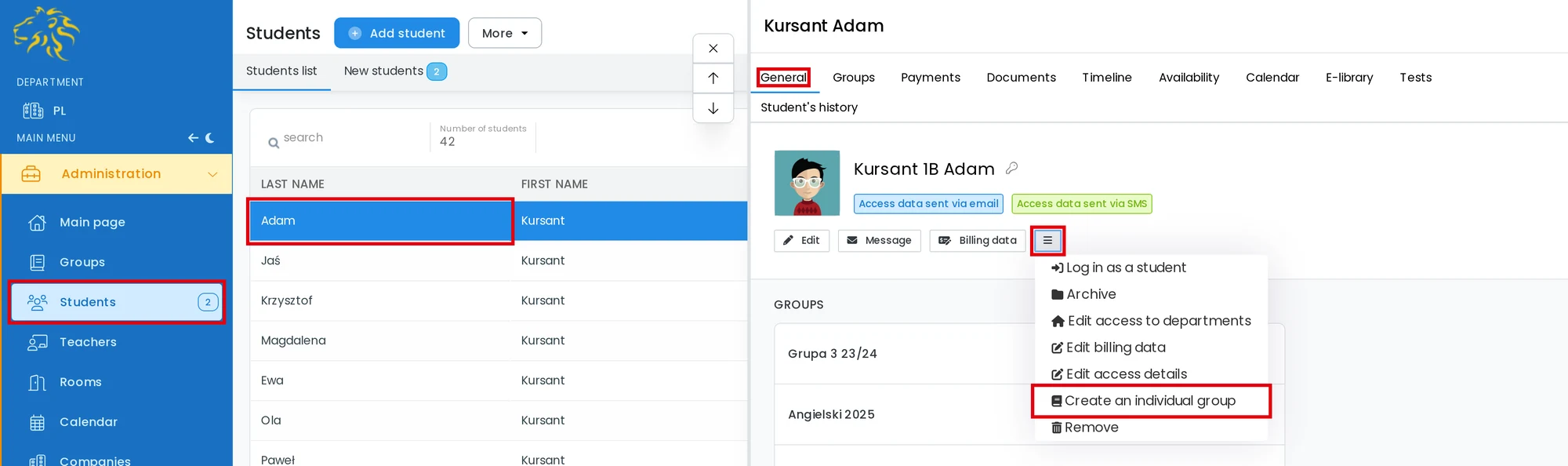
1. In module Administration select tab Students.
2. Select a student, who will belong to the individual group.
3. In tab General click the More icon.
4. In the unrolled More menu select Create an individual group.
5. The system will open the “Individual group for …” window with the group form.
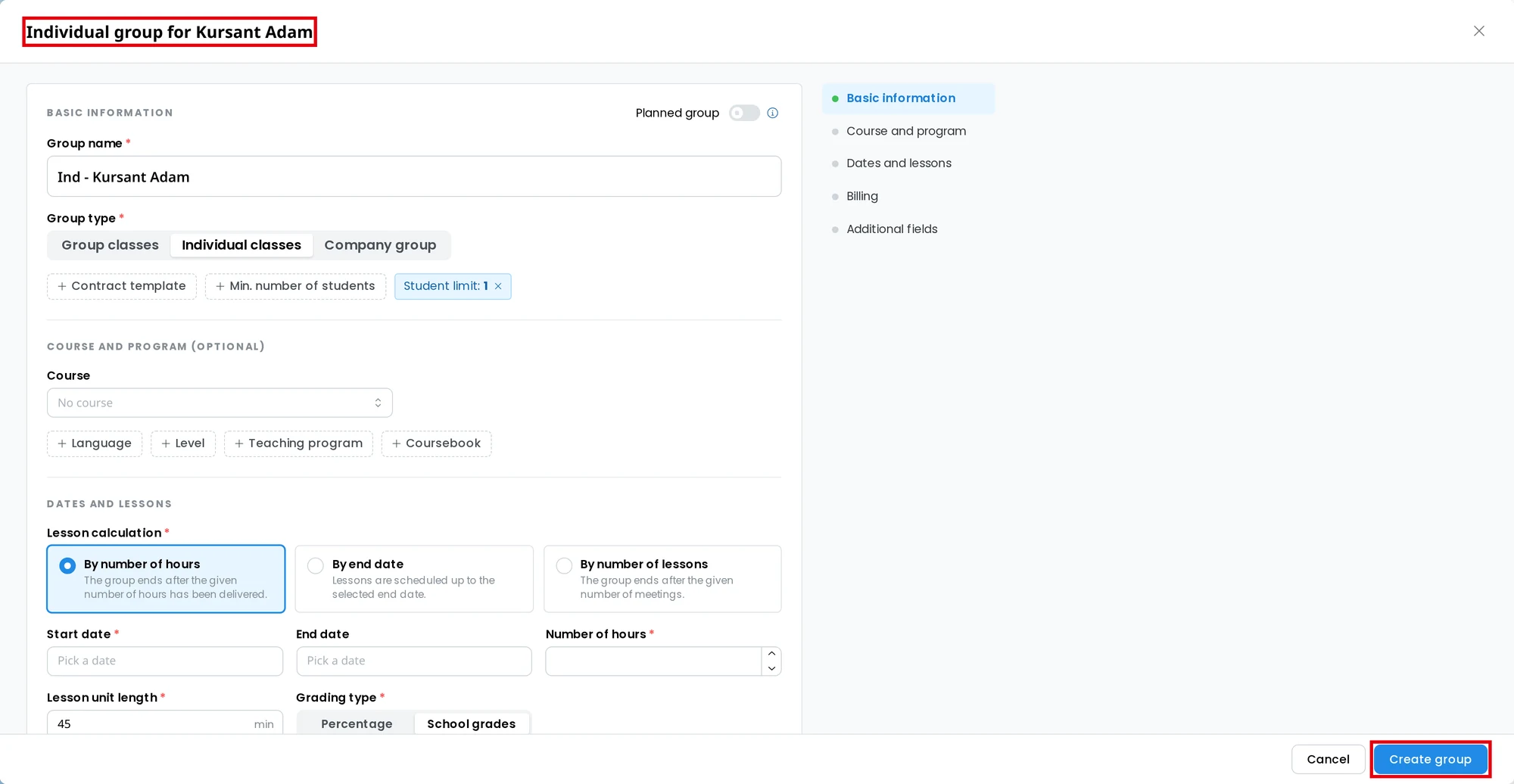
6. Fill out the form and click Create group.
Done! The individual group has been created with the selected student and the system will take you to the new group's page. Now you can add classes to the individual group. Classes are generated in the same way as in the case of a regular group.