
One-time passwords have been introduced to ensure the protection of student’s access data.
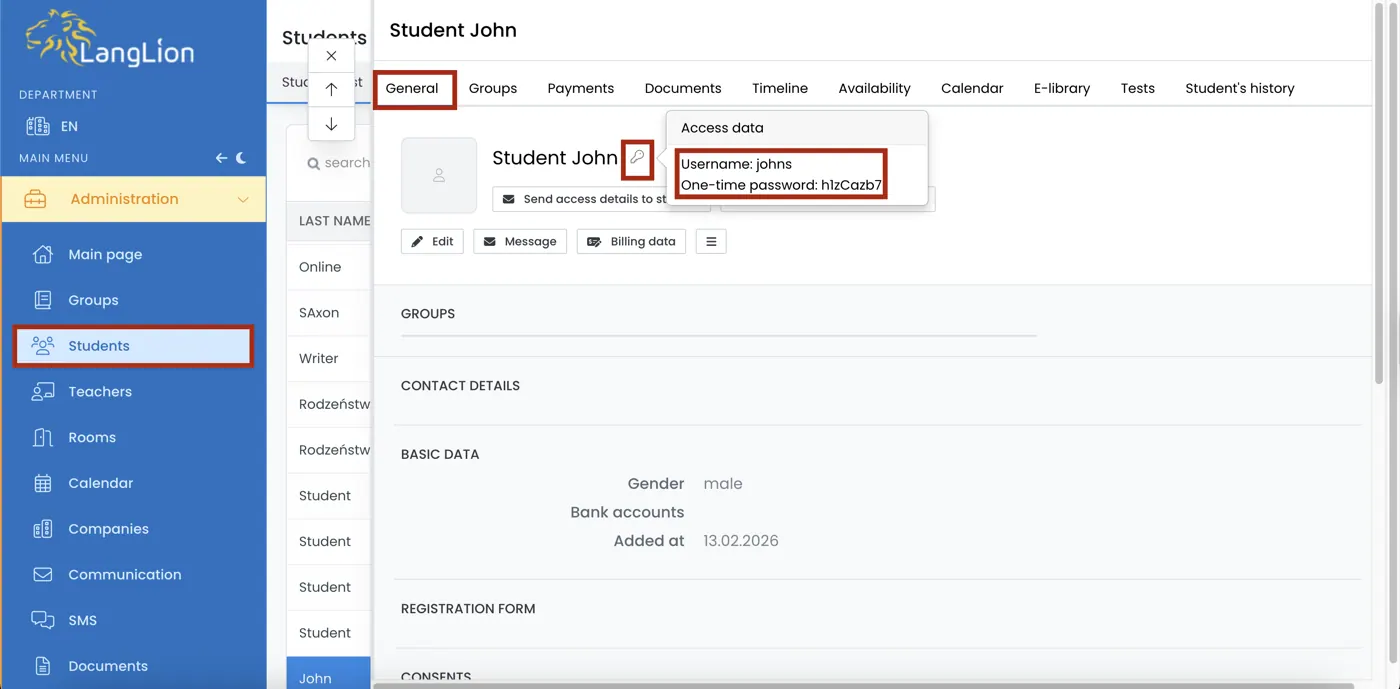
When you create a new student’s account, you can see the one-time password in the Students -> General tab. Click the key icon next to the student’s name: the Access data box shows the login and one-time password (also the parent’s), and clicking the icon copies the data to the clipboard.
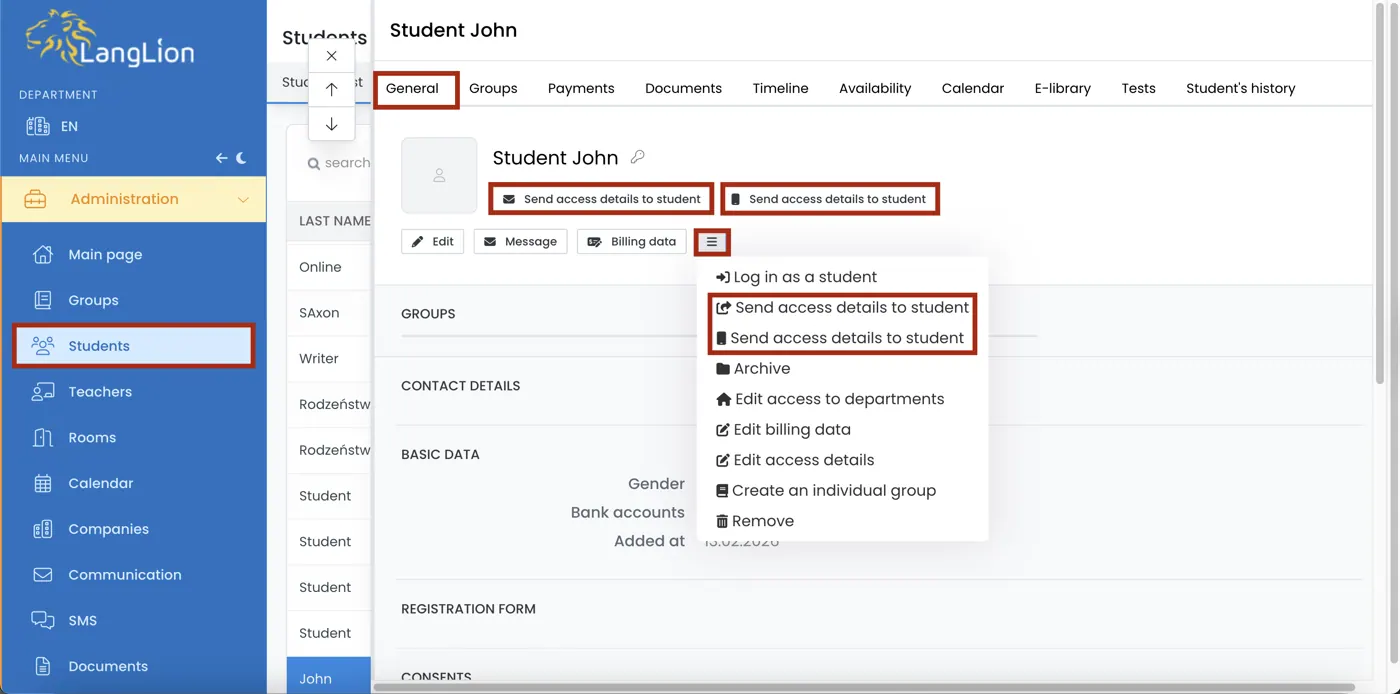
You can send the one-time password to the student’s e-mail address or phone number. Click Send access details to student (envelope icon – email, phone icon – SMS). If the student has a parent account, the button is called Send access details to student and parent or Send access details to parent. After sending, instead of the button you will see the Access data sent via email or Access data sent via SMS label.
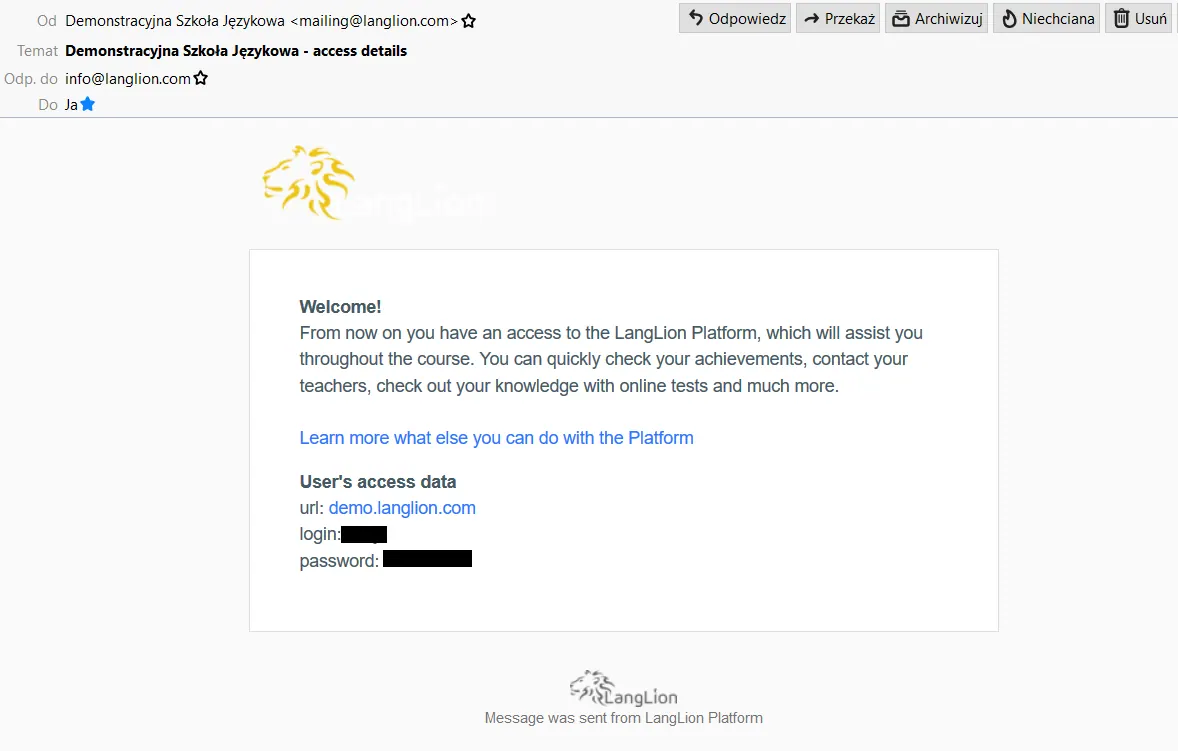
After sending the access data, the student will receive a message with the login data.
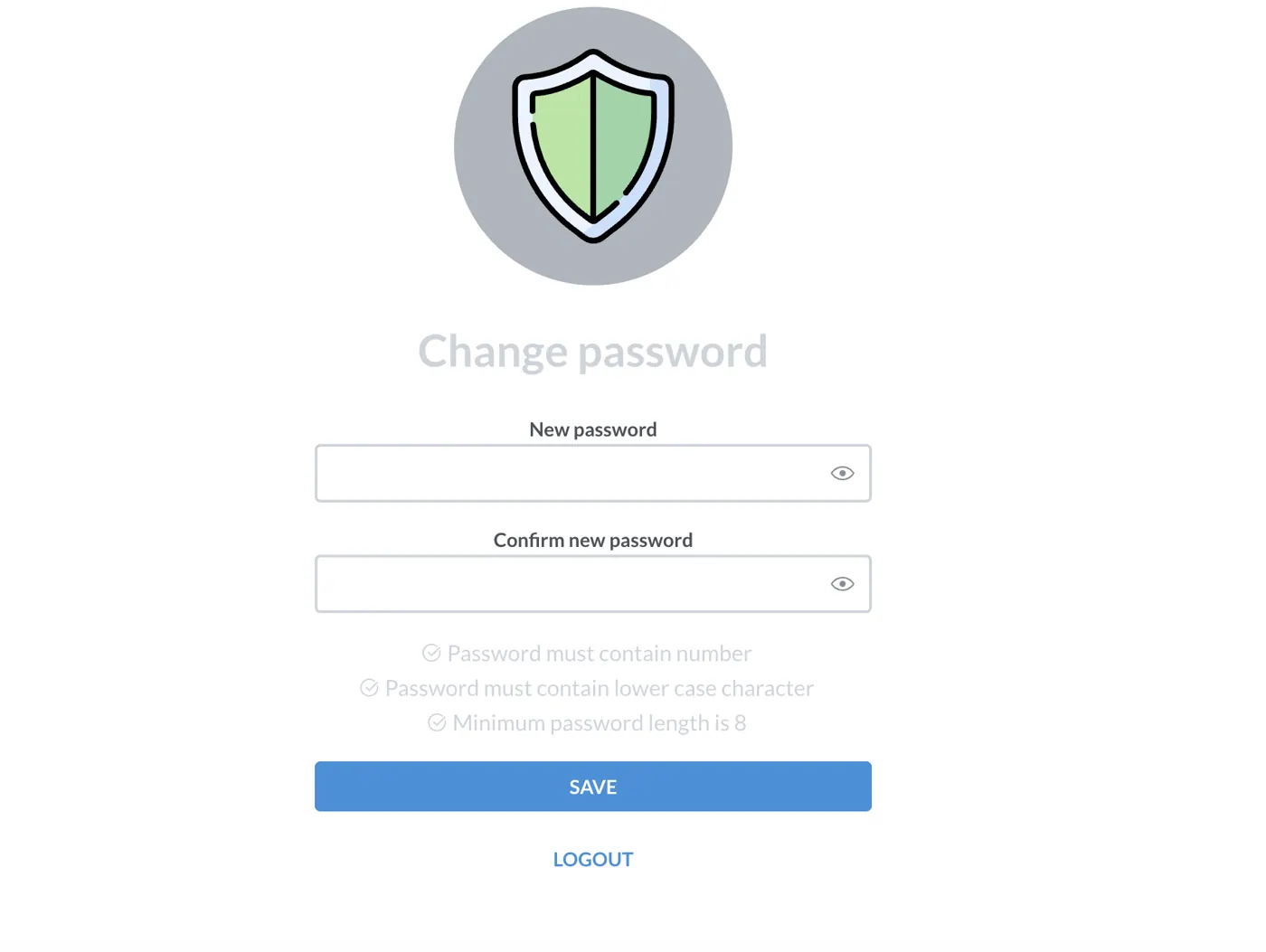
During the first login using the one-time password, the student will have to change this password for a new one.
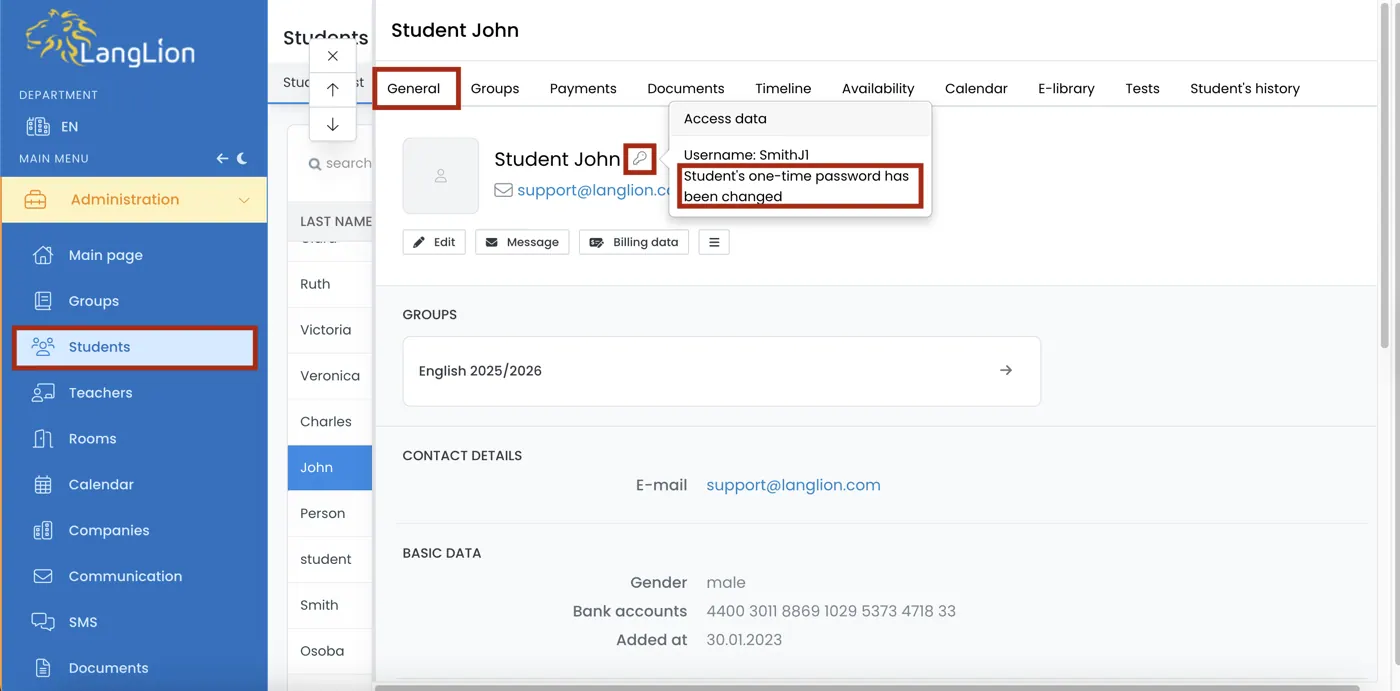
After the student changes the password, you will see this information in the Students -> General tab. The possibility of sending access details to the student will also be disabled.
What if the student forgets the password?
The student may restart the password using the Forgotten password option on the login page. You can also create a new one-time password for him by editing his access details. You can find more information about it in our guide How to change the login or password of a student or teacher?.
When a student has active a parent's account it looks the same. The access details will be sent to the parent via e-mail or phone number from the "Parent's data" tab, while the student will be sent a message to the contact details entered in the "Basic information" tab.