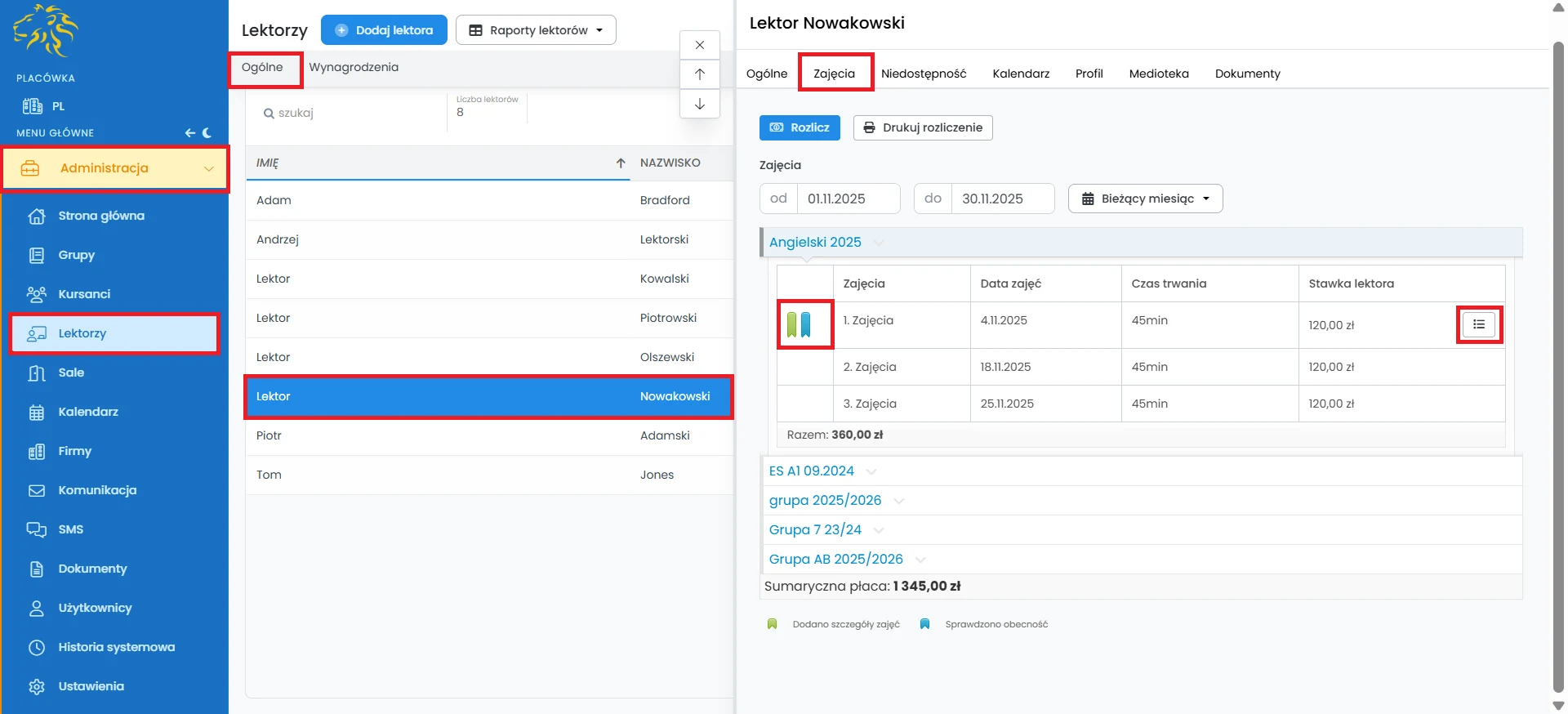
A teacher settlement is a summary of all the classes taught by a given teacher in a selected period, broken down by group, with the rate for each lesson. It shows the number of classes and the teacher's pay for each group as well as the overall total.
We have described how to prepare a teacher settlement in our help centre here.
However, you can also download just a PDF printout for a selected period, without settling the teacher, to check how many classes were assigned to the teacher in that time.
How do I download a teacher's list of classes for a selected period?
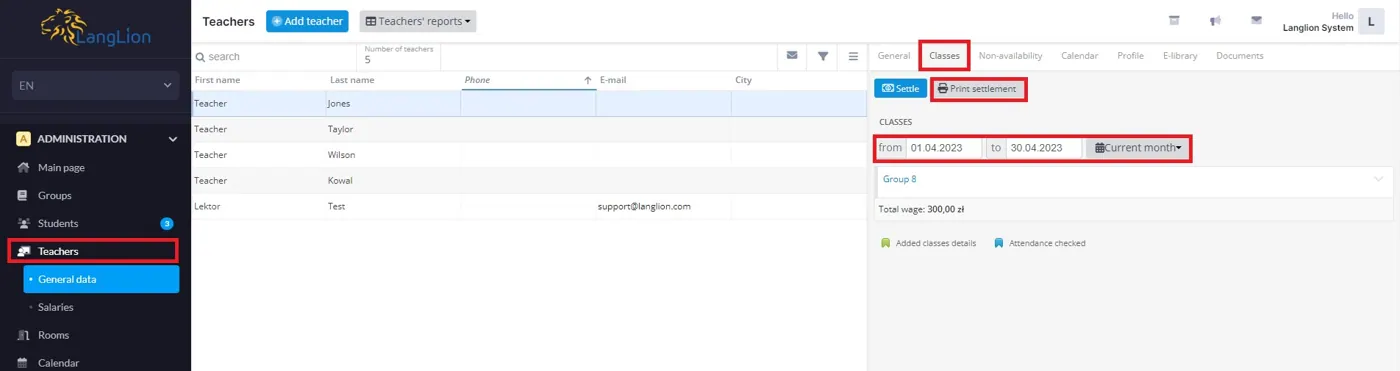
It's simple: go to the “Teachers” tab, then "Classes", choose the period you want the settlement for and click “Print settlement”.
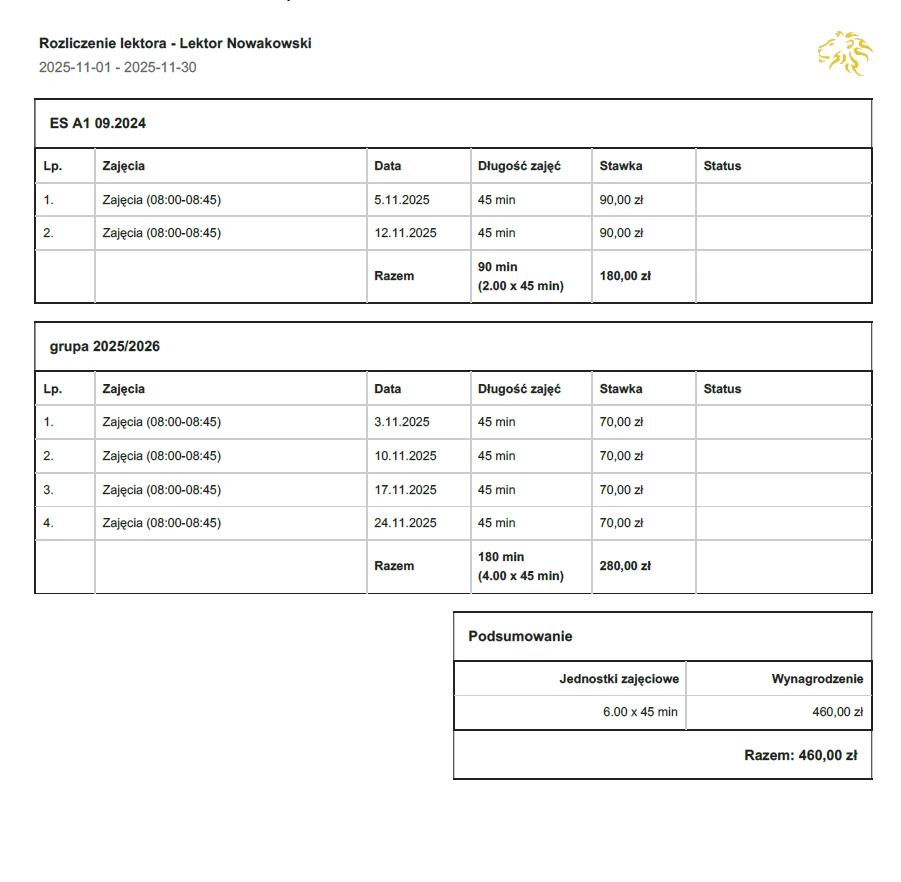
The settlement will be downloaded as a PDF and will look like the one below.
You can attach it, for example, to the teacher's bill, so they can easily see which lessons have been included in their settlement.
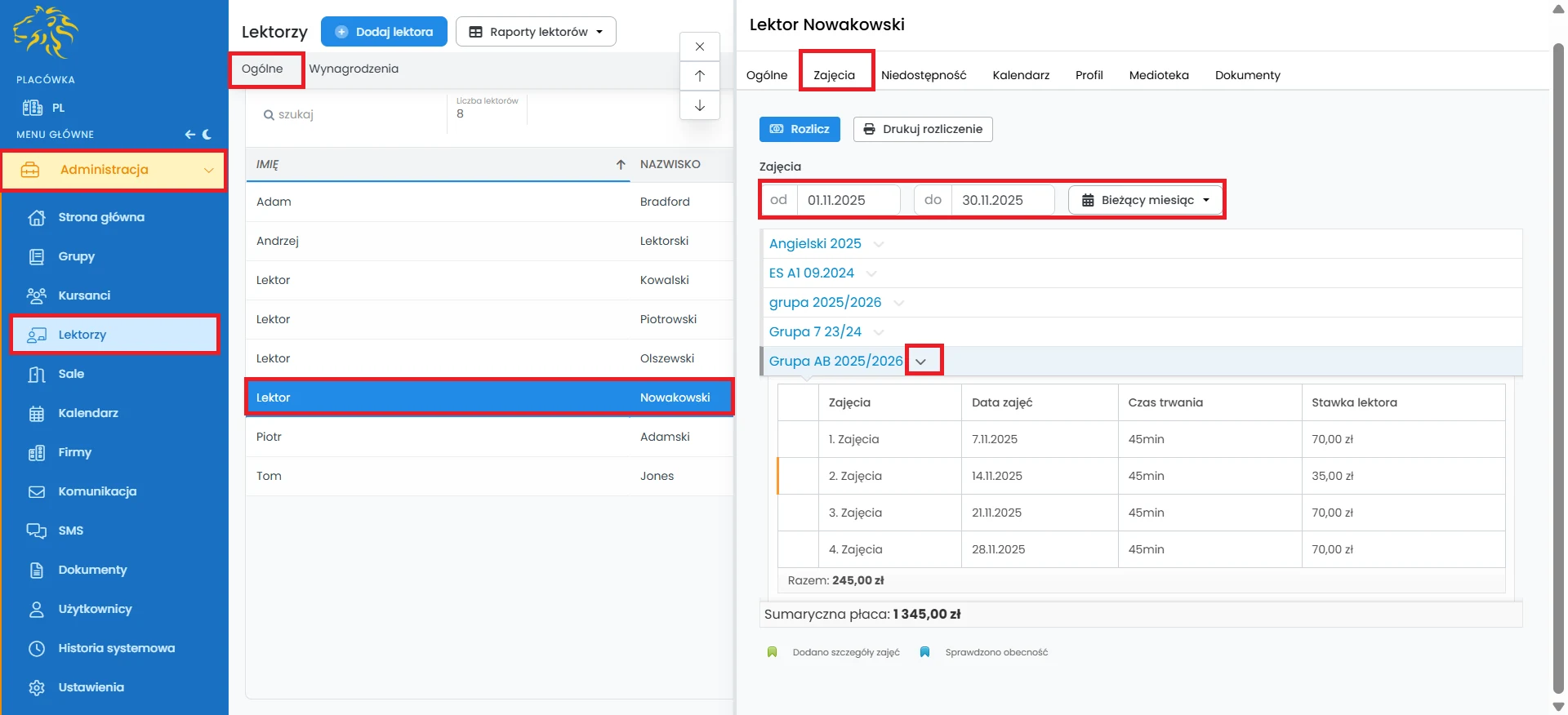
You can also check all this information without downloading the settlement.
Once you have selected a period, simply expand the details of the group you want to check. You will see a list of classes with their dates, duration and the teacher's rate for each lesson.
If a lesson has been given a status, e.g. "Class cancelled", the status colour will be shown next to it, and its name will appear when you hover over it.
From here you can also see which lessons have had their class details filled in or attendance checked. Such lessons are marked with special icons.
You can also check exactly which details have been added to a given lesson. Just click "View classes details".