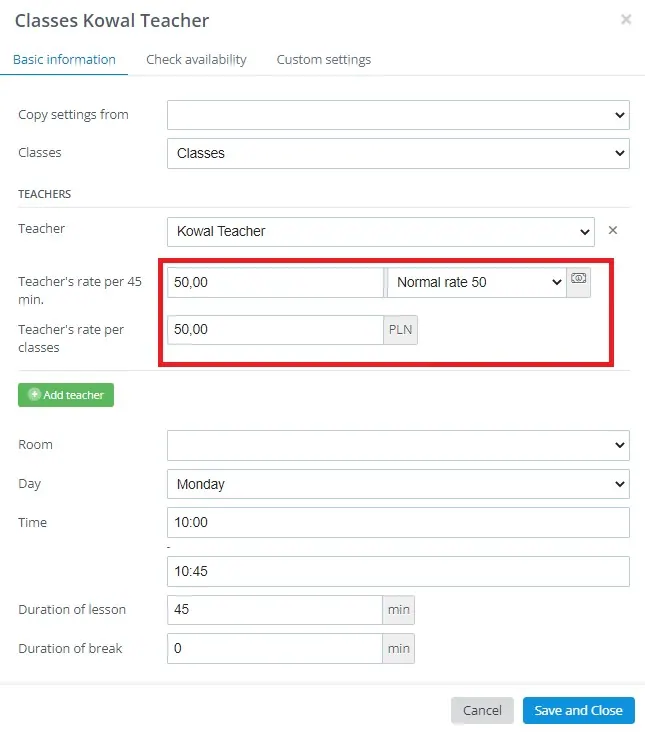
Rates is a useful feature to settle with a teacher for his job. We will describe how to add rates as well as how they can be used in some future actions.
To add a teacher’s rate:
1. From menu Administration we select tab Teachers and then Salaries
2. We click on a person and we choose tab Rates.
3. We choose Add. In empty areas we instert a rate’s name and its amount. By unmarking the checkbox in tab Current we make the rate visible at the list of teacher’s rates.
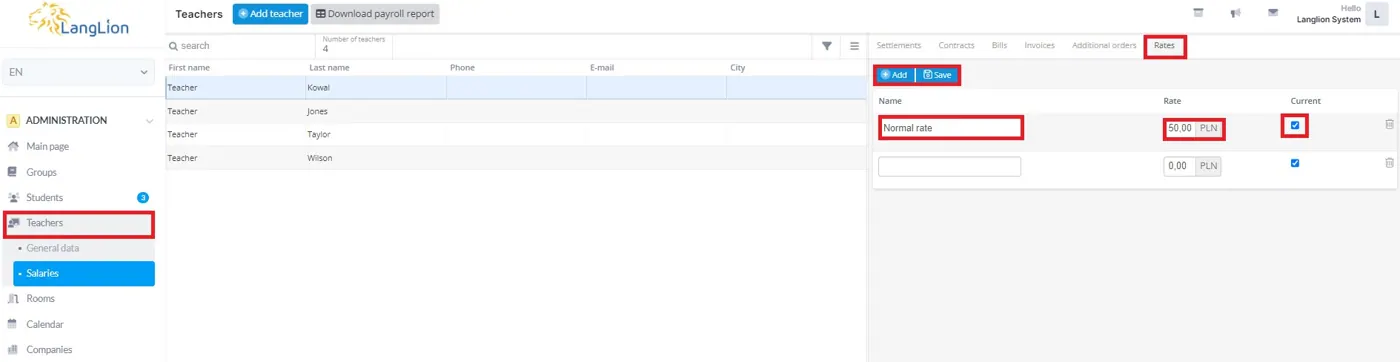
4. Similarly we do in case of adding a new rate.
5. When we finished adding rates, click Save.
The following picture presents a form of classes edit with a selected teacher and a list of assigned rates.