
1. In order to create a new teacher go to the Teachers tab in the Administration module.
2. Click on the Add teacher button.
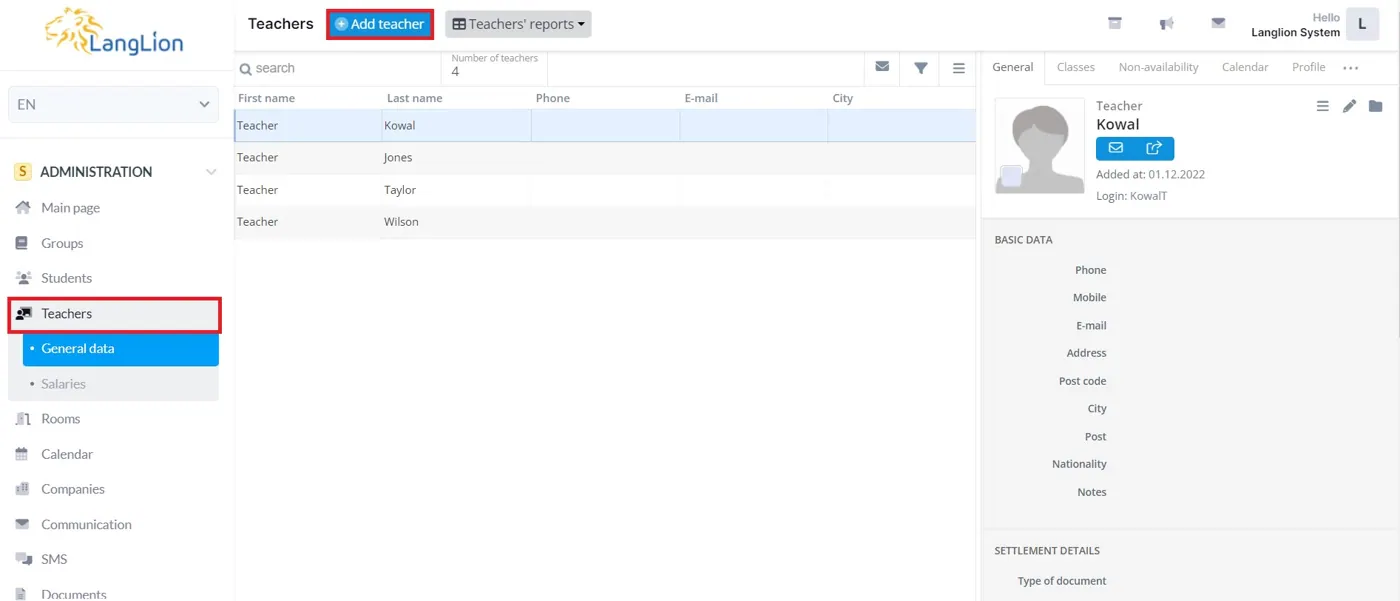
3. Complete the teacher’s form. In the Basic information tab enter first and last name, gender, enter his/her contact and address details. You mark consents to the processing of personal data in the Consents tab. You can finish the editing at this stage or go to the next tabs to complete the remaining information.
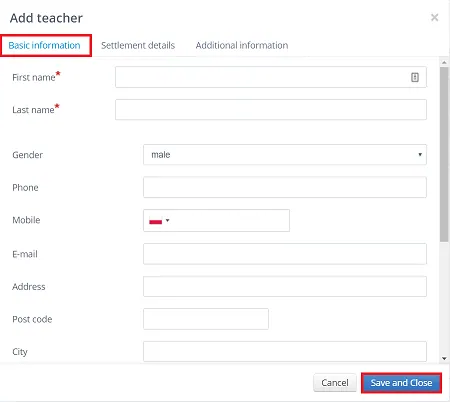
In the Settlement details tab, you can fill in any information necessary to create the settlement and generate a teacher’s contract/bill, e.g. bank account number, type of settlement, tax ID, etc.
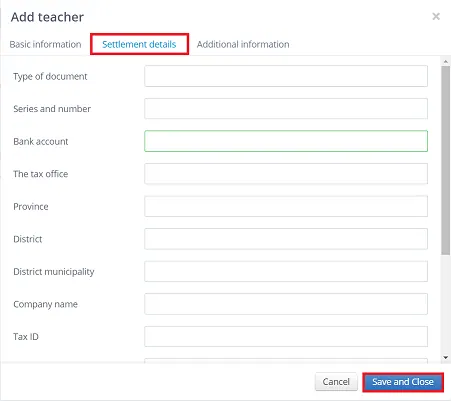
The Additional information tab will display the fields that you add yourself. See how to do it in our instructions – Forms. If your school uses online lessons, in this tab you also choose the account the teacher uses for online classes: GoToMeeting account to use and – only after the teacher is saved, when editing their details – Zoom user to use.
In the Consents tab, mark the consents to the processing of personal data given by the teacher.
4. After completing the form, click on the Save and close button or press Enter. Now the teacher has been added to the system and it is possible to assign him or her to classes using classes generator.