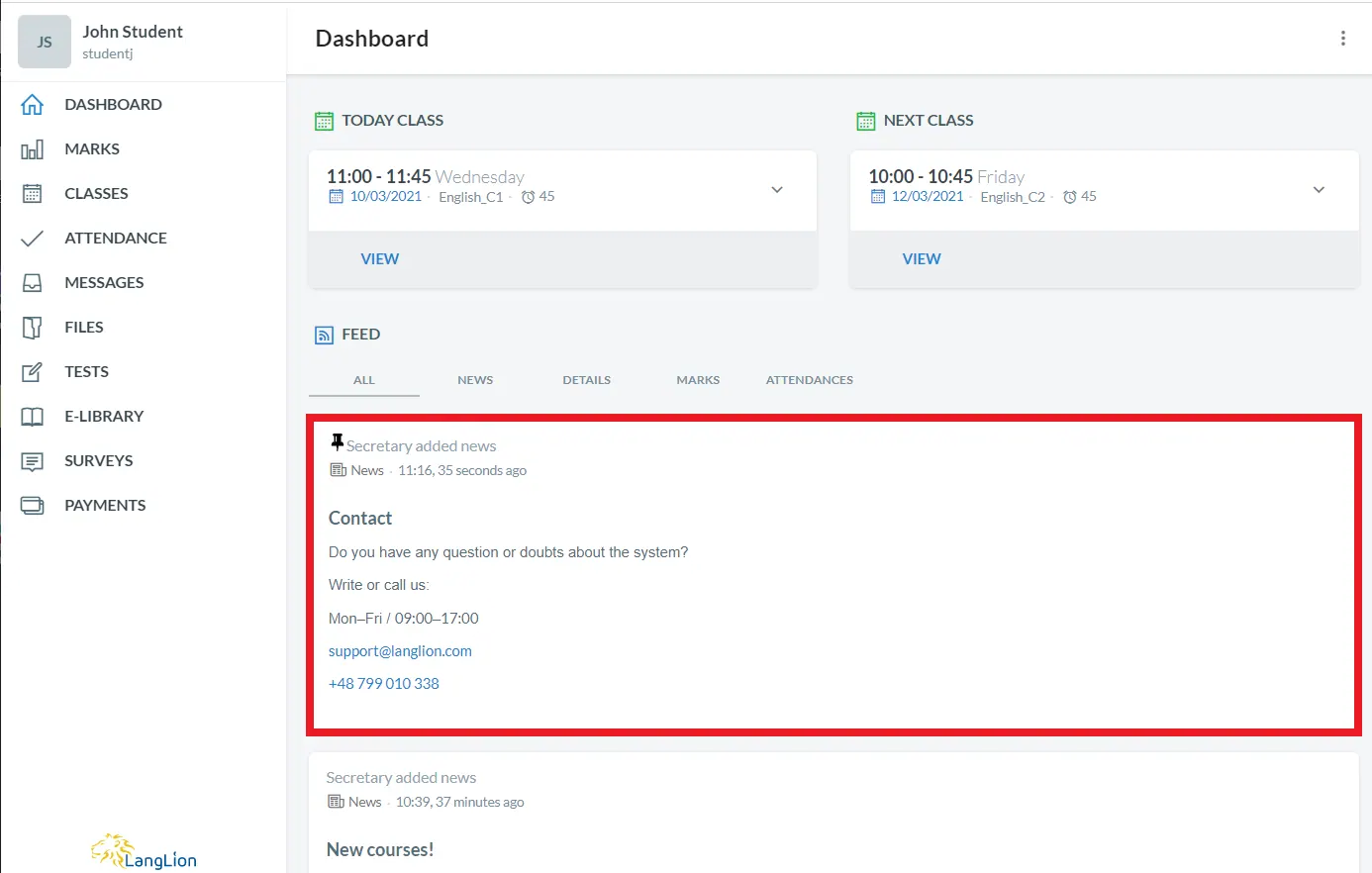
Thanks to the news, in a simple way you can add a notice that will be visible for every student, teacher, and employee of your school.
How to add news?
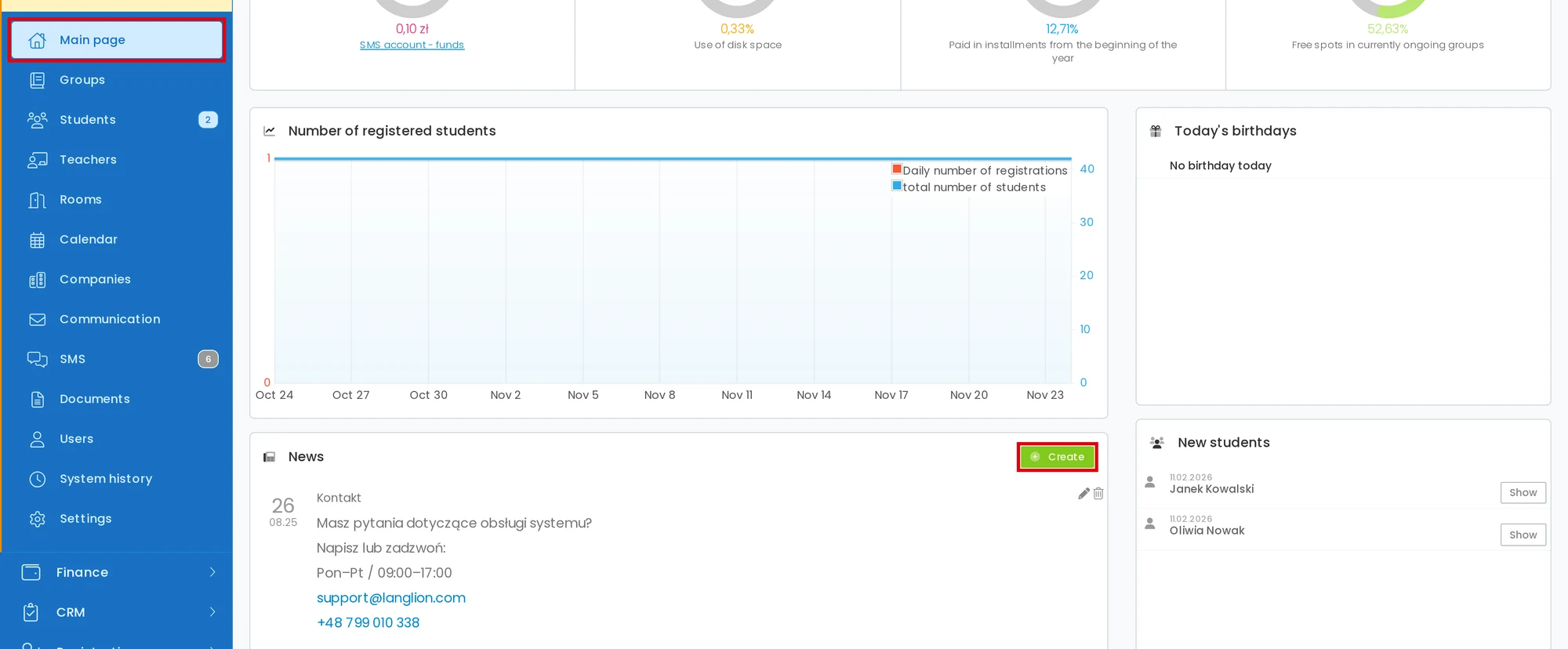
It’s simple, go to the Administration -> Main page tab and in the News field, click on the Create option.
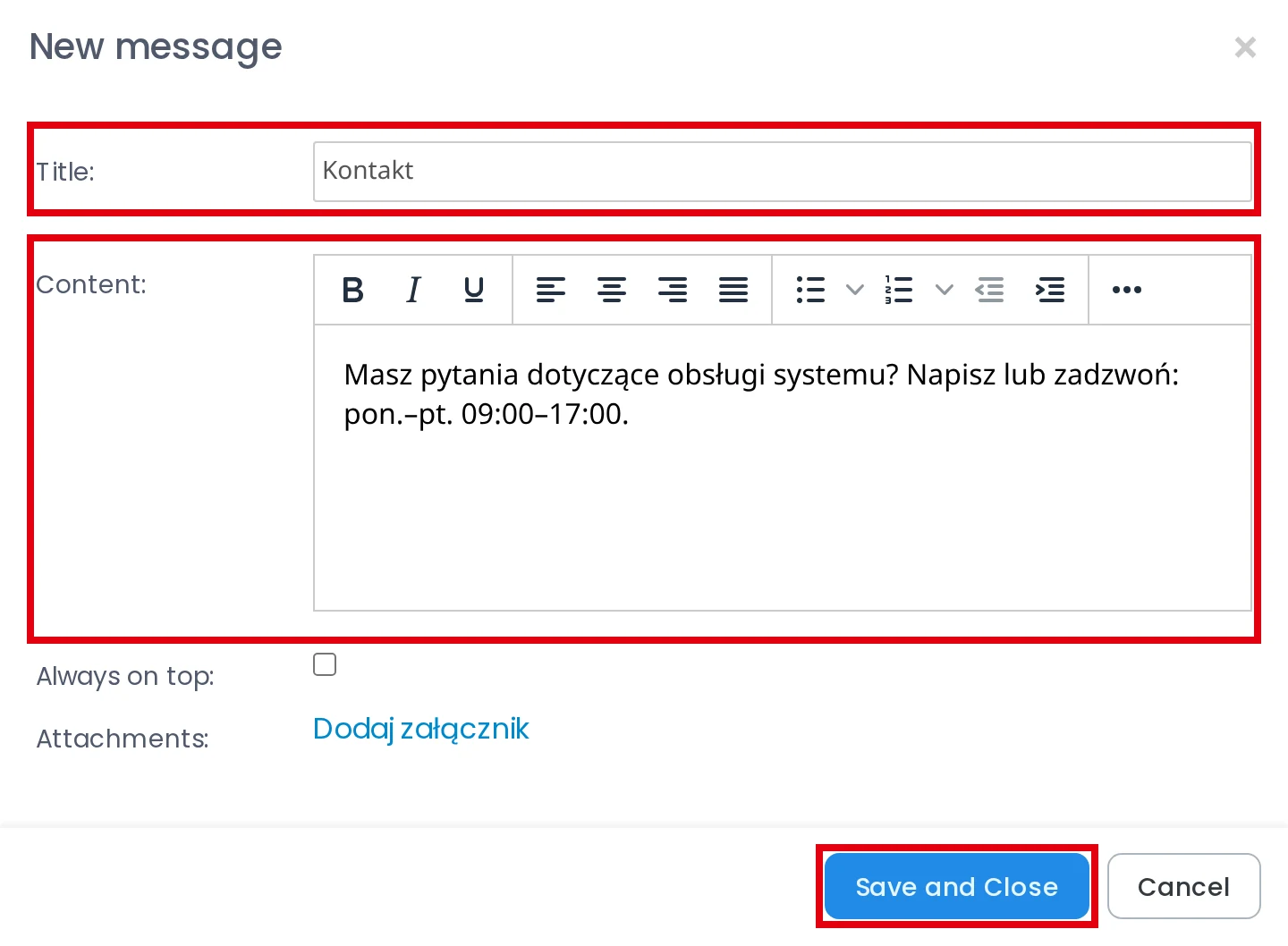
Add a title and content, and click on the Save and Close button.
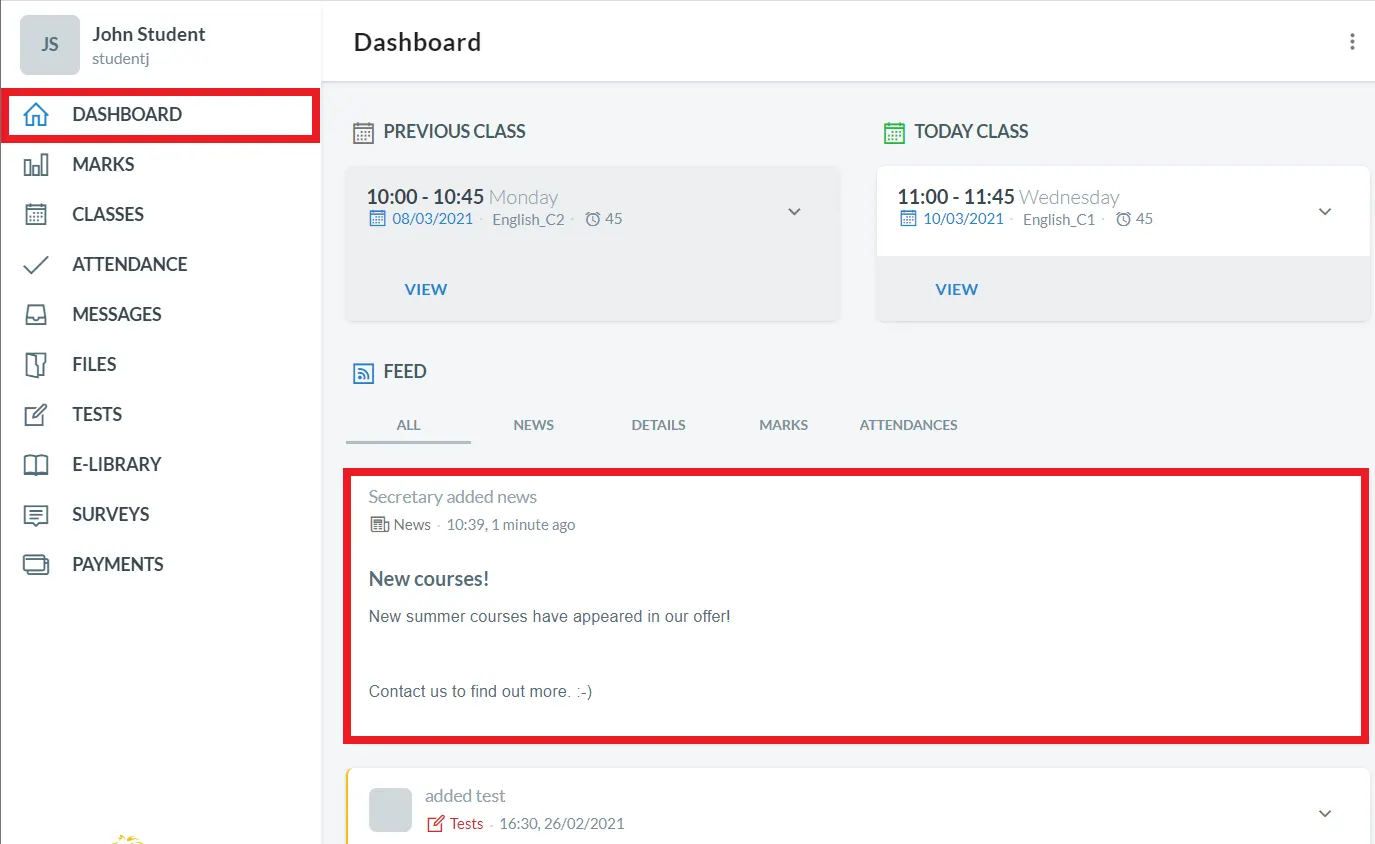
Done! The message was added and appeared in the news for everyone.
On the dashboard will be displayed always the latest news.
Can I add information that will be permanently pinned to the student’s panel?
Of course, all you need to do is select the Always on top option when creating a news item.
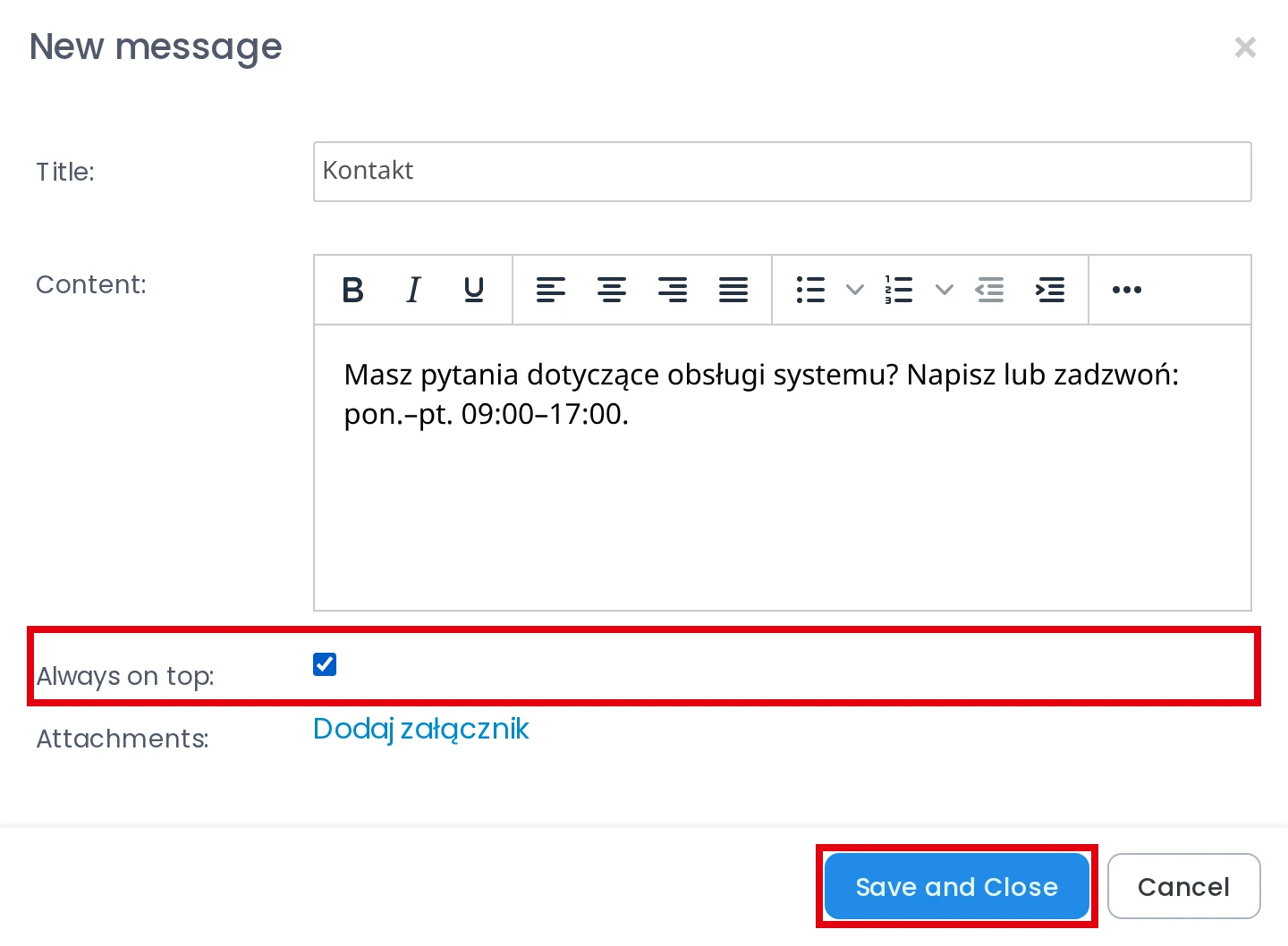
Thanks to this option, it will always be visible at the very beginning of the news.