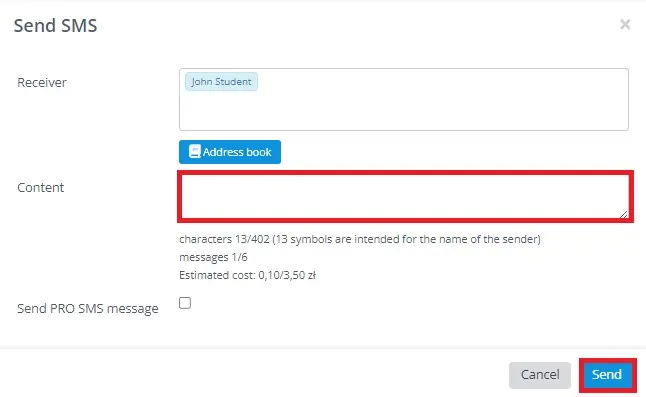
Birthday module is the functionality of the LangLion Platform, which informs you about your students’ closest birthday and allows you to send a birthday card or SMS. This tool allows you to strengthen a relationship between the school and students and improve the school image.
How to enable birthday module?
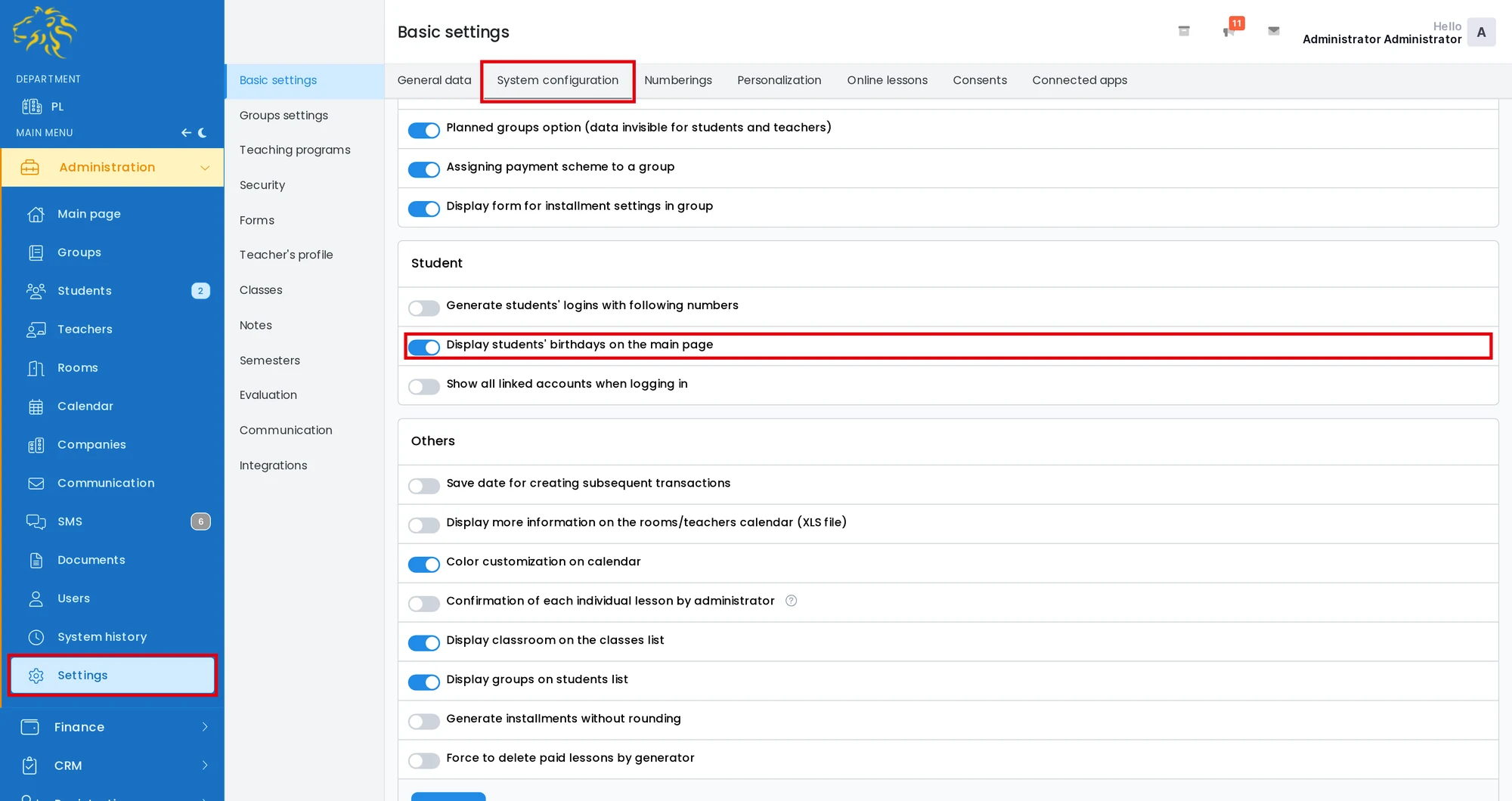
You can do this easily, just go to the Settings tab in the Administration module. Then, select the System configuration tab and enable the Display students’ birthdays on the main page option.
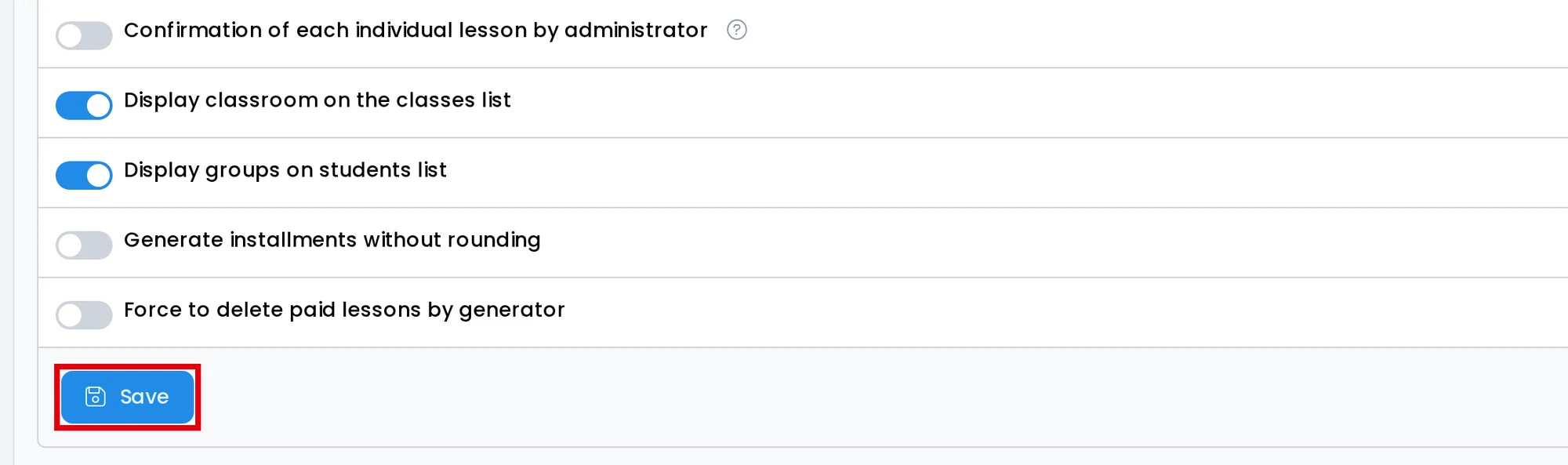
Save the changes with the Save button at the bottom of the page, then log out and log back in.
Birthday module is now active. Remember that information about a birthday is based on the data entered in the student’s form, so make sure to insert correct date of birth.
The Today’s birthdays box on the main page shows birthdays in the next 7 days (counting from today) together with the age. Today’s birthdays are highlighted in green. The list includes all users with a date of birth (students, but also e.g. teachers), except guests and CRM contacts.
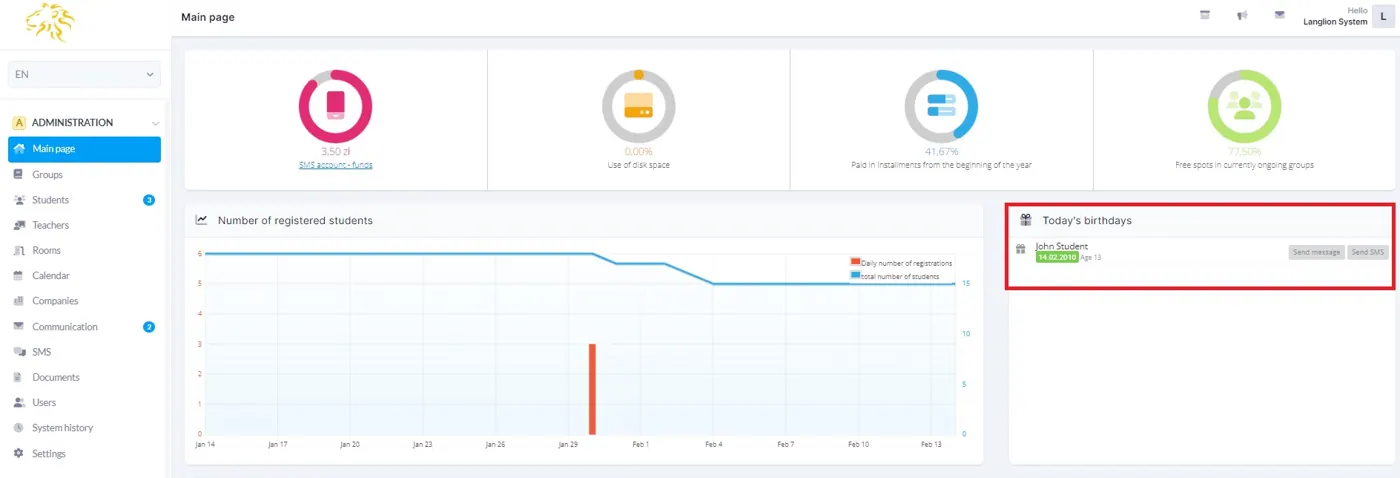
Do you want to send wishes?
You can send it by email.
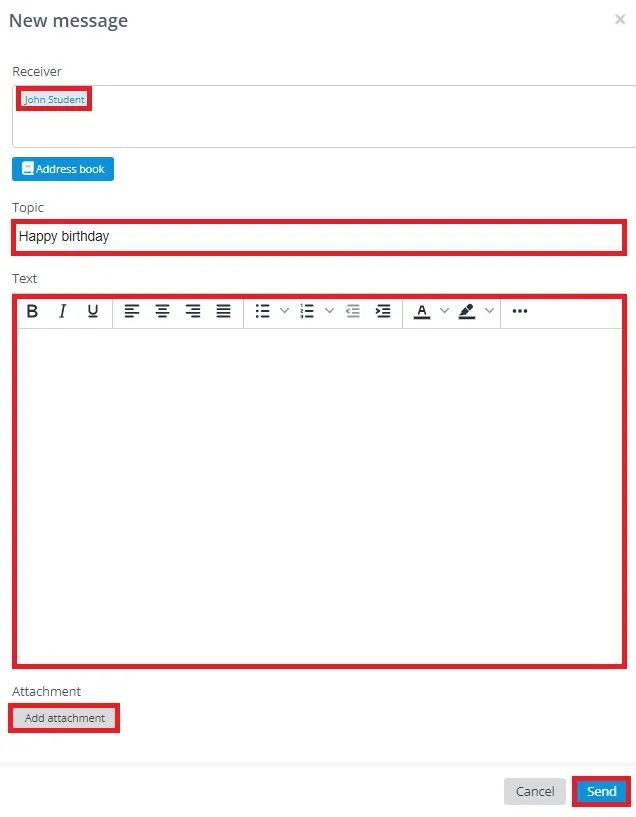
Click the Send message button and the system will display the system message editing window. Enter text and click Send.
If you have E-learning module active, you can also attach files to the message.
You can also use SMS option – click the Send SMS button, enter text and confirm with Send button. The button is active only when a specific branch is selected (not in the all-branches view).
Just make sure you have enough credit and if not, top-up your account.