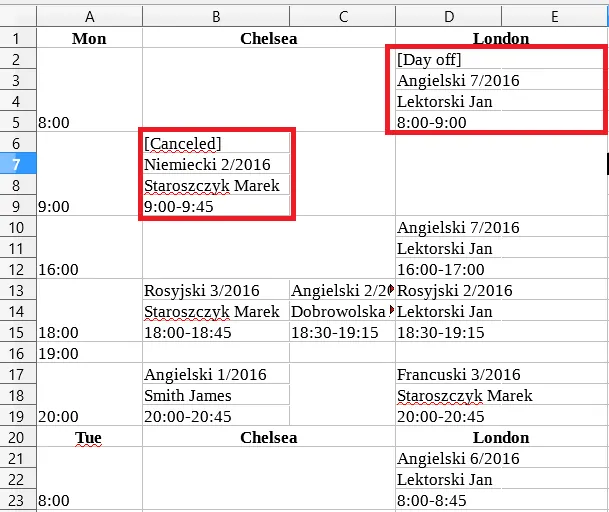
The LangLion Platform allows you to export a calendar to a spreadsheet, from which you can print it and place it on the board in the office.
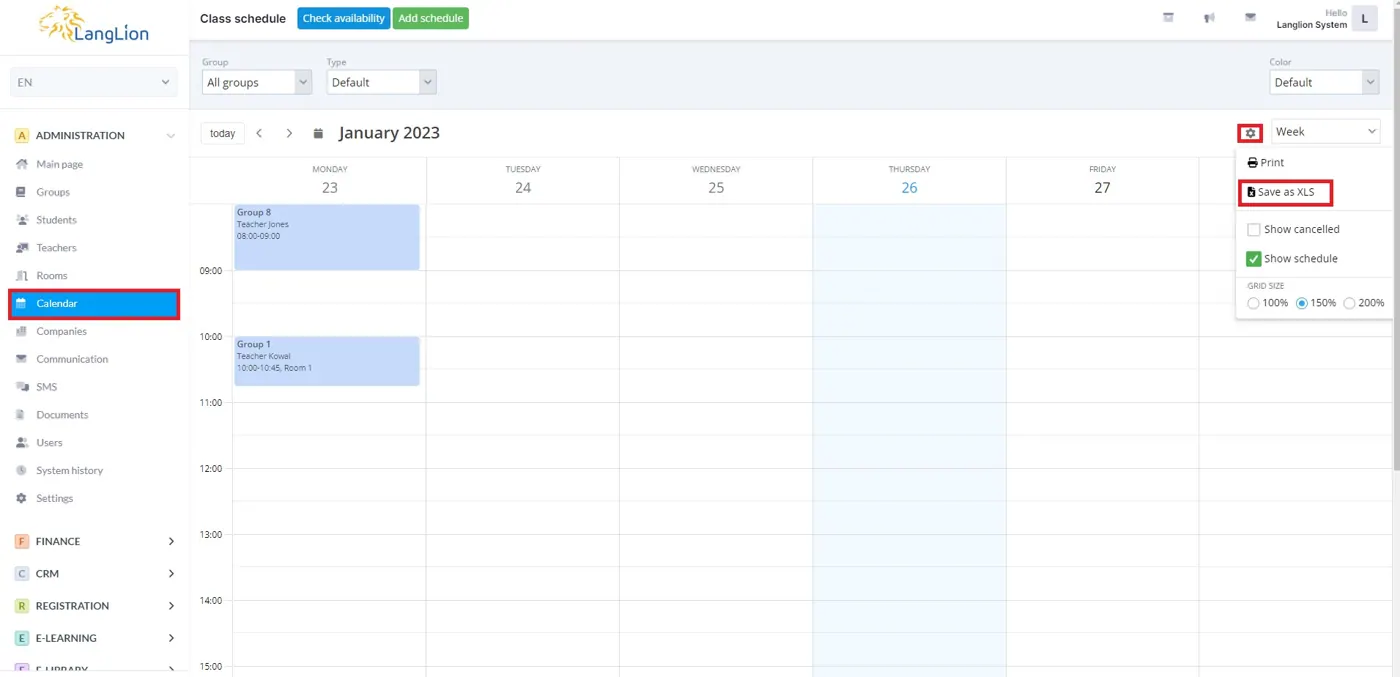
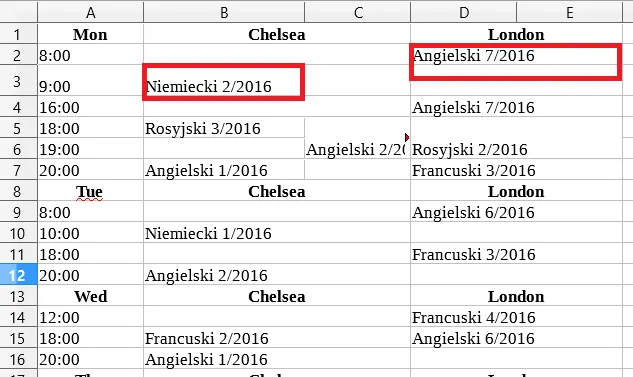
Do you want to print it but lesson plan does not include all the information?
By default, the exported file contains simplified information, however, you can increase the amount of information exported to a spreadsheet.
To do this:
- Go to the Secretariat module and click on the Settings tab.
- In the System configuration tab and select the Display more information on the rooms/teachers calendar (XLS file).
- Save changes
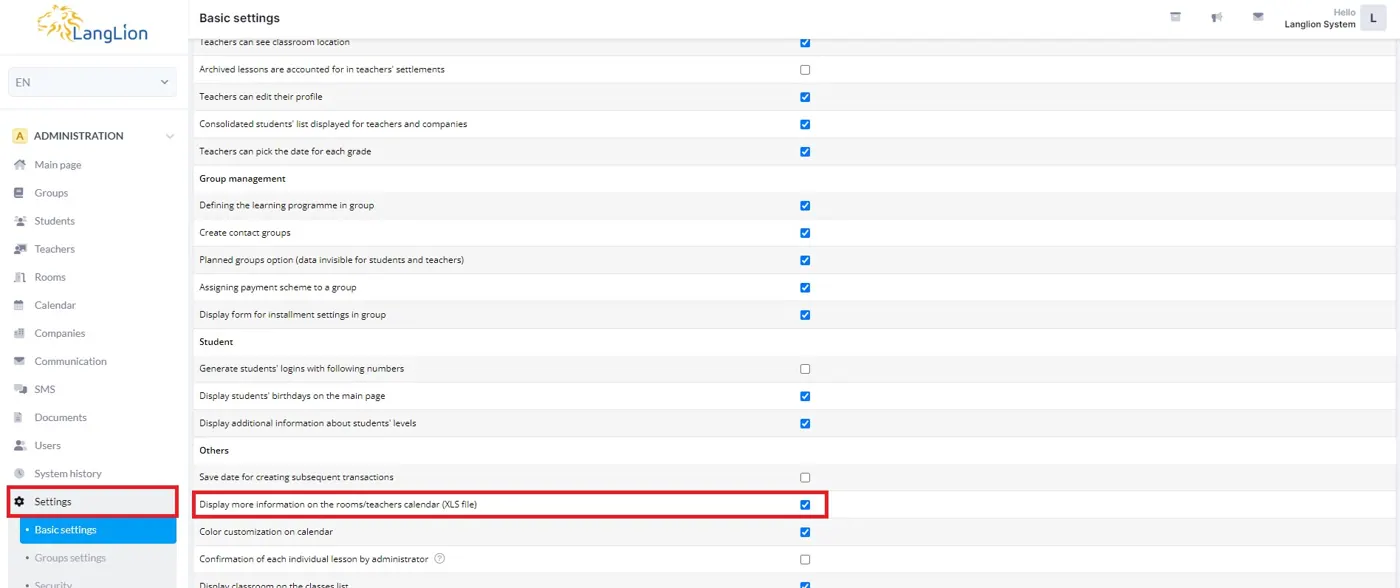
For changes to apply, log out and log back in.
Now the spreadsheet contains more information.