
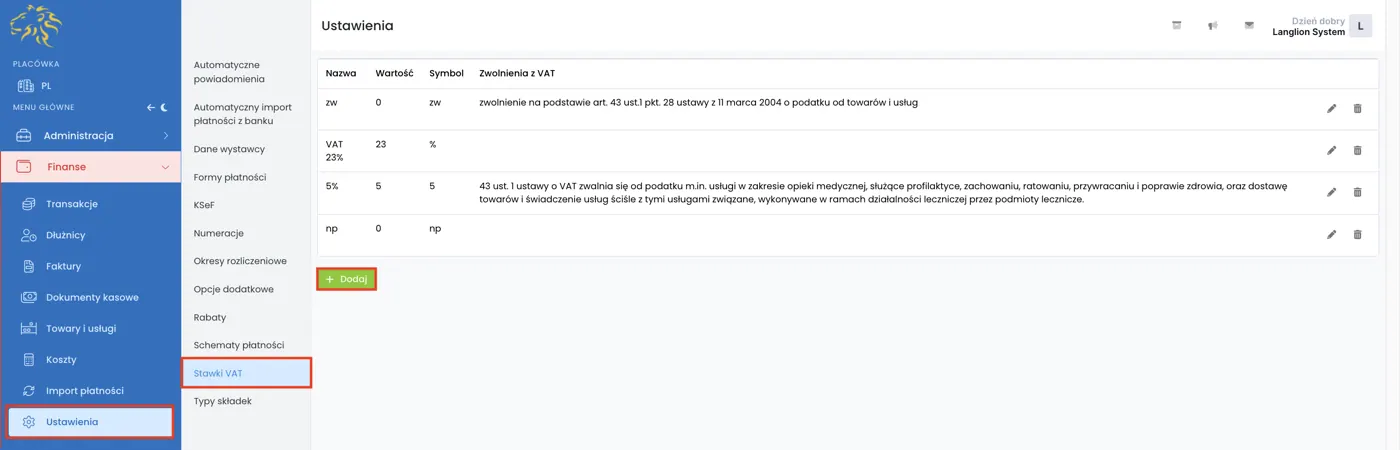
Here you can add VAT rates, which you can then select when defining Goods and services.
Click the "Add" button, enter the relevant details and save the changes. Remember that the code from the "Symbol" field will be pulled into invoices and financial documents. This makes it easier to enter data that will later appear on Polish-English invoices.
You can assign a tax exemption note to a given rate.
Once you have added VAT rates to the system, you can use them when adding goods and services, in line with your school's offer.
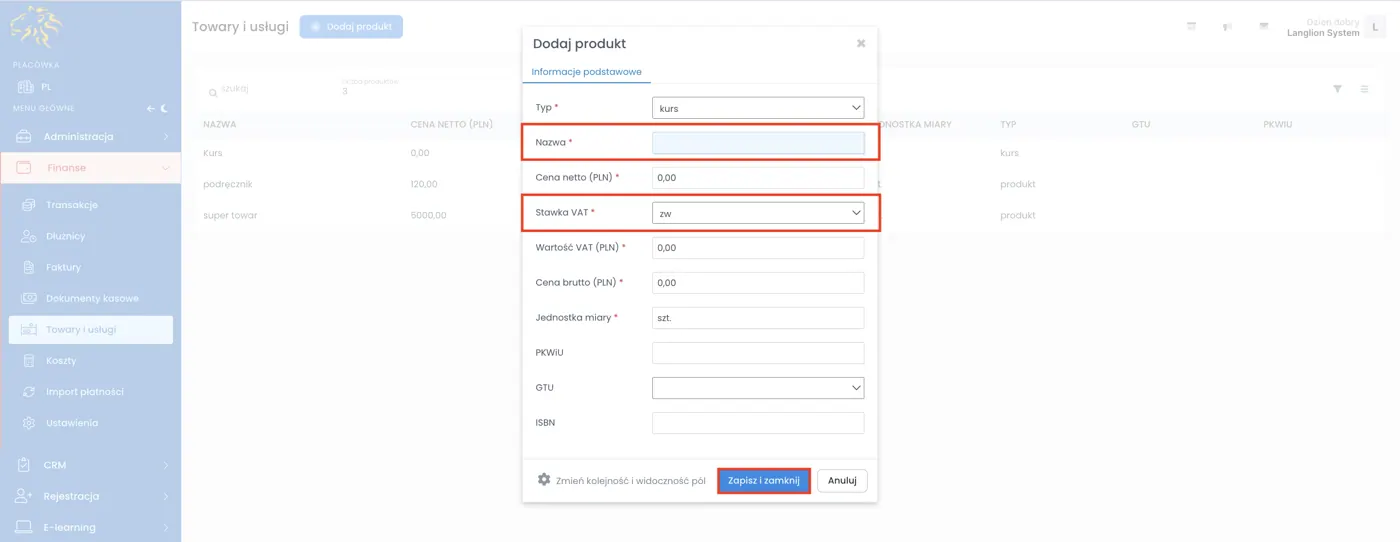
You can find more information about Goods and services here.