
The administrator, by configuring the main settings of the LangLion Platform, may allow you to add and delete classes.
Thanks to this, you have the option of arranging individual courses for convenient dates. If the lesson has been arranged, add it to the system.
Before you start
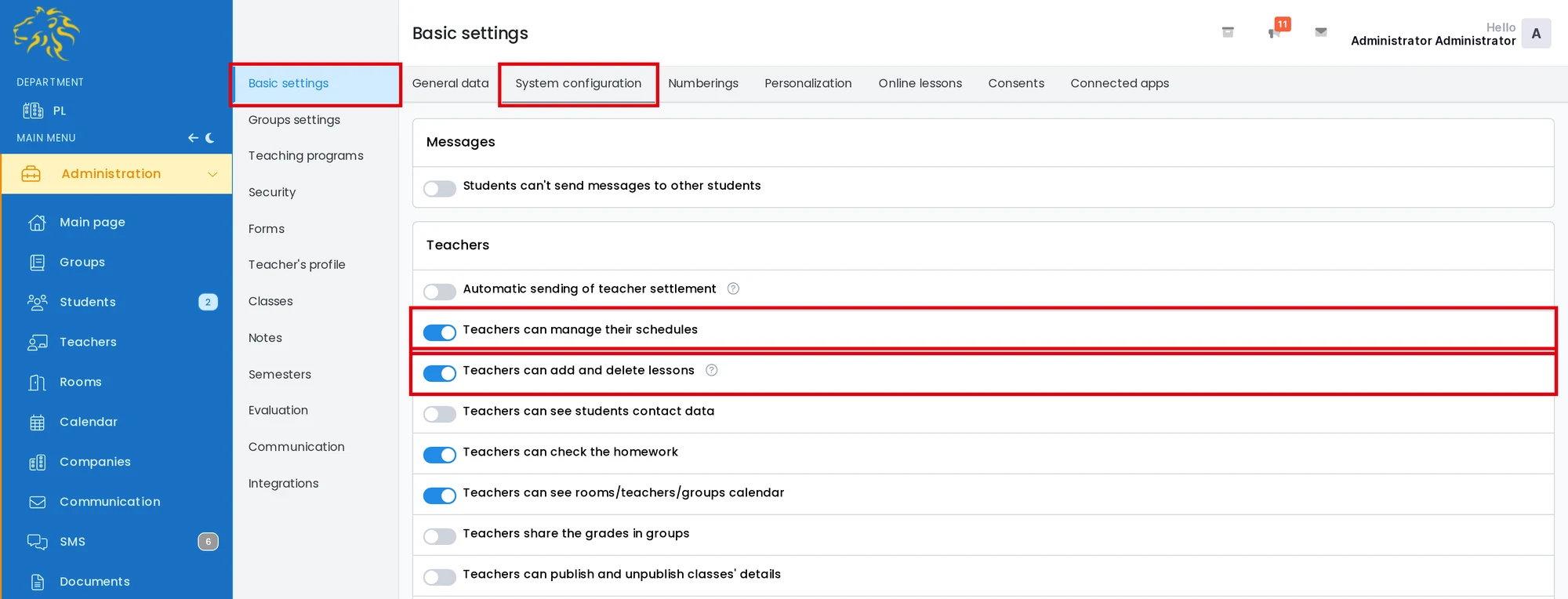
The administrator enables this in "Administration" → "Settings" → "Basic settings" → "System configuration", in the "Teachers" section, by selecting "Teachers can manage their schedules" and "Teachers can add and delete lessons" (selecting the second option turns on the first one automatically). With "Teachers can manage their schedules" alone, you can set statuses of classes and change their data, but the Add lesson button is available only when "Teachers can add and delete lessons" is on. After the change, log out and log in again.
How to add a lesson?
You have 4 options to add a new lesson:
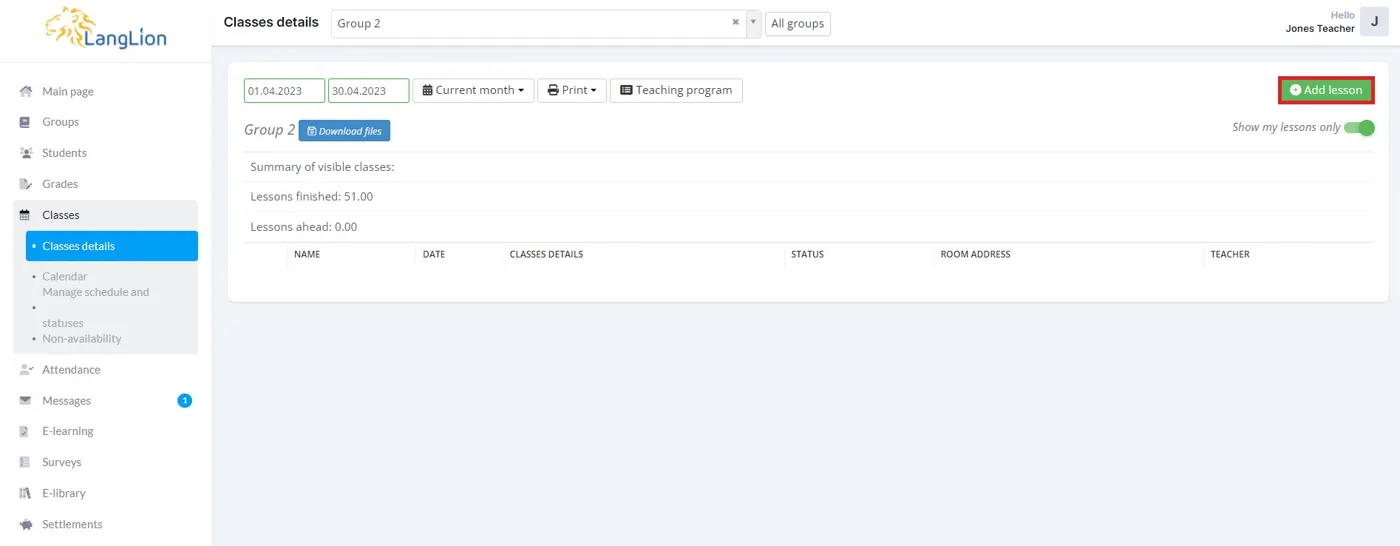
- Go to the Classes and Classes details tab, click on the Add lesson button
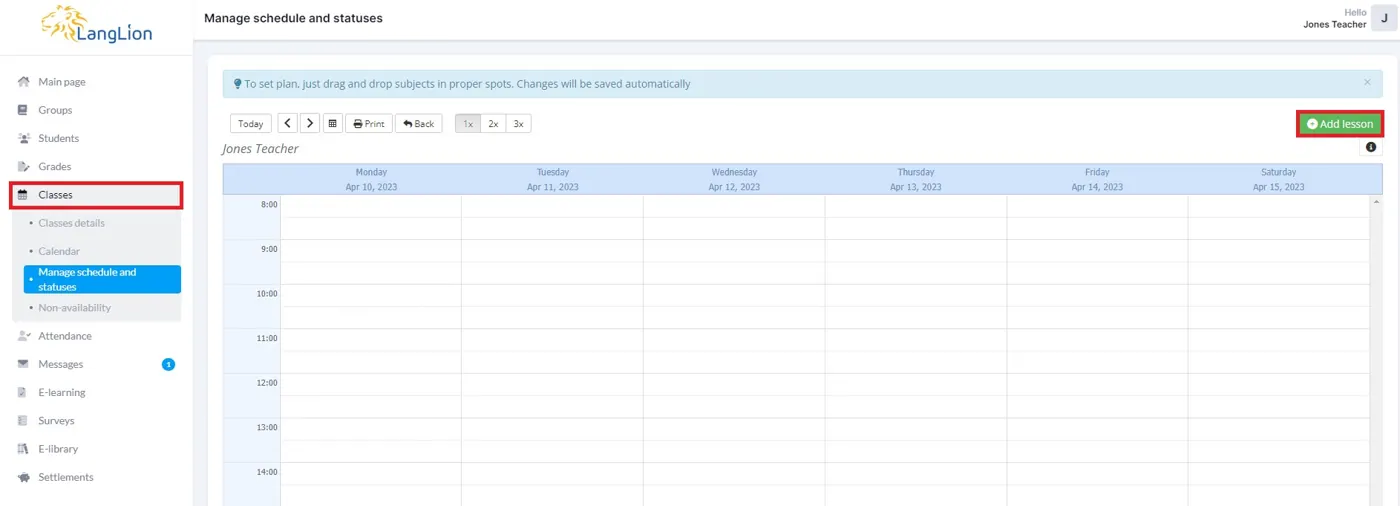
- Go to the Classes and Manage schedule and statuses tab, click on the Add lesson button
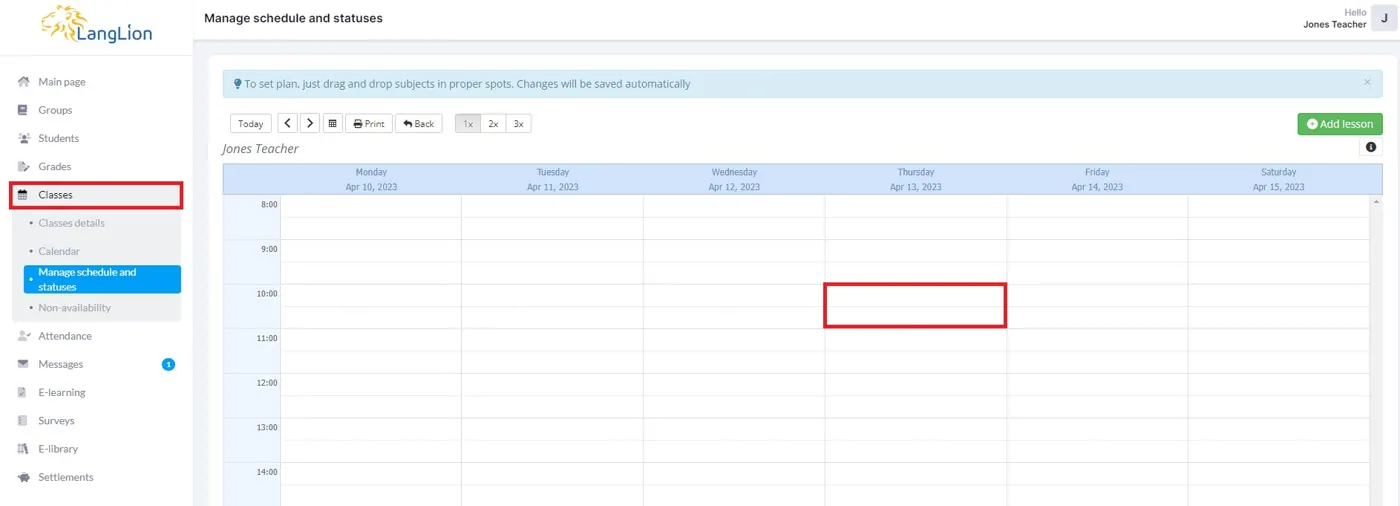
- Go to the Classes and Manage schedule and statuses tab and click on the calendar in the place you want to add a lesson
- Go to the Classes and Calendar tab, click on the Add lesson button
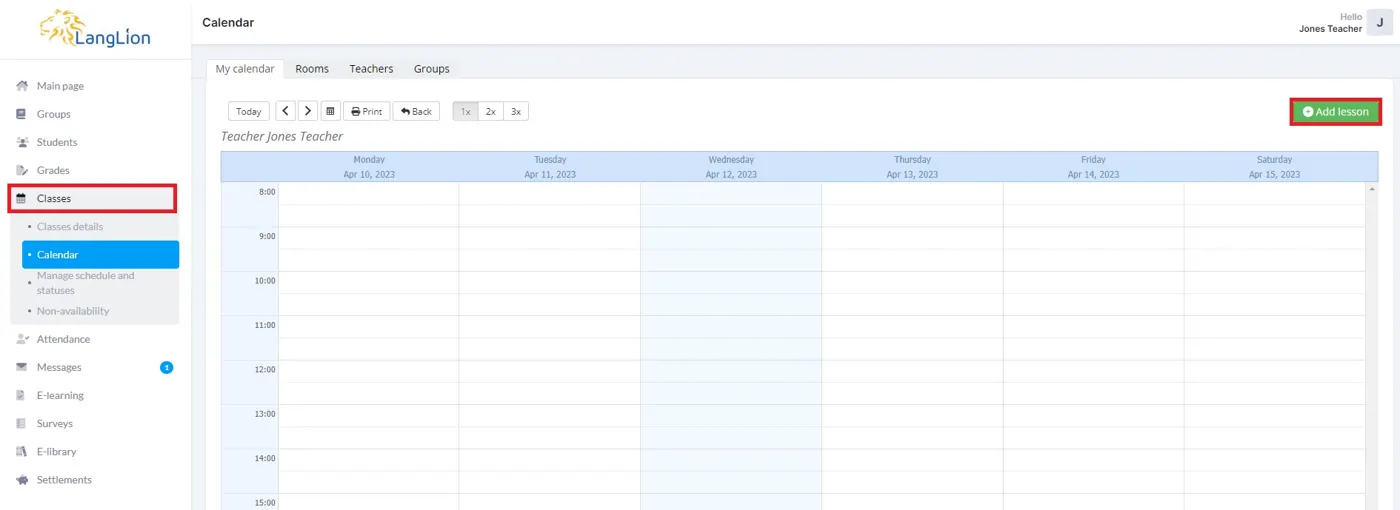
No matter which method you choose the next step is to enter the type of class, date of the lesson and its time, classroom. If you do not know which room to choose, use the classroom availability check option. Enter the start time and length of the lesson. You can also choose whether the lesson will be available online. Once you finish, save the changes.
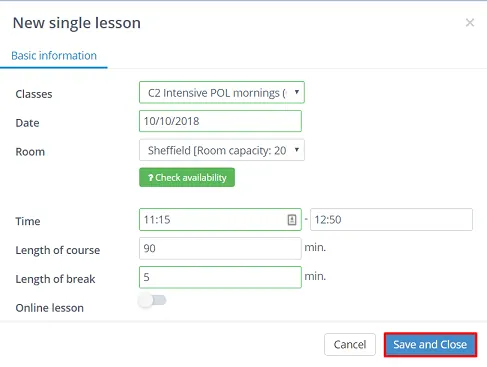
Please note that some groups have a specific number of lessons planned so whenever you change their schedule and add new lessons, make sure the total number of lessons is correct. You can always contact an admin and ask him to check if everything is OK.