
If you want to add your classes to Google Calendar quickly, LangLion lets you do it!
In the "Classes" tab, in the “Calendar” section, you will find your timetable, which you can quickly share to your Google Calendar.
To do this, click the calendar page icon with a plus sign.
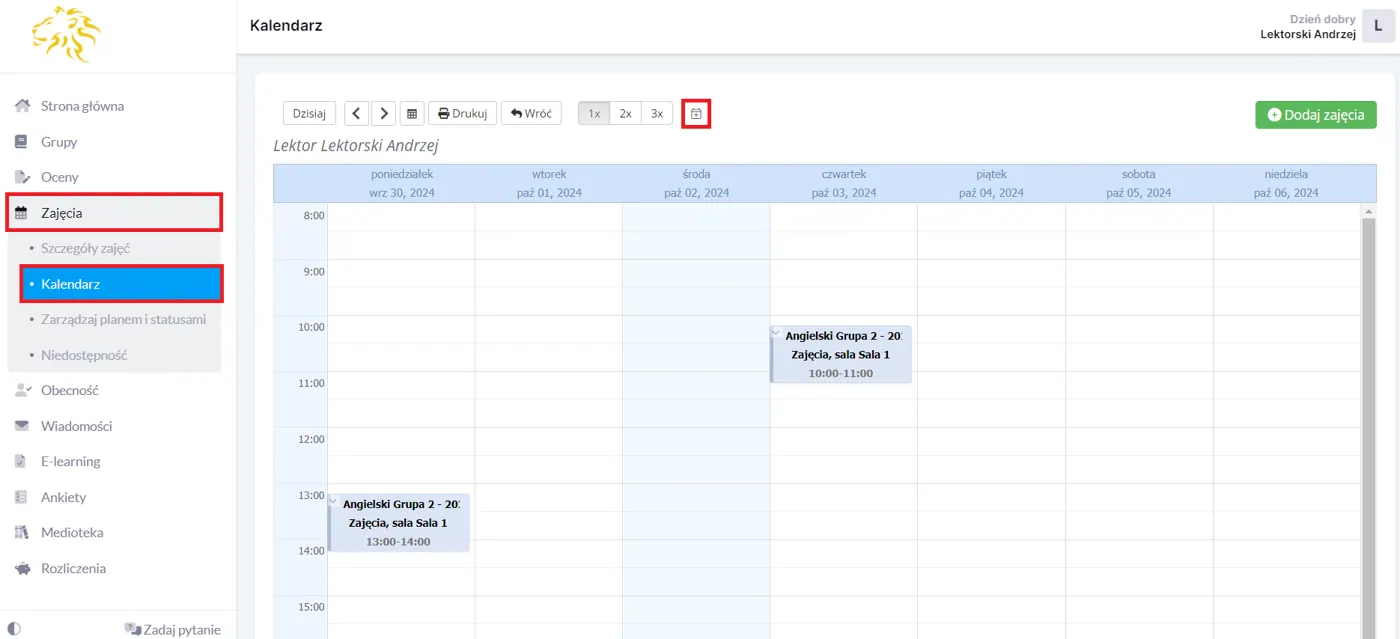
After you click this icon, the system will generate a link, which you need to copy.

Once you have copied the link, go to Google Calendar and click the plus icon next to "Other calendars".
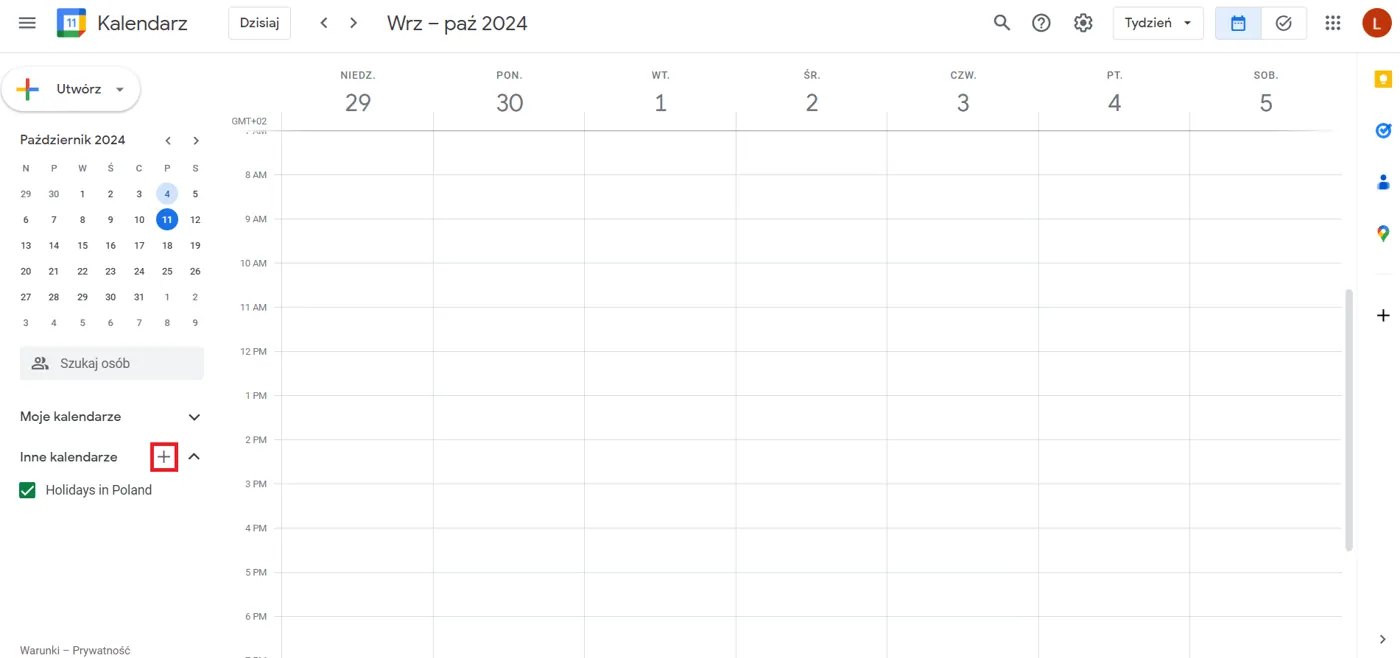
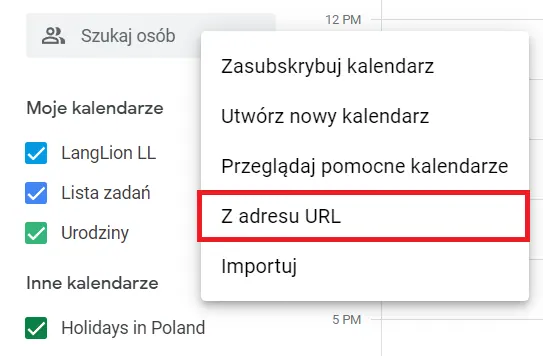
Then select the "From URL" option – a new page will open where you can paste the link you copied earlier.
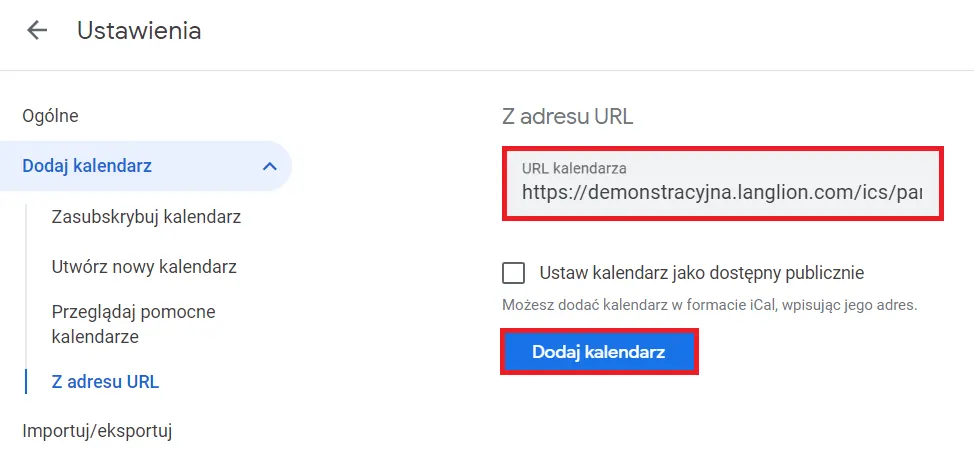
Paste the link into the "URL of calendar" field and click "Add calendar".
Done! Your timetable has been added to your Google Calendar.
If any changes are made to the timetable, the information in Google Calendar will be updated within a few hours. The timing of the update depends on Google.