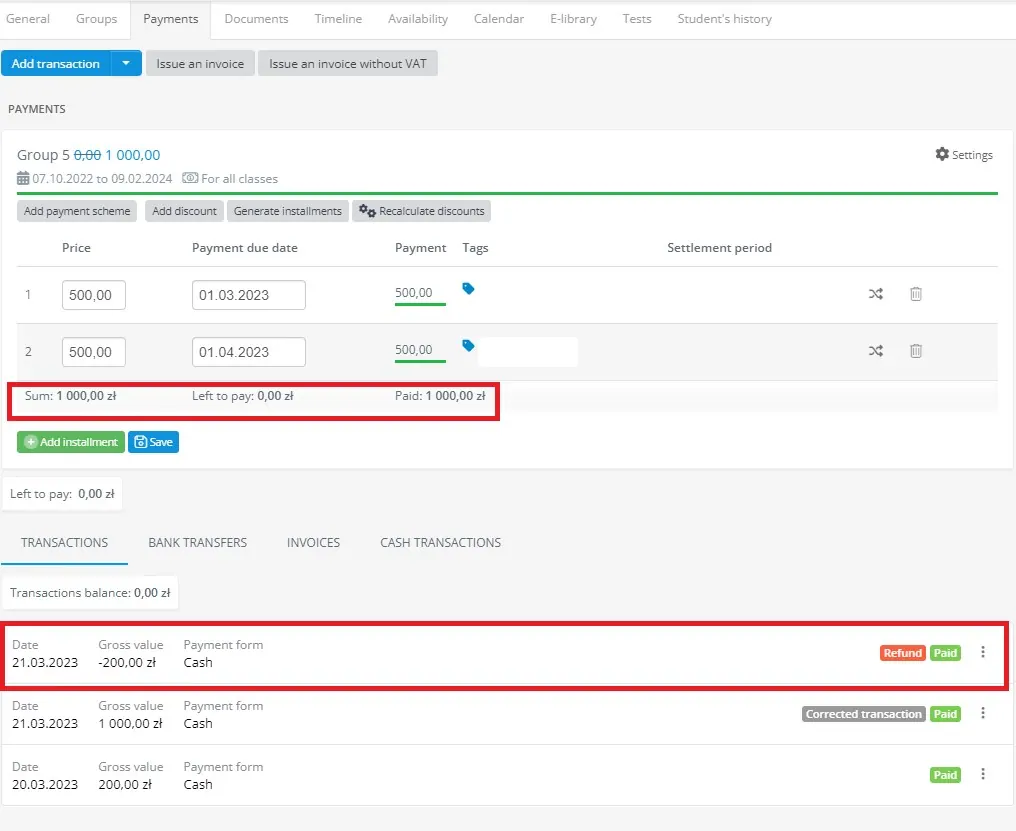
There are situations when excess payments occur. It happens because student can pay rates that are not equal and at the end of a school year excess payment shows up. When we want student’s payments to be balanced, we should give his overpayment back.
In order to issue a return:
1. In module Administration we choose tab Students.
2. From the list of people we choose the given student and we click on Payments.
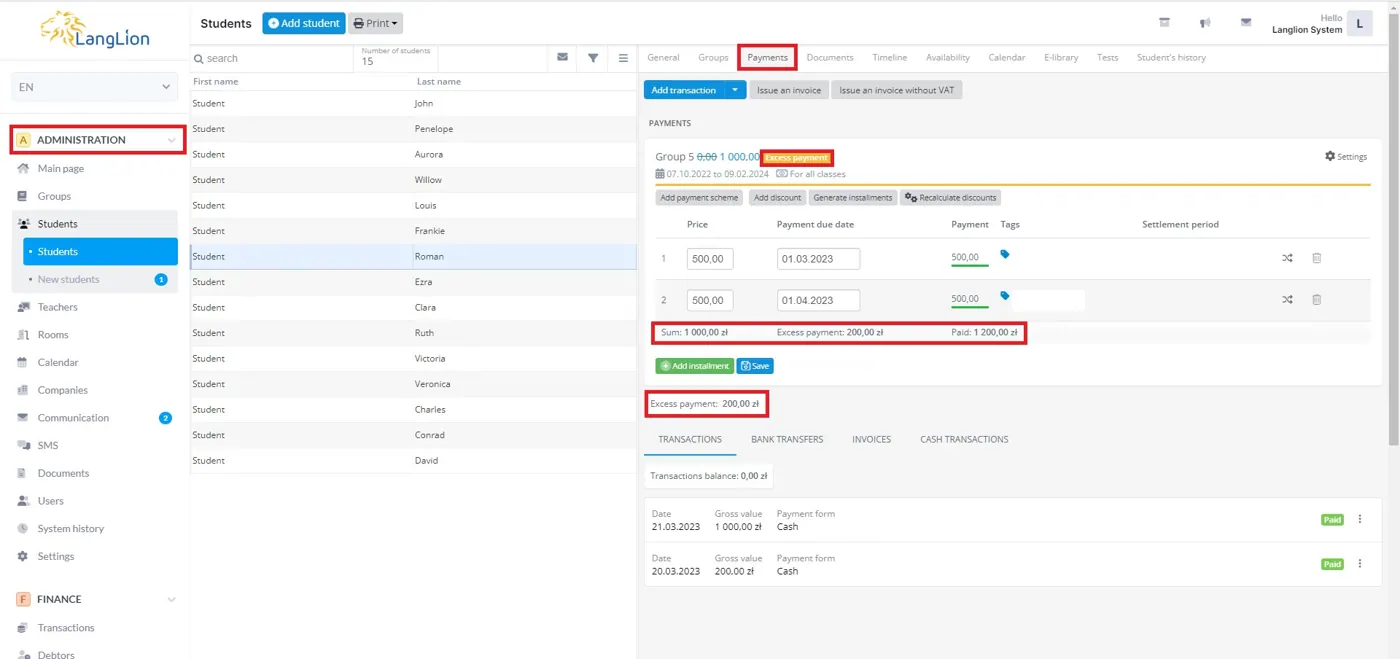
3. Let’s unroll the list of payments, on the bottom of the list, there is an excess payment.
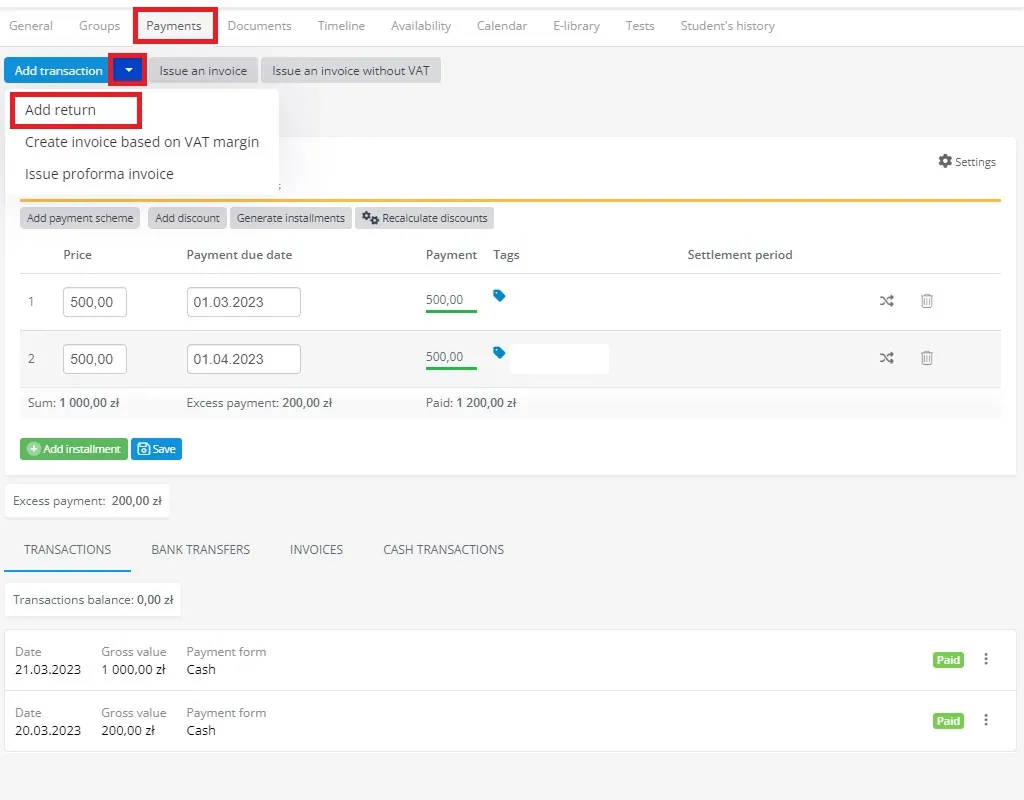
4. Now we are about to issue a return to the student. To do so we click the arrow next to the Add transaction button and choose Add return.
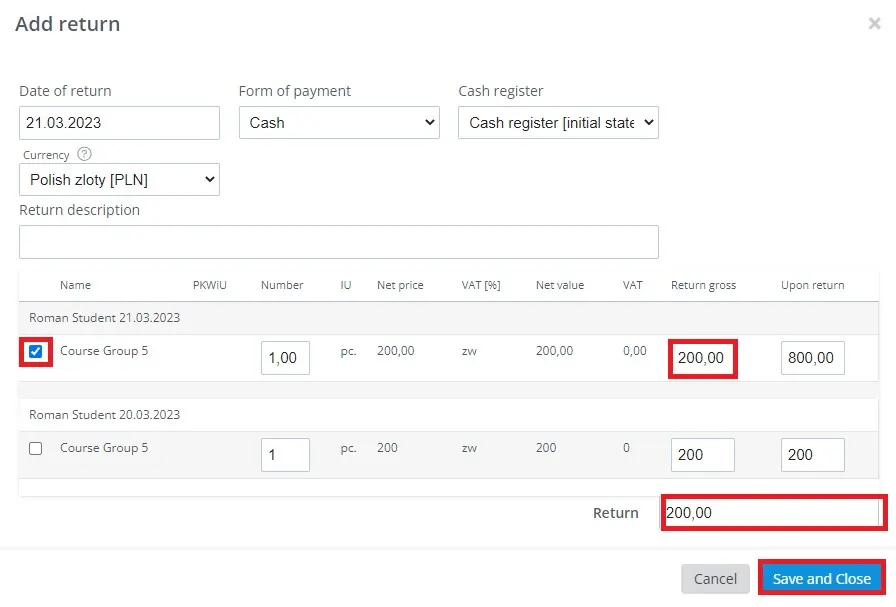
5. In the return adding window we select the transaction, we want to return the excess payment of. In textbox Return gross we insert the return amount. In the box return description we can add information concerning the return.
6. Select Save and close. The return has been added.
The return has been added and student has no excess payment any more. Also on the student’s transaction list there is an information concerning the return.