
The rooms of the other branch are not visible in the calendar. We use a shared calendar for both branches and need a common view of rooms.
Most likely the rooms have not been given access to all branches.
How do I give rooms access to all branches?
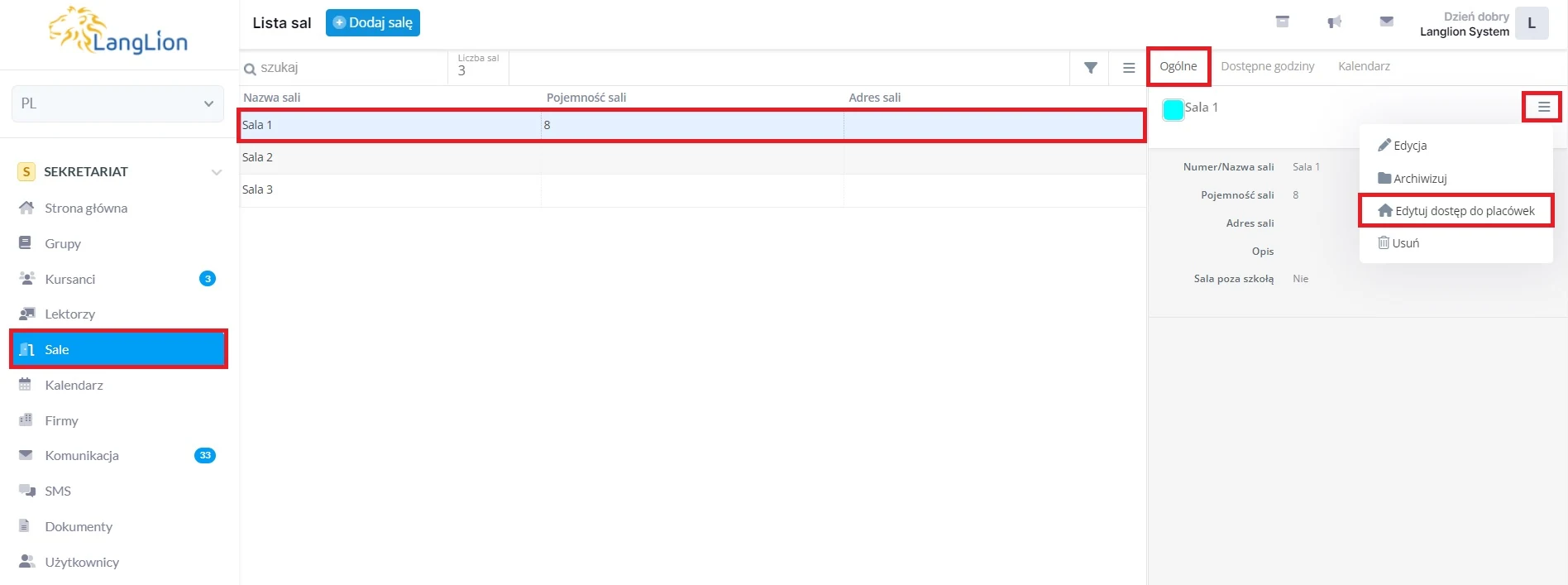
It's easy – just go to the "Administration" tab and click "Rooms". After selecting the right item, click the "General" tab. Next, open the "More" menu and click "Edit access to departments".
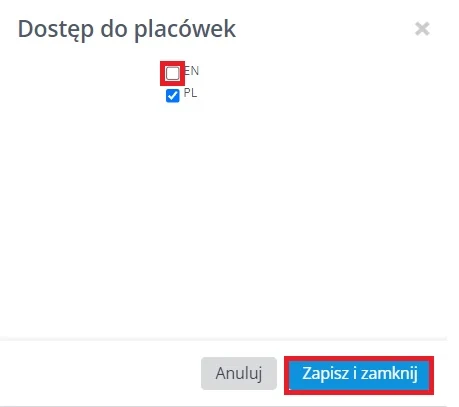
In the window that opens, select all branches and save the changes.
Done – the rooms now have access to all branches and are visible in the calendar of each branch.