There are several reasons for not including the teacher’s rate in the settlement. We present them below.
- Lesson status
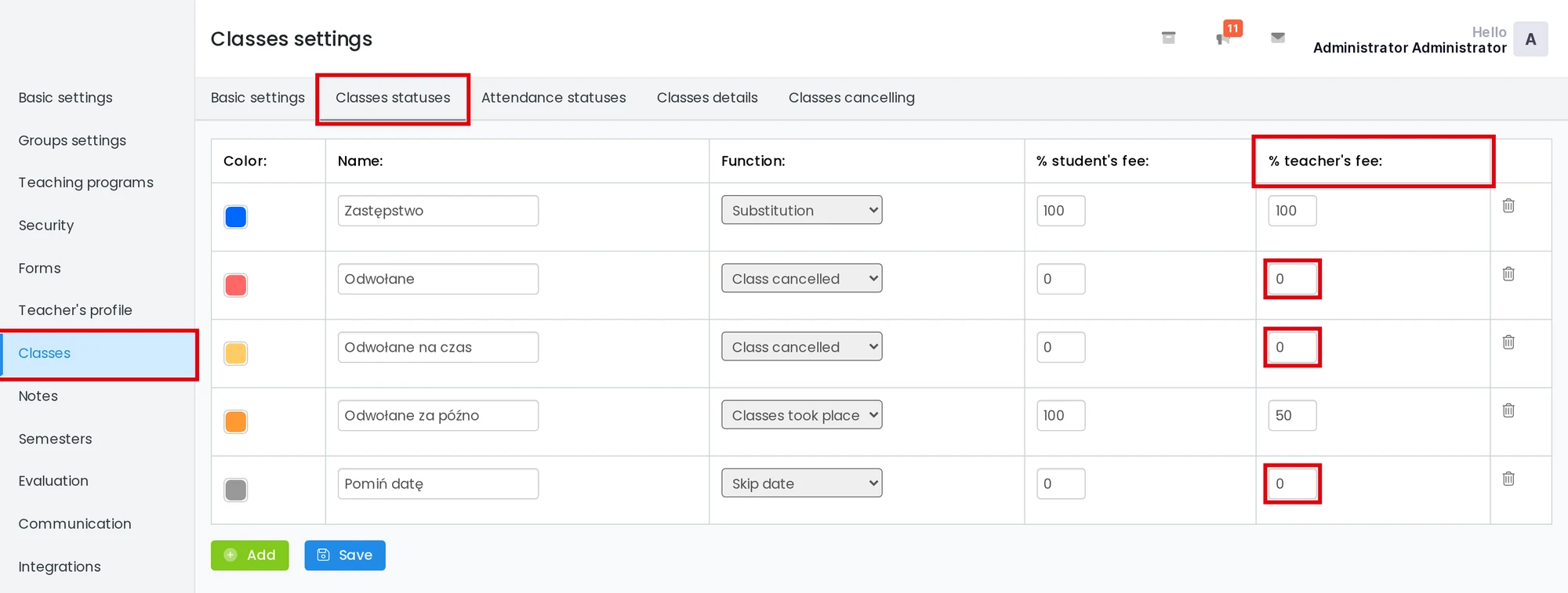
The classes statuses, which can be assigned for each lesson, plays an important role in the settlement. Settlement of the teacher takes into account the value of the % teacher’s fee field. Some statuses may have a zero value entered here, therefore lessons with this status will not be included in the settlement.
Check the configuration of class statuses and determine if they should actually lower the teacher’s rate.
2. Modified lesson
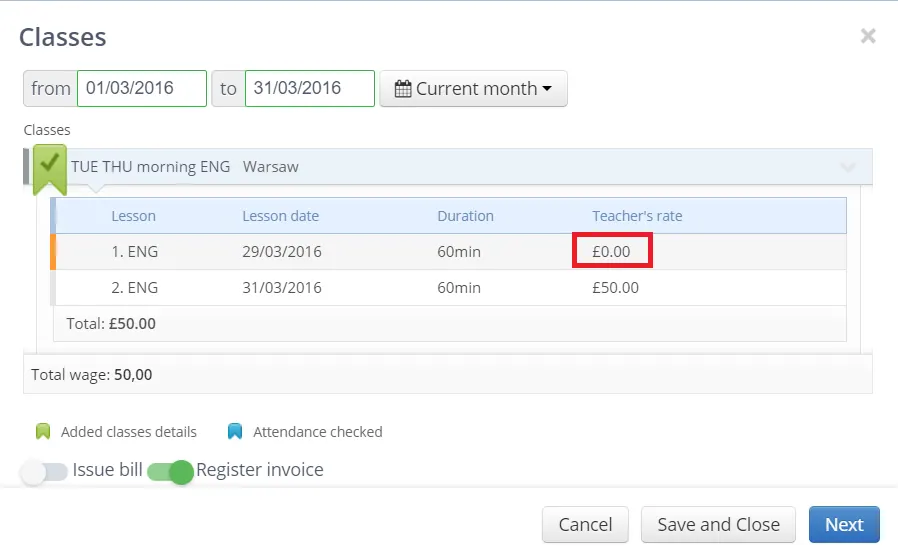
It could happen that when editing a single lesson or adding a lesson, the rate has not been entered or has been deleted.
Also, remember that the rate may not have been entered in the classes generator when creating the schedule. If the lessons were later modified (edited, attendance checked, etc.), even after entering the rate to the generator and regenerating the list of classes, the rate will not be assigned to such lessons. The generator does not apply changes to the modified lessons.
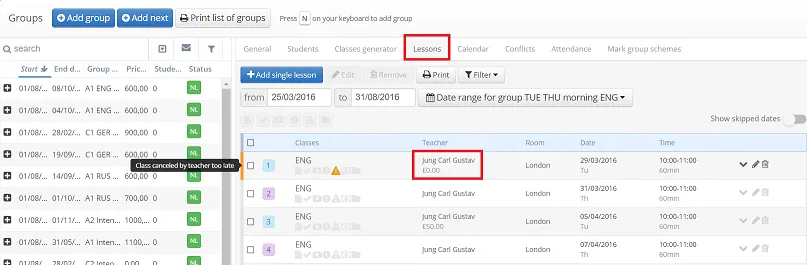
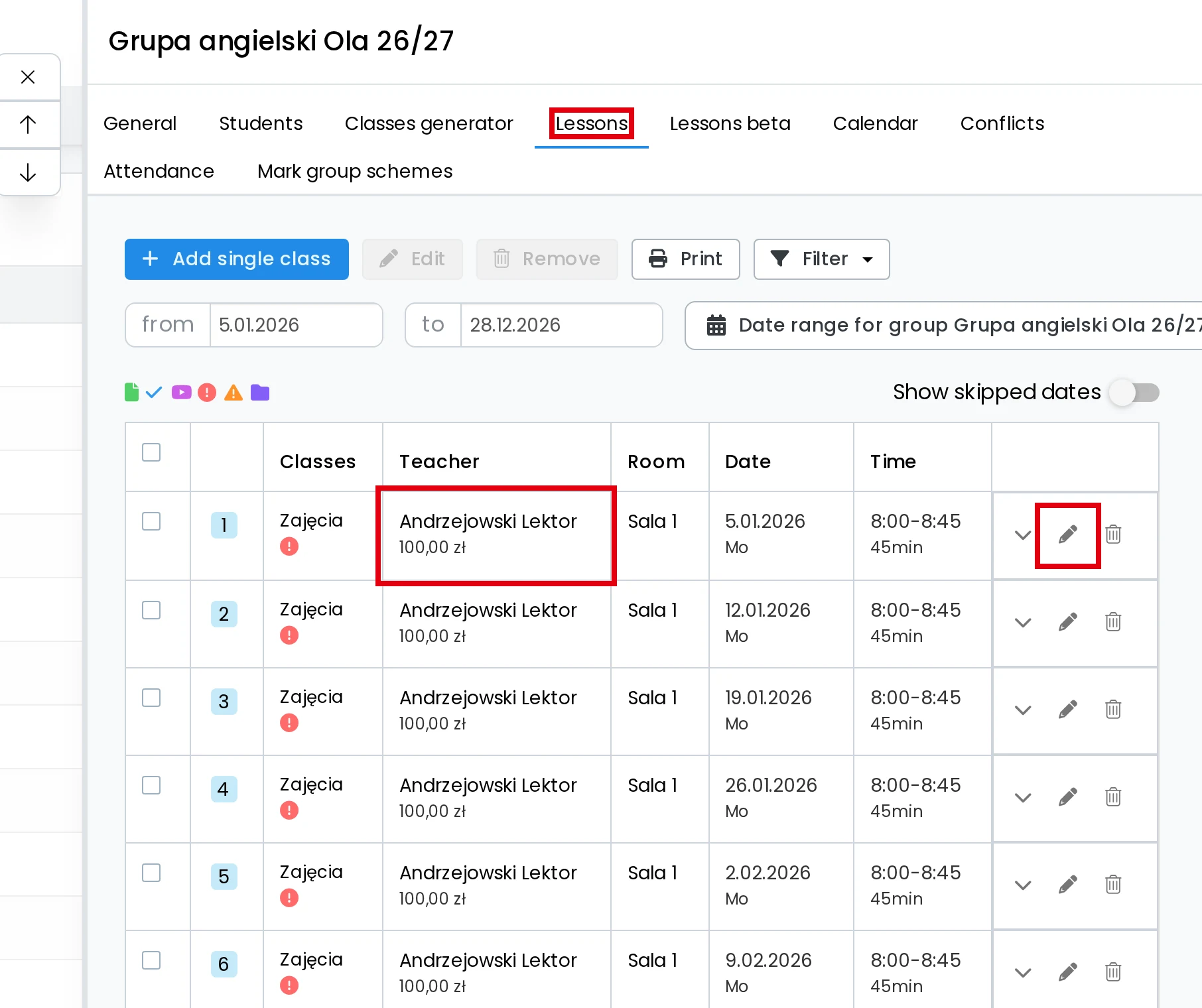
In this case, enter the teacher’s rate manually. To do this, go to the group’s Lessons tab (or Lessons beta, if the old tabs are switched off in your system), choose the right lesson and edit the teacher’s rate.
3. Educationalist/administrator confirmation
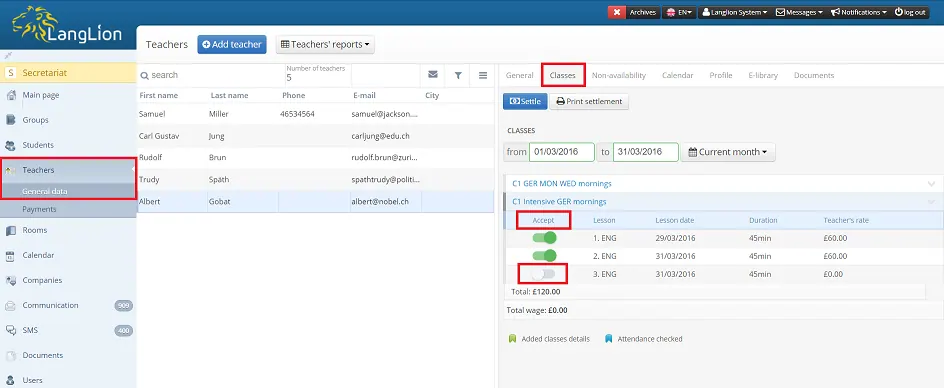
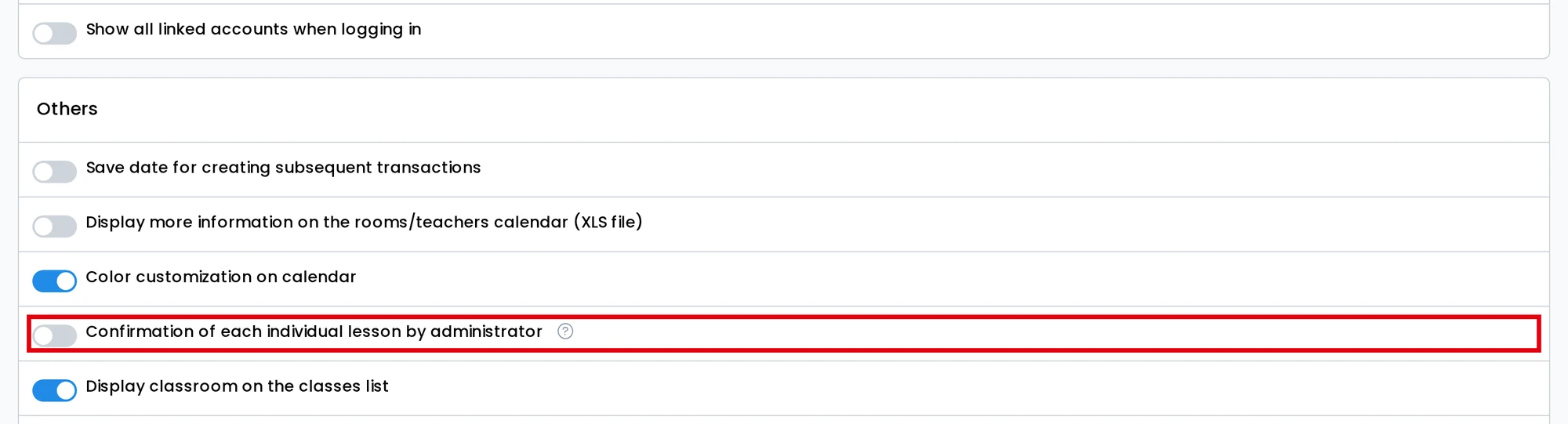
The function of confirming classes is enabled in Administration → Settings → Basic settings (system configuration, “Others” section) with the Confirmation of each individual lesson by administrator option. If it is enabled, it means that each lesson requires confirmation after verifying compliance with the learning program. A lesson that has not been accepted has a rate of 0 in the settlement – after the educationalist or administrator approves the lesson, its rate will be included in the settlement.
To confirm the lesson, go to the Teachers tab and select the right person. Then go to the Classes tab and click the Accept slider.