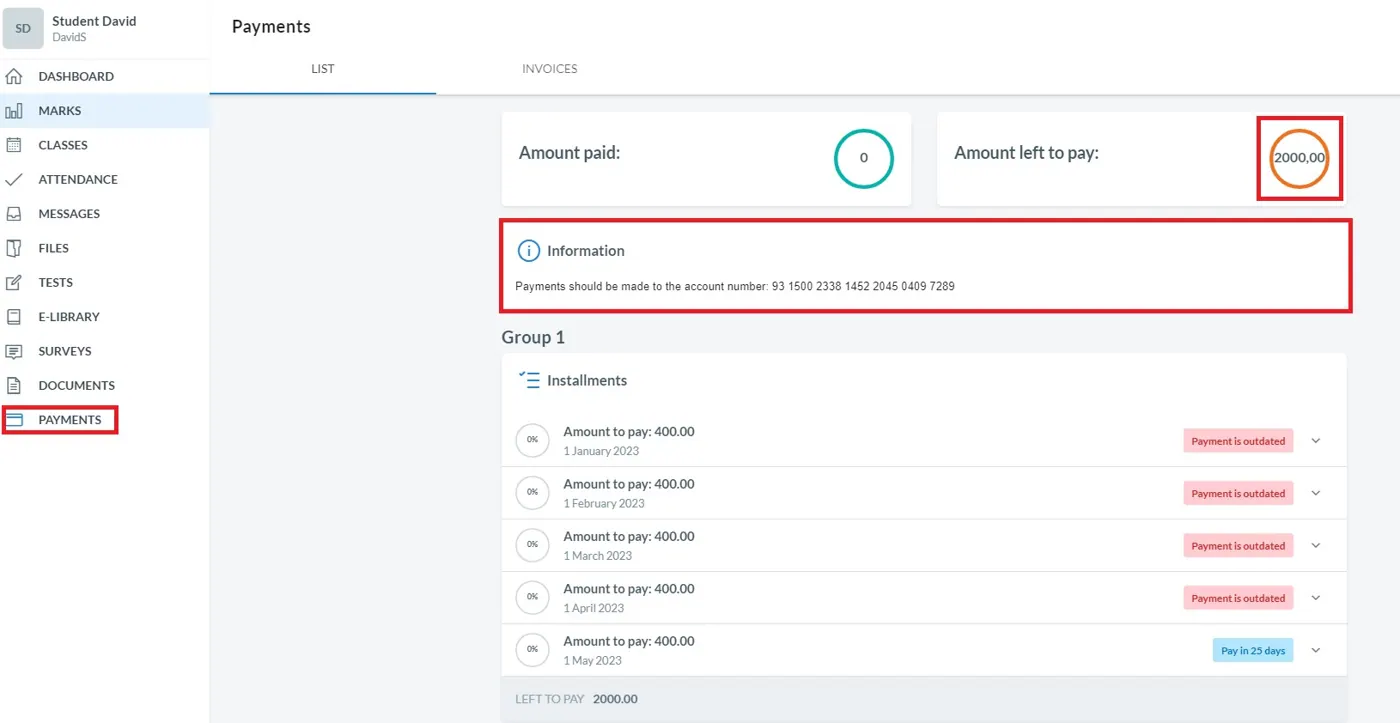
In the student’s panel, you can display additional information about payment details, school account number for transfers, etc.
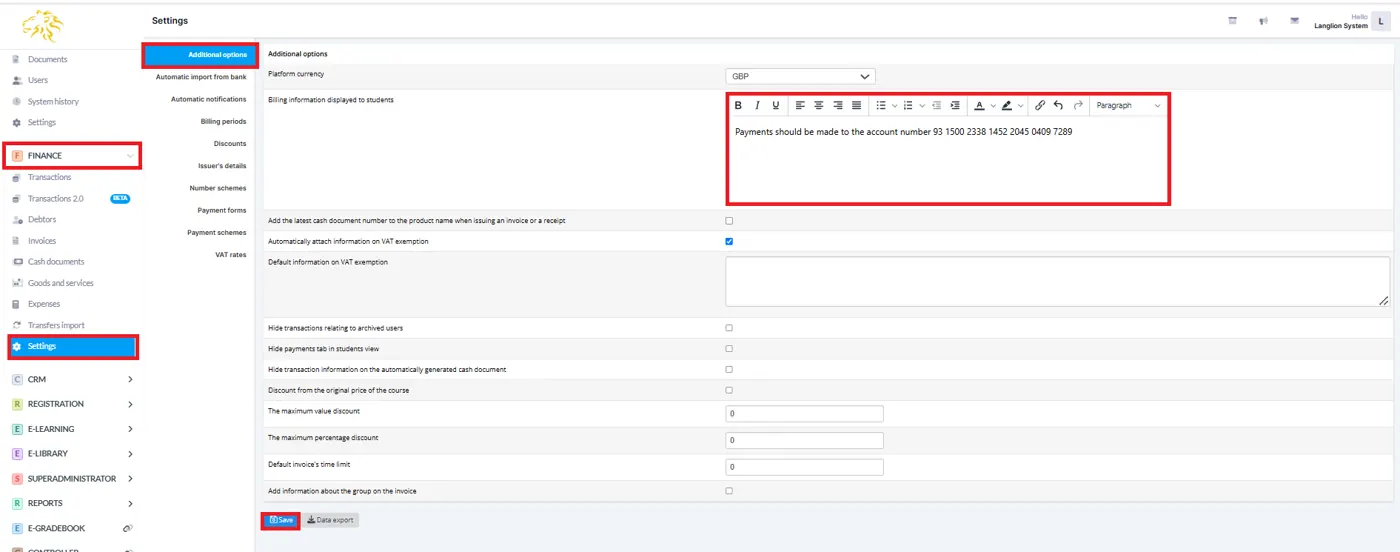
To add a message text:
1. Go to the Settings tab of the Finance module.
2. Select the Additional options tab.
3. In the Billing information displayed to students field, enter the appropriate information and save the changes.
Now the information will be displayed in the Payments tab on the student’s account.