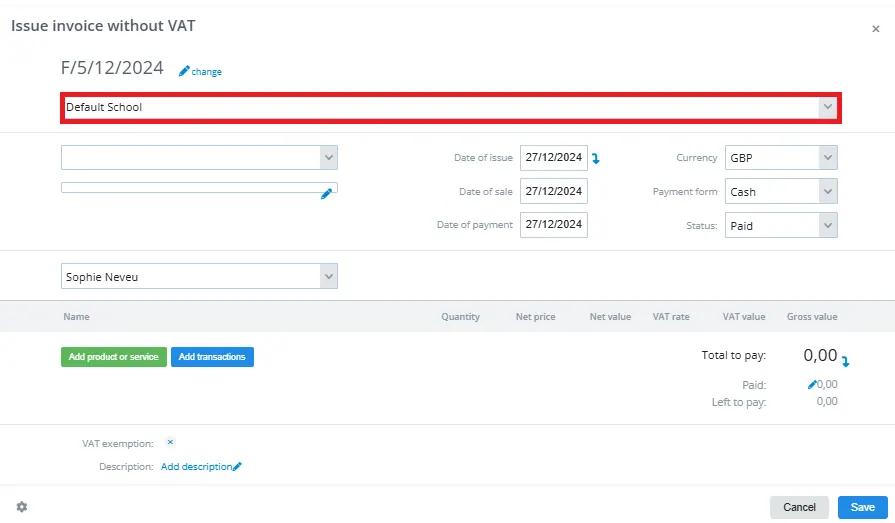
Do you want your data to automatically appear on invoices? You don’t want to add them each time you issue an invoice?
Issuer’s details are the school’s data which are displayed on receipts, invoices and any other cash documents
How can I set up issuer’s details?
Go to the Finance module and from the Settings tab choose Issuer’s details
Enter the information and once you’ve finished editing click on the Save button.
Issuer’s details have been completed and will be displayed on every financial document from now on.
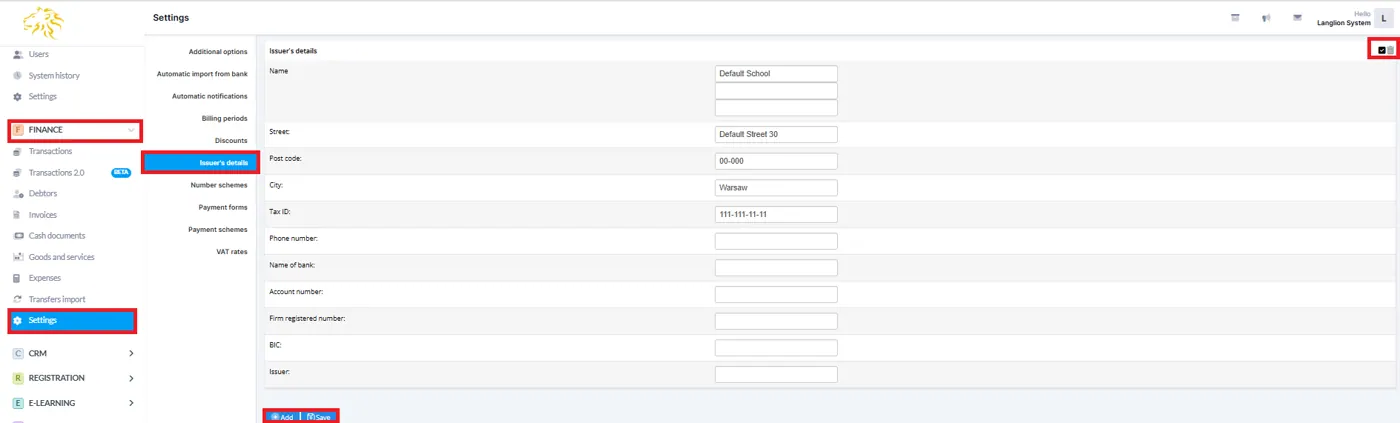
You can add more than one data set and indicate one as default.
When you issue a new invoice, a selection list with the issuer data sets is displayed.
The set marked as the default will always be automatically substituted (checkbox in the upper right corner, next to the trash can icon), but when issuing the invoice, all you have to do is select from the list other issuer data, previously supplemented with necessary information.
If only one set is added, the selection list contains only that set.