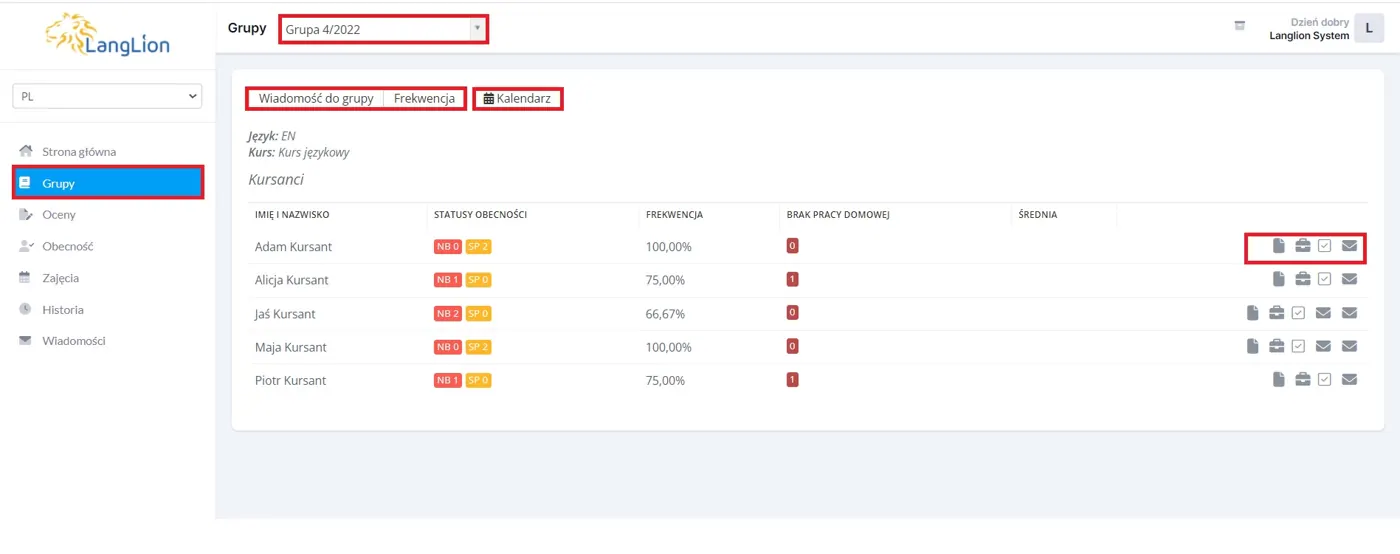
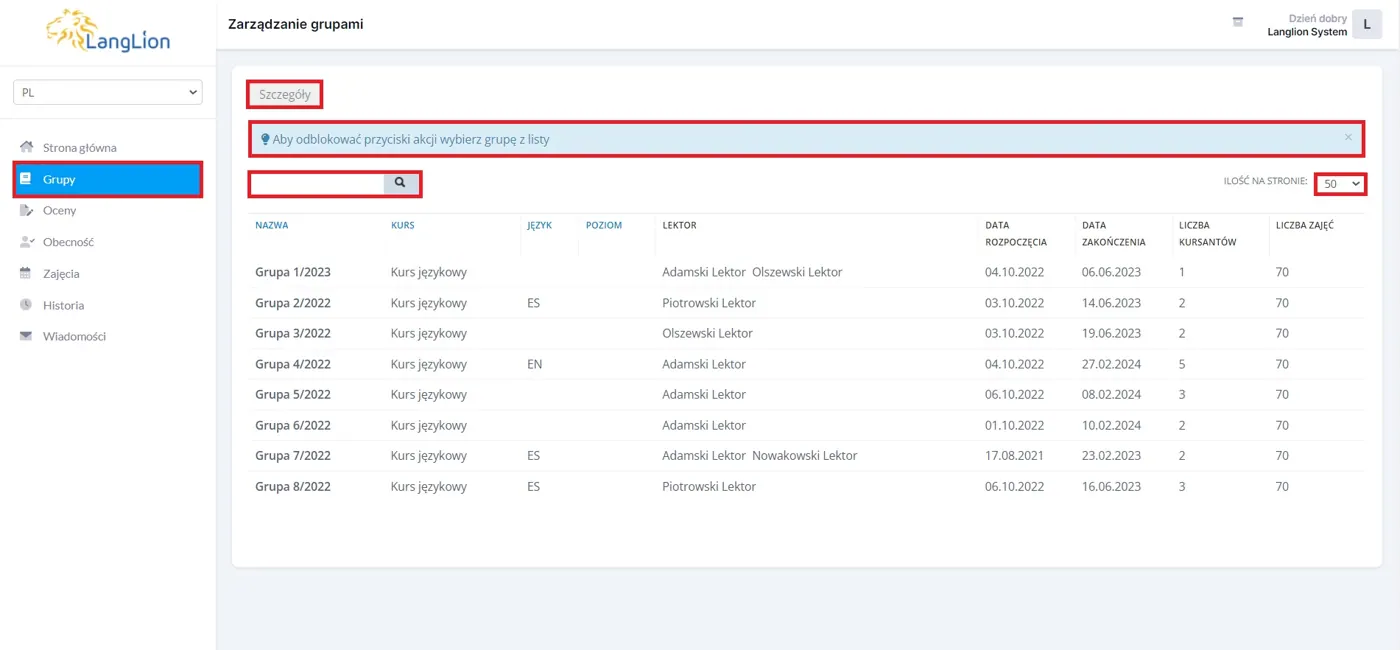
The "Groups" tab contains a list of groups and information about the students assigned to them. You can easily display the students assigned to a particular group and view their contact details, attendance, grades and history. This tab contains a list of groups and information about them.
Find the group, select it in the list and click "Details".
The "Details" view shows the list of students in the selected group and the email addresses and phone numbers of students and their parents. From here you can also:
- send a message to the group – the "Message to the group" button,
- check attendance – the "Attendance" button; there, the "Print" button lets you print the attendance list as "Standard", "Advanced" or "Advanced - empty" (a blank list to fill in),
- display the group's timetable – the "Calendar" button.
Next to each student you can view their grades ("Grades"), history ("Student's history") and attendance ("Attendance"), edit their data ("Edit student's details") and send a message to the student or their parent.