
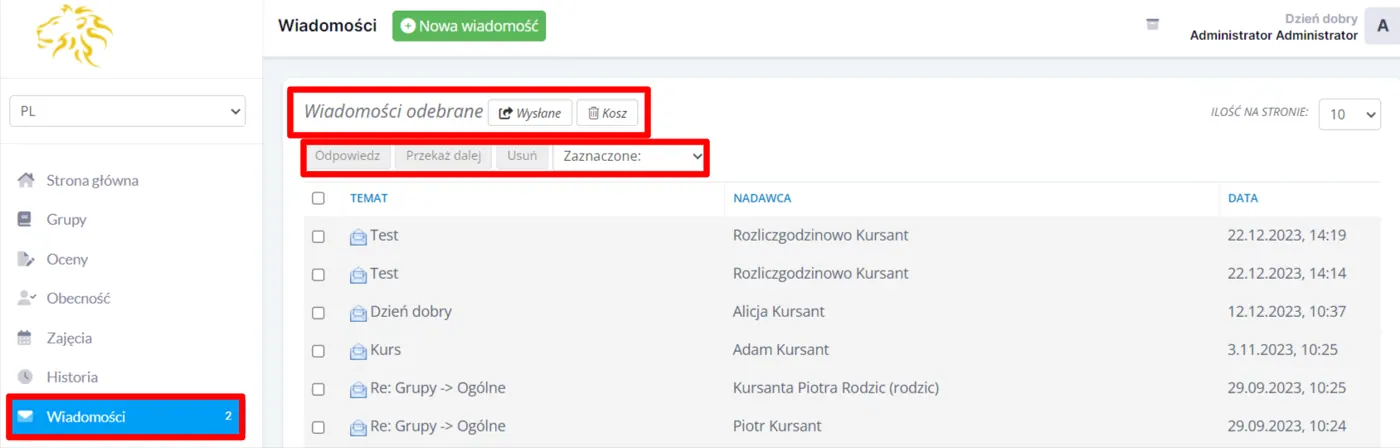
Communicate with other users of the LangLion Platform. Use the options in the "Messages". tab to do this. The tab is divided into 3 views:
- "Received messages" (messages sent to you),
- "Outbox" (messages you have sent),
- "Trash" (messages deleted from the "Received messages" folder and messages from the list in the "Outbox" folder).
When managing messages, you can use the following options:
- "Reply" – send a message back to the sender. The message creation window opens with the recipient already selected from the address book,
- "Forward" – send the received message to another user or users,
- "Delete" – move the message to the trash.
Deleting messages one by one is tedious? Move several at once. Select a few messages (the checkbox next to each one), click "Selected" and then choose "Delete".
You can also increase the number of messages displayed in the tab. The available options are 10, 20 and 50 messages.
How do I send a message?
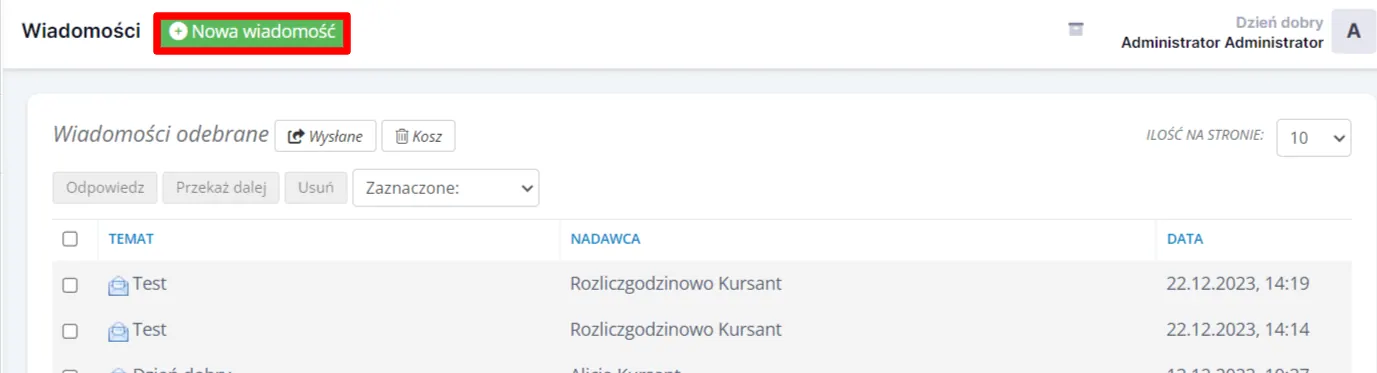
It is simple – just click "New message".
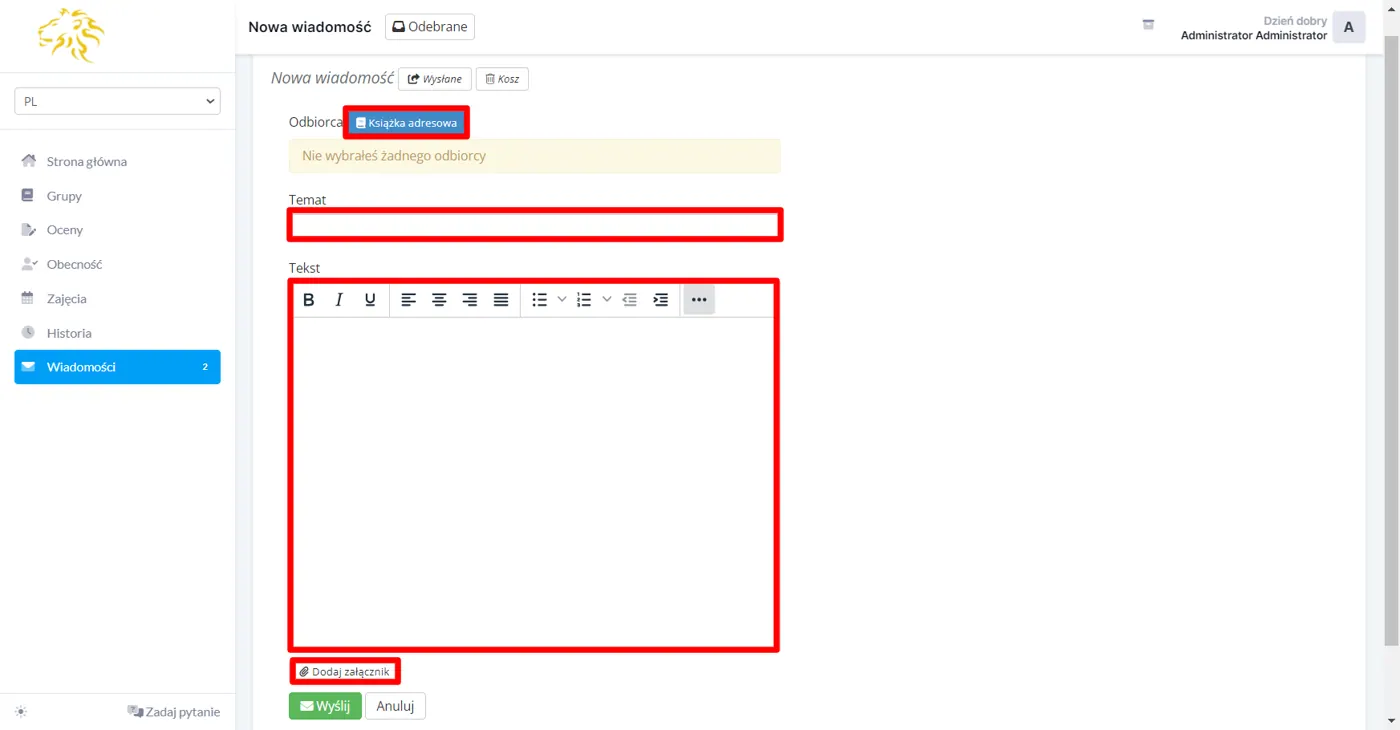
Choose the recipient from the address book, then in the editing window enter the subject and content, and optionally attach files.
The message text editor offers several basic formatting options, e.g. italics, underlining, justification, special characters and inserting links.
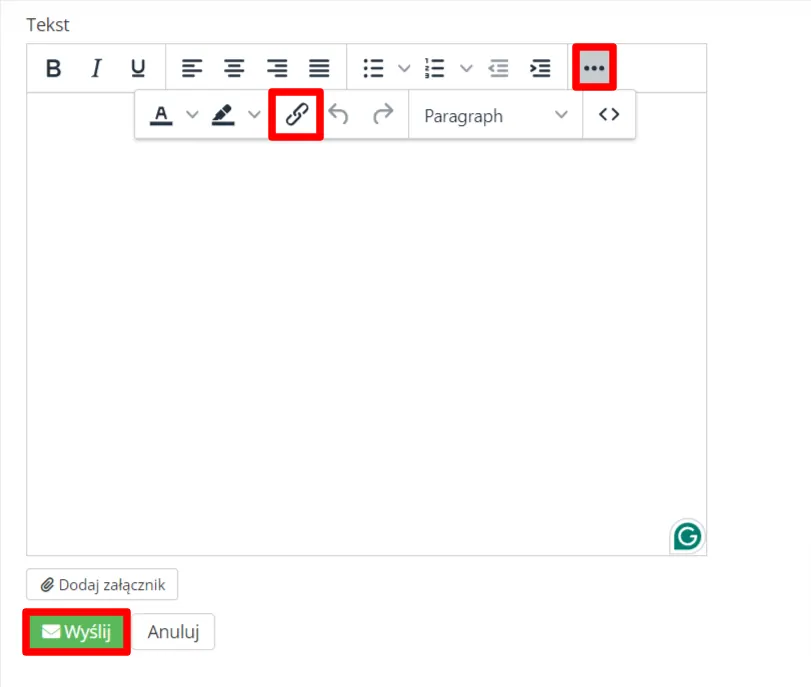
If you want to add a link to the message, click the icon marked in the screenshot and, in the new window, paste the page address into the URL field. The Text to display field fills in automatically, but you can change this text, e.g. to "click HERE". The recipient will then see this text instead of the full address, and clicking it will take them to the page. If you want the linked page to open in a new window, choose "New window" in the Open link in... field.
To finish, click "Save".
Finally, to send the message, click "Send".
Because there are no limits on attachment size and attachments are stored on the virtual drive in the "E-learning" module, this module must be activated. If you do not have the "E-learning" module active, you can test it free of charge for 14 days.