
We can assign classes details from the level of „Administration” and the level of „Teacher”.
To assign classes details:
1. In the Administration menu, select Settings → Classes and go to the Classes details tab.
2. Let’s click on Add.
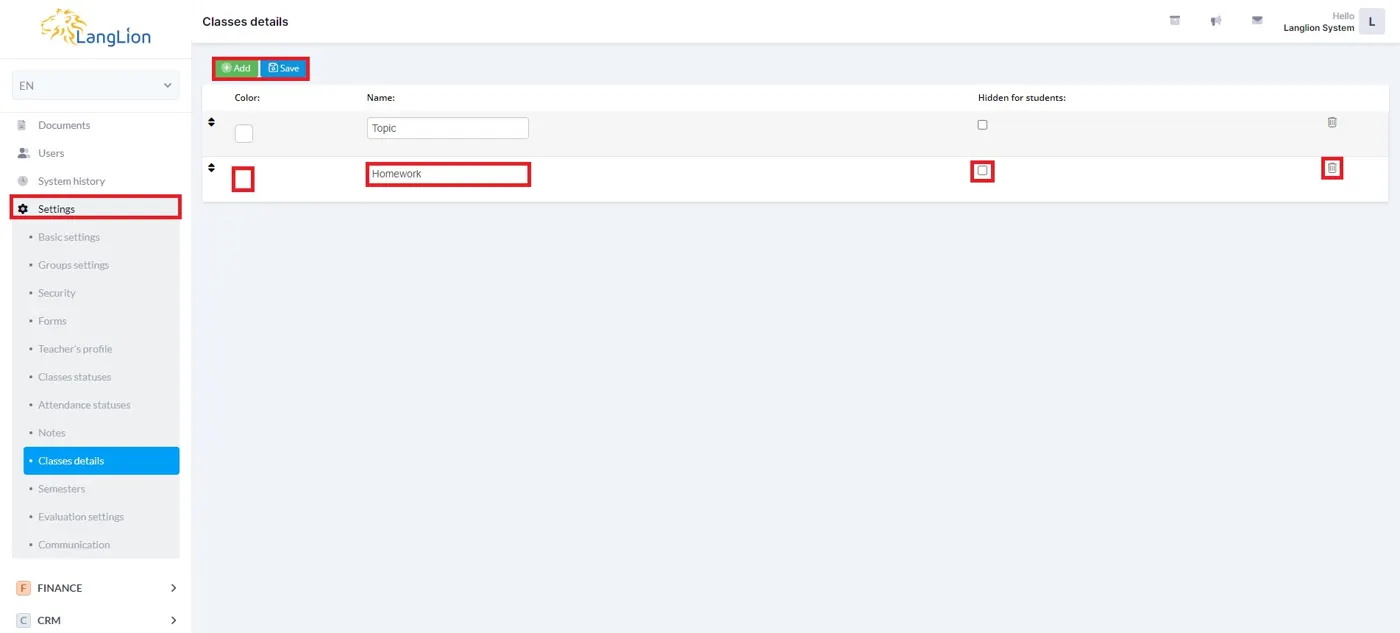
3. In the next step we can assign any color to each detail to make statuses visible on our timetable. Then we have to name the detail, we can also make our detail visible or hidden to our students. In case of willing to remove the detail we click on trash icon.
4. To finish click Save.
To add details to classes:
1. Click on E-gradebook
2. Then select the Classes → Classes details tab.
3. In the next step select classes from the list and insert information about classes and homework in boxes, which we have defined in the previous steps.
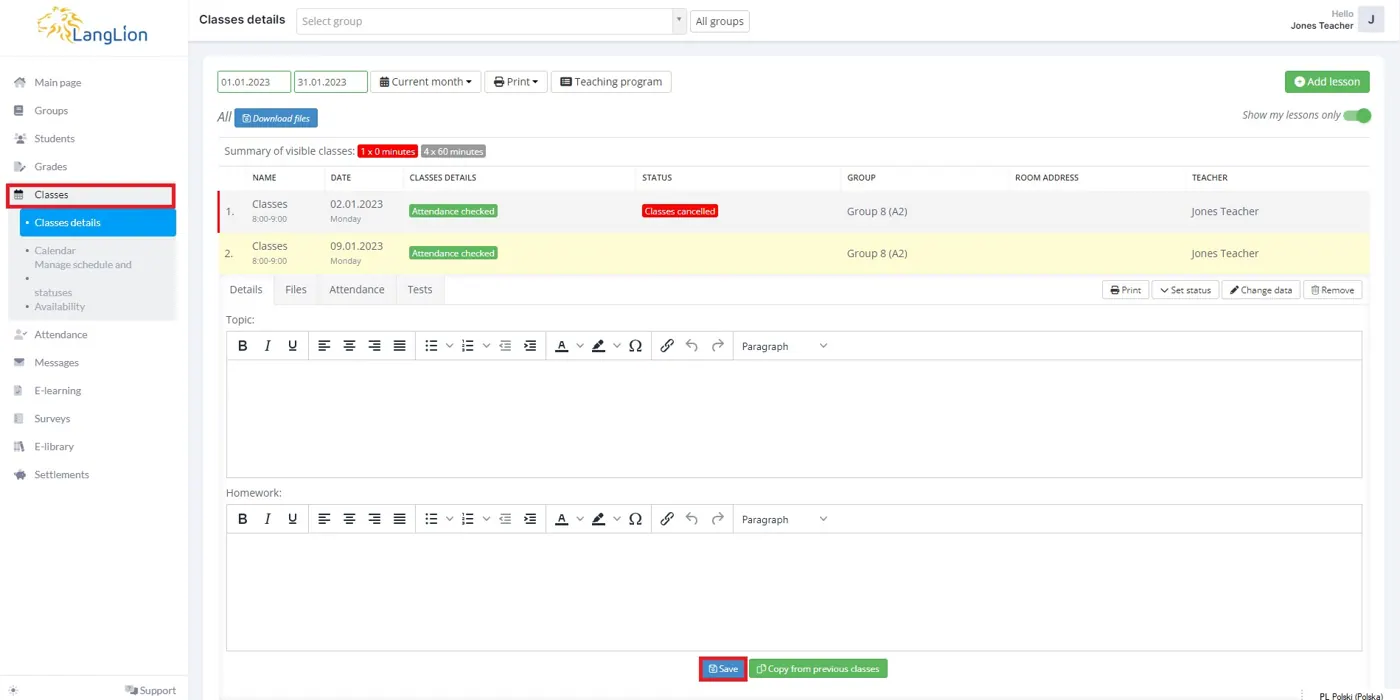
4. After we finish inserting all the details, we have to click on Save in order to save the changes.