
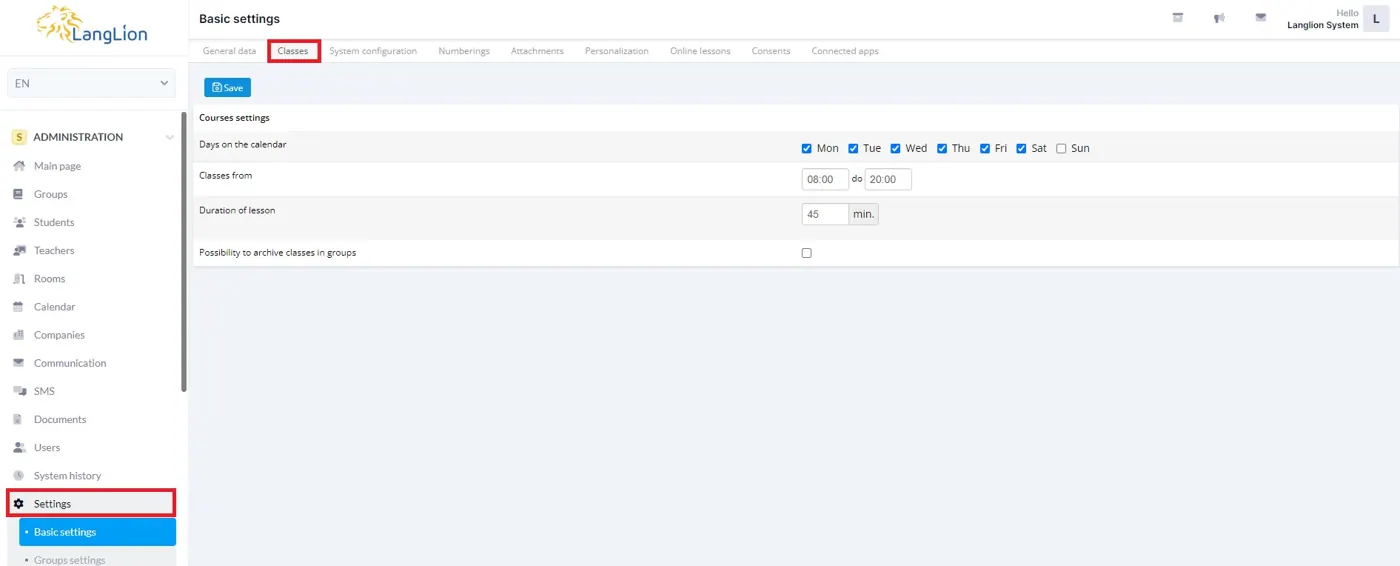
In “Administration” → “Settings” → “Classes” you can manage the settings related to running classes at your school. The settings cover:
- the days on which classes will take place – you can generate classes on any day, even at weekends,
- the range of hours during which classes run at the school – the range you set affects how classes are displayed in the calendar,
- the default lesson length – the number of minutes entered here will be filled in automatically in the group settings when a group is added to the system. You can of course change the default lesson length in individual groups as needed,
- the option to archive classes in groups, or more precisely, the option to archive classes added in a group's classes generator,
- sending an e-mail notification before the first class (“Send e-mail notification before first class”) – the message is sent 1 day before the first class.
Once you have entered the settings you need, save the changes.
The default lesson unit length is a parameter used when creating a group. Set the lesson length when configuring the system, so that it is filled in automatically in the group form.
How do I set the default lesson unit length?
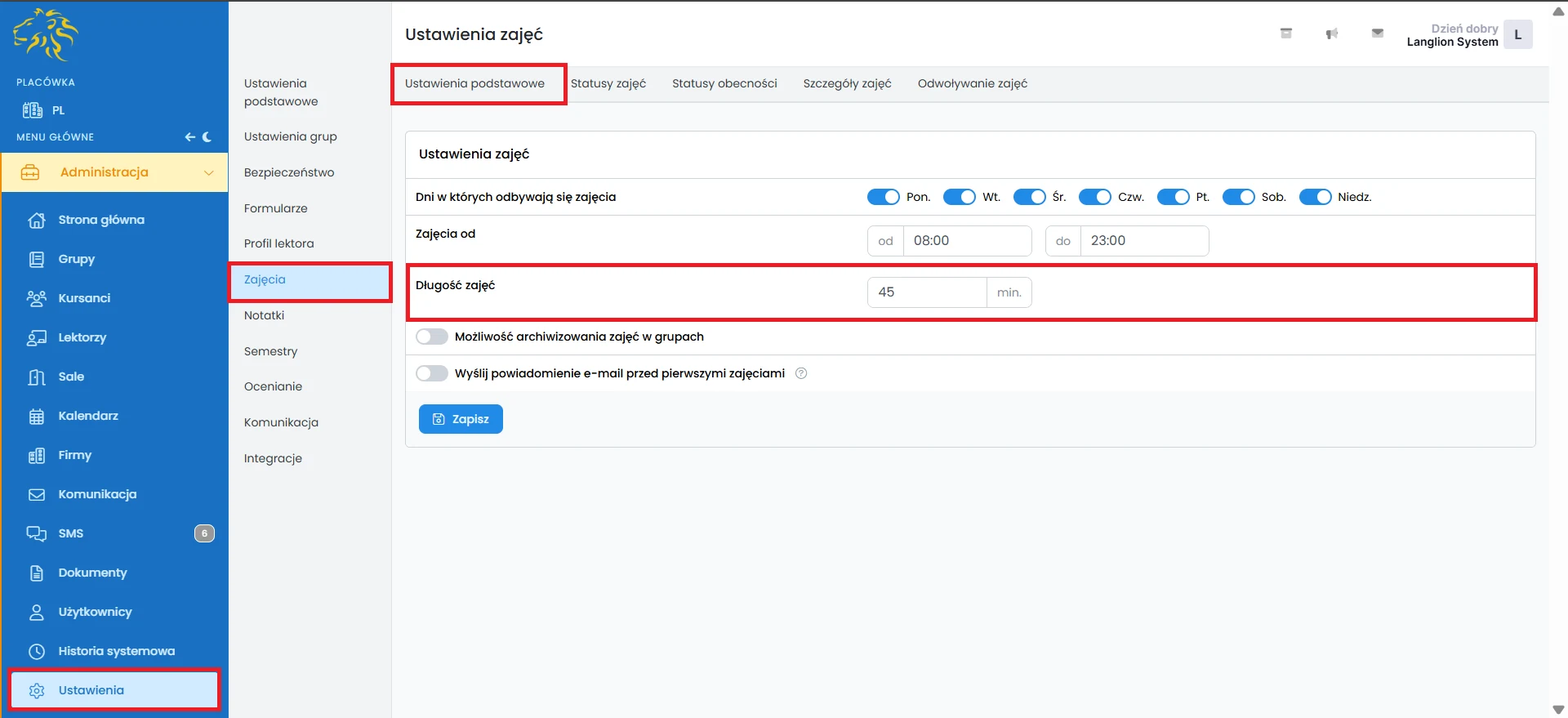
- Go to “Administration” → “Settings” → “Classes” → “Basic settings” tab
- Enter the appropriate value in the "Duration of lesson" field
- Save the changes
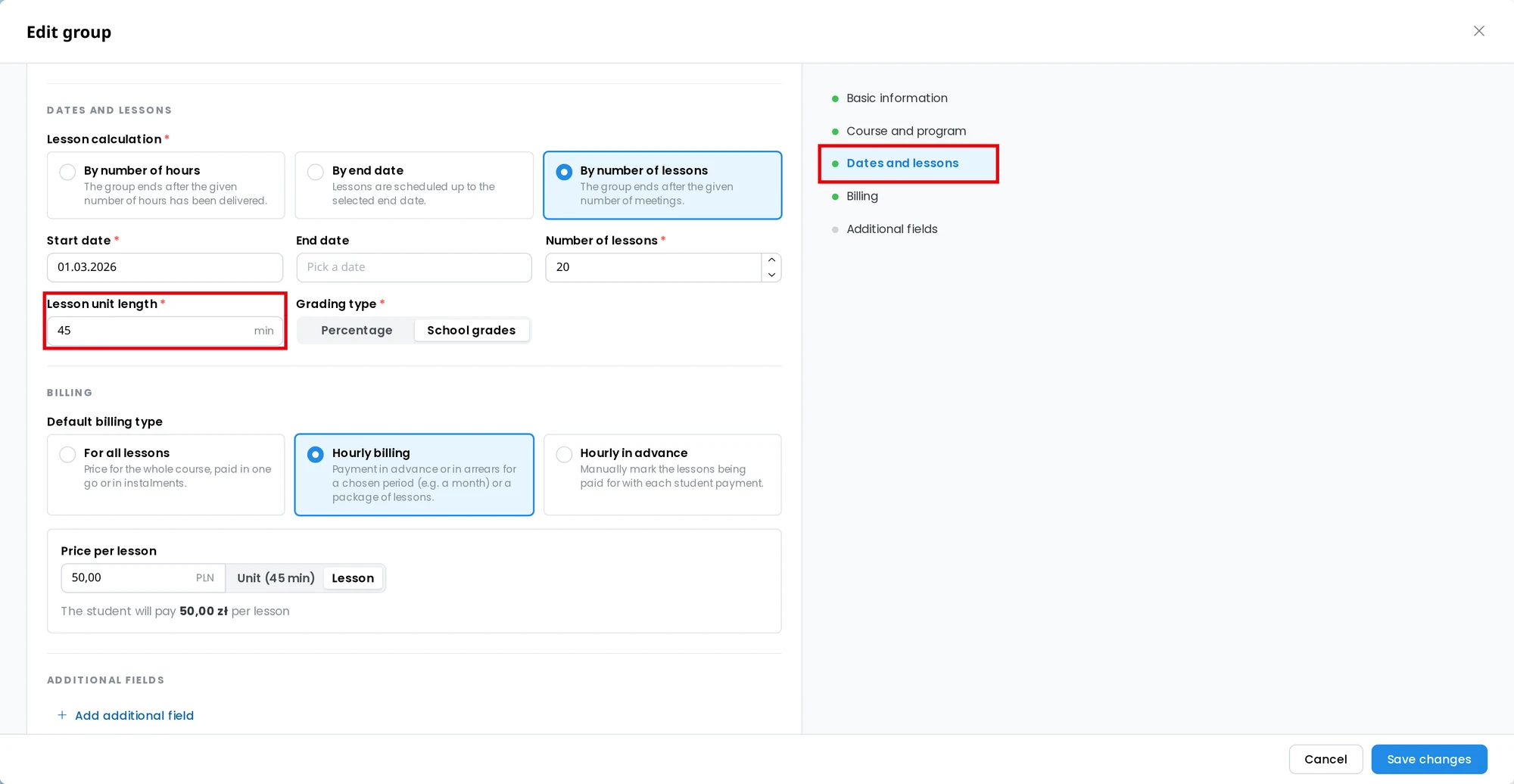
From now on, whenever you create a group, the value you specified will be filled in automatically in the “Lesson unit length” field (“Dates and lessons” section of the group form).
Can I change the default lesson unit length in a particular group without changing the system settings?
Yes, simply enter the new default lesson length in the group edit form. You can do this both in a group that already exists and when adding a brand new group.
Importantly, this value will apply to that group only. The system's basic settings will not change.
How do I edit this value?
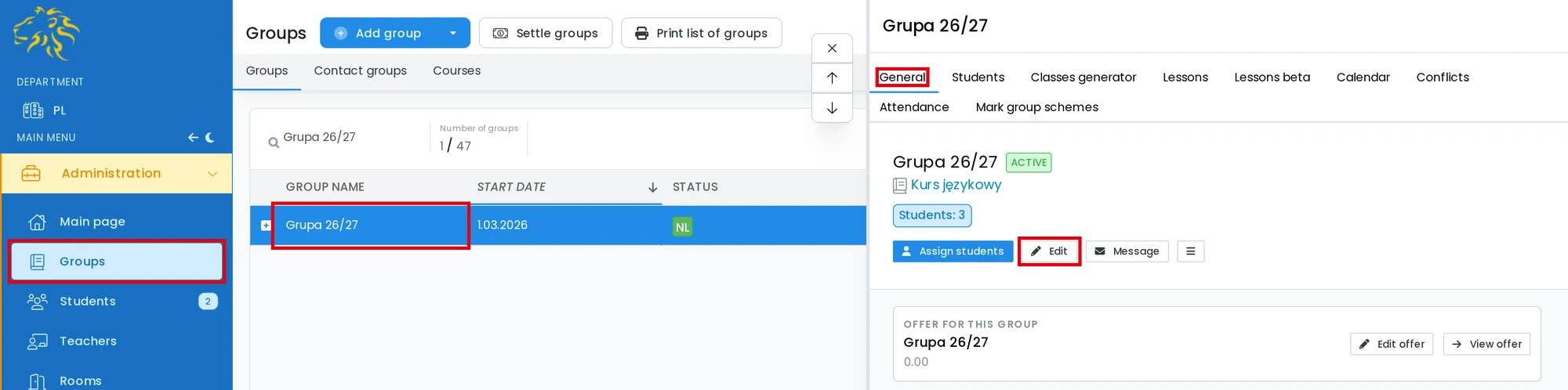
- Select the "Groups" tab
- Click the group on the list and go to the “General” tab
- Click “Edit”
- In the “Dates and lessons” section, enter the new value in the “Lesson unit length” field and save the changes
- If the group's classes have already been scheduled, you need to regenerate them
What does the default lesson unit affect?
It affects how the class schedule is created when you choose to calculate classes by number of hours. See how the class calculation options work in our guide ⇒ LINK
Are your students charged by the hour?
The default lesson unit length determines the student's rate for a single class and also affects teacher settlement.
When creating a group (in the “Billing” section, next to the price), and also in the student's payment settings, you can choose what the student's rate is based on. If you choose the unit (“Unit (X min)”), the system will calculate the rate proportionally.
For example: if the default lesson unit length is set to 45 minutes and its price to PLN 100, and classes are set to 90 minutes in the classes generator, each class will last 2 lesson units, so the student will pay PLN 200 for one meeting.
The system will calculate the teacher's rate in the same way.
Where the default lesson unit length is equal to the lesson length in the classes generator, the student's and the teacher's rates will be calculated at a 1:1 ratio.