
The LangLion Platform has a feature that lets you prepare an attendance summary of corporate students. For the summary to include a company's students, assign company groups to the company in the "Companies" -> "Groups" tab and students in the "Companies" -> "Students" tab.
How do I prepare the summary?
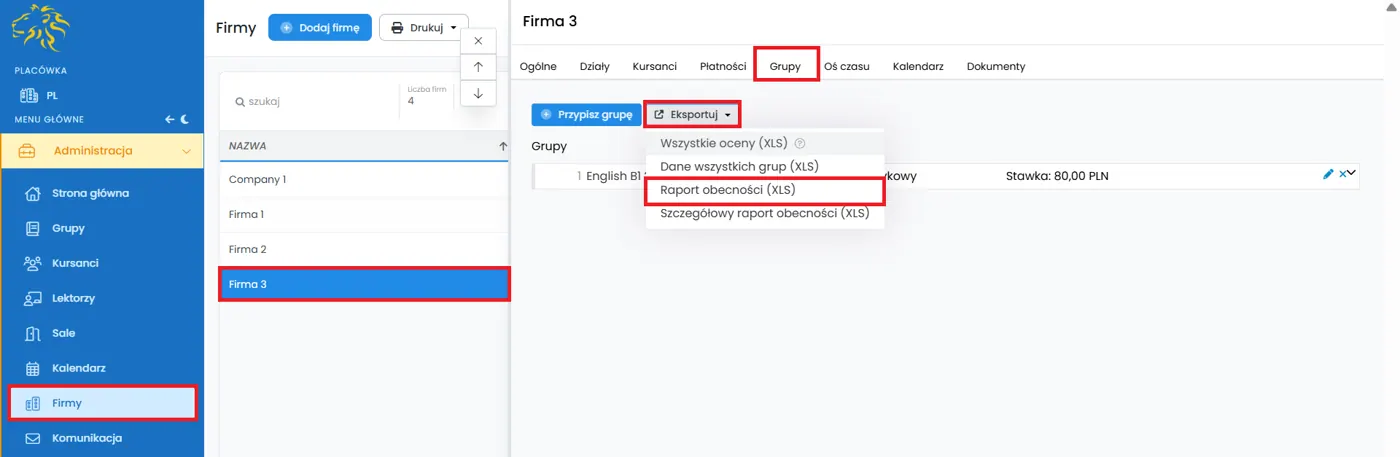
- In the Administration module, select the Companies tab and find the company on the list.
- Click the Groups tab, then Export → Attendance report (XLS). If you need more detail, choose Detailed attendance report (XLS).
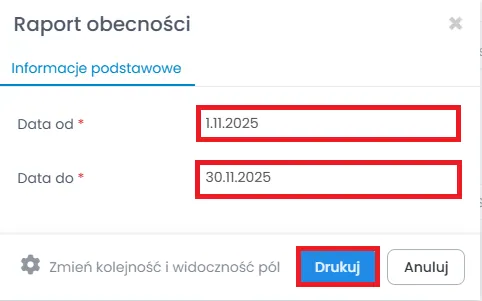
- Enter the period the report should cover and click Print.
Done! The summary is downloaded as a spreadsheet (XLS).