
Assigning a teacher to a group lets you build their timetable and gives them access to the classes so they can enter the topic and homework and take attendance in the group.
How do I do it?
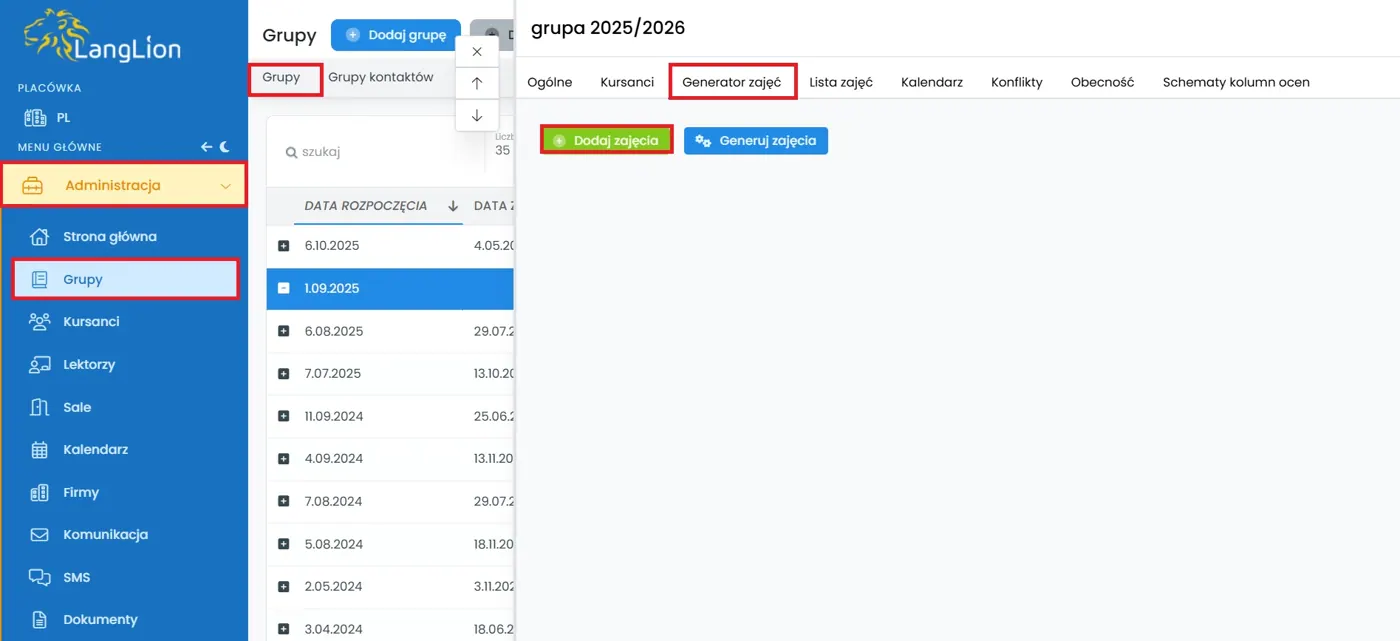
It’s simple. Choose the group the teacher will teach. Then go to the "Classes generator" tab and click the "Add classes" button.
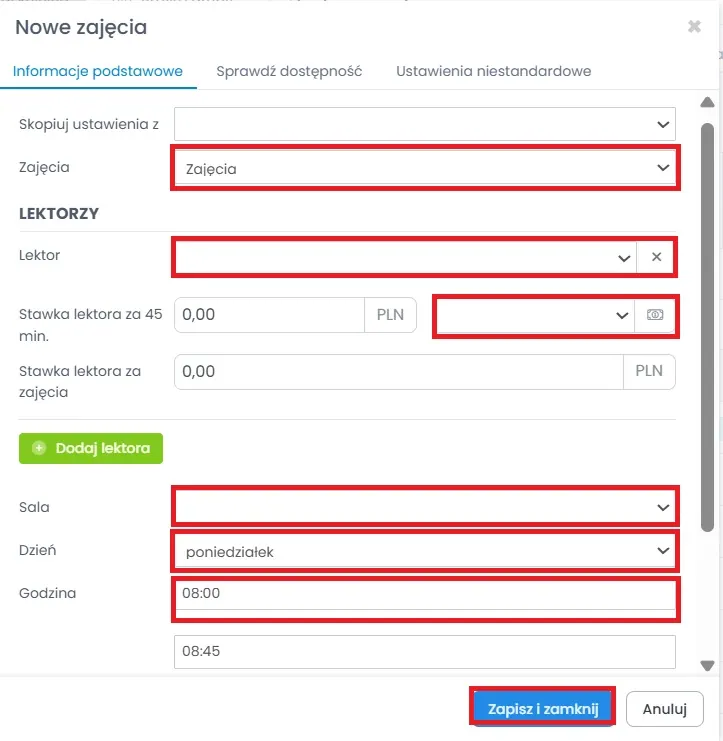
In the classes form, enter the classes that will take place in the group, choose the teacher and their rate, choose the room, and set the day on which the group will meet and the time of the classes. When you have filled in the form, save the changes.
Done, the classes with the chosen teacher have been added to the group. Now, so that the teacher can see their timetable and manage the classes, generate the classes in the group. To do this, click "Generate classes".
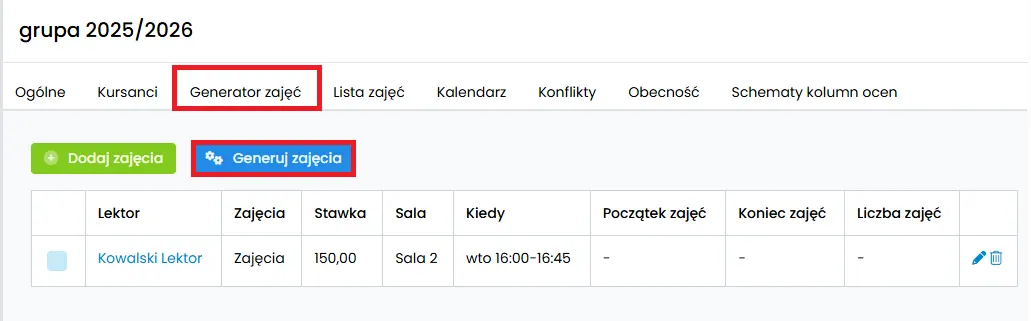
Done, the classes in the group have been generated and the teacher has been assigned to the group.