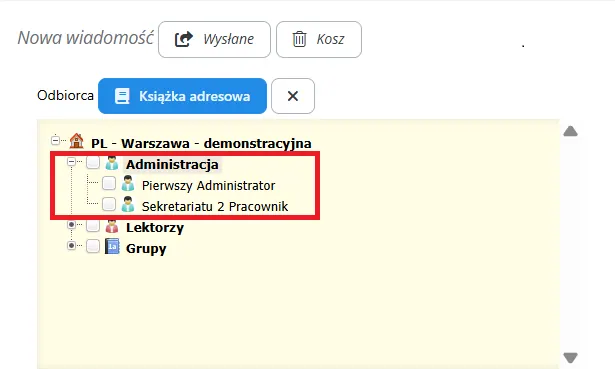
If you have the right permissions to manage users, you can decide which users are shown in the address book, so that other staff, teachers and students can contact them.
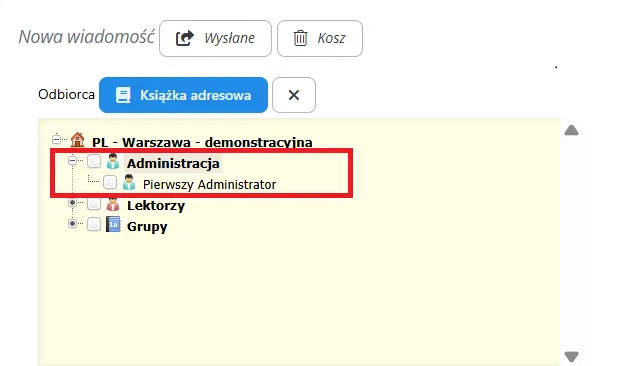
How do I let users contact an administrator?
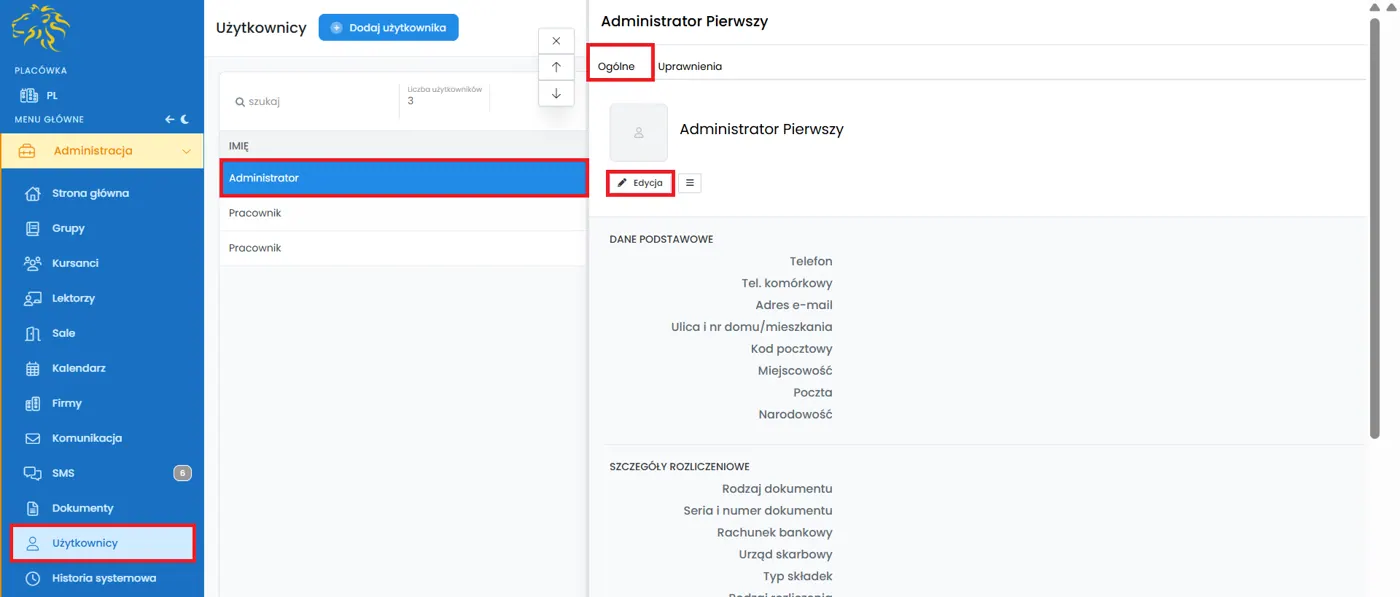
It's easy – go to the "Administration" and "Users" tab. Then select a user from the list and, in the "General" tab, click the edit option.
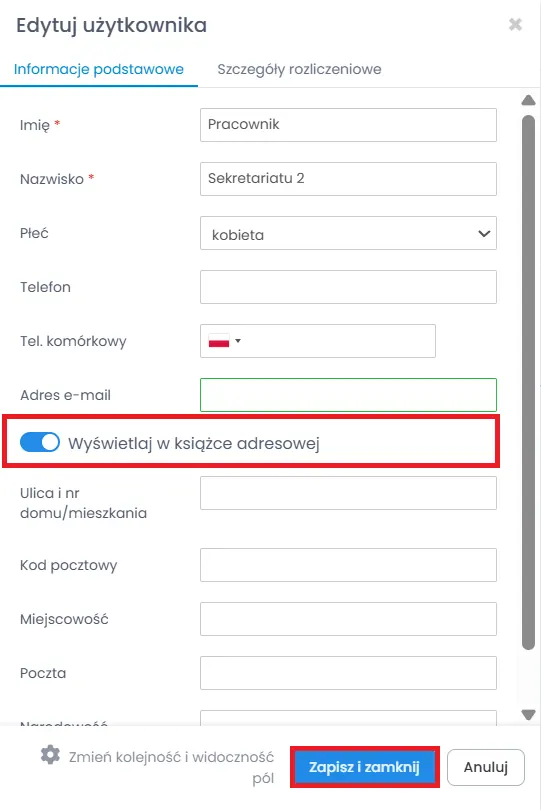
Select the "Show in address book" option and save the changes.
Done – the administrator is now visible in the address book and users can contact them.