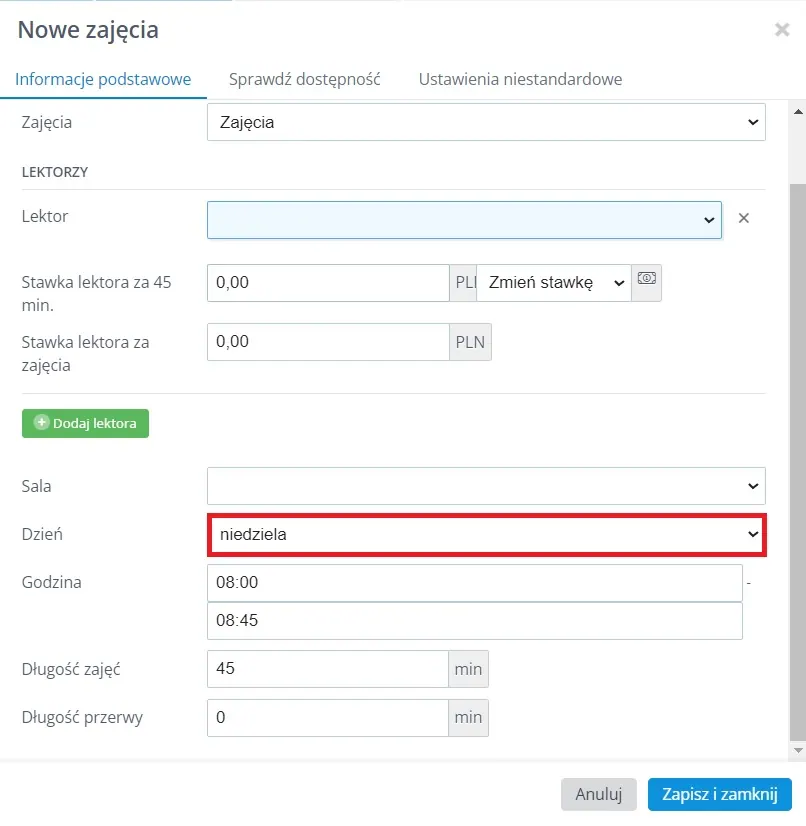
You can choose the days on which classes take place. By default, classes can be generated on weekdays. If you also select Saturdays and Sundays, you will be able to generate classes in groups at weekends too.
How do I select Saturdays and Sundays so that I can plan timetables at weekends too?
It’s simple. Click the "Settings" tab of the Administration module and choose "Classes" ("Basic settings" tab). Next, in the "Days on the calendar" option, tick Saturday and Sunday and save the changes.
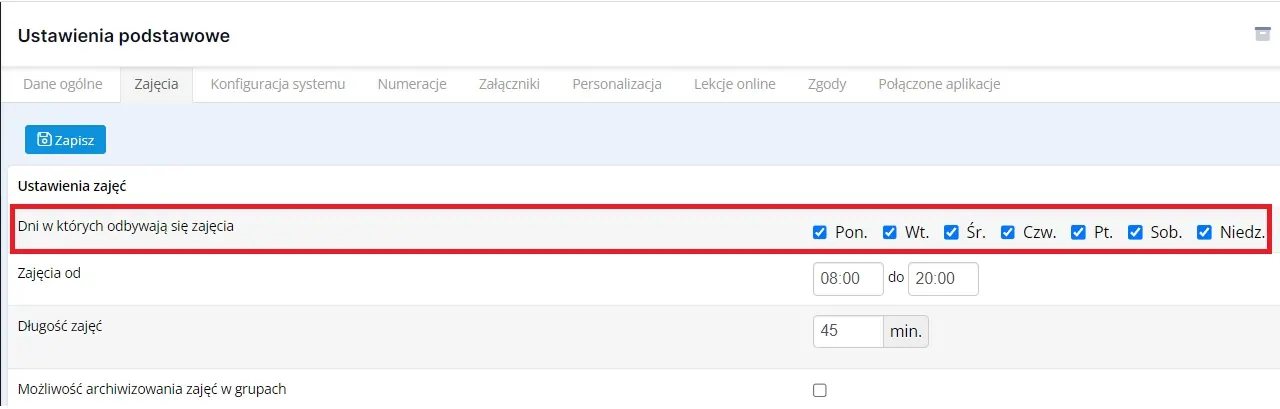
Refresh the page (F5). Done, now you can generate classes at weekends too.