
This is most likely because splitting students into lists is enabled in your system (the reservations in groups option – it is enabled by the LangLion team). The teacher sees only students on the “Enrolled” list.
When this option is enabled, the students in a group are divided into lists: “Enrolled”, “Reservation”, “Awaiting”, “Discharged” and “Offered”.
Every student newly added to a group is placed on the reservation list by default (in the “Assign to” field when adding students, you can choose “Enrolled” straight away). A student in reservation is not yet enrolled in the group. To enrol them:
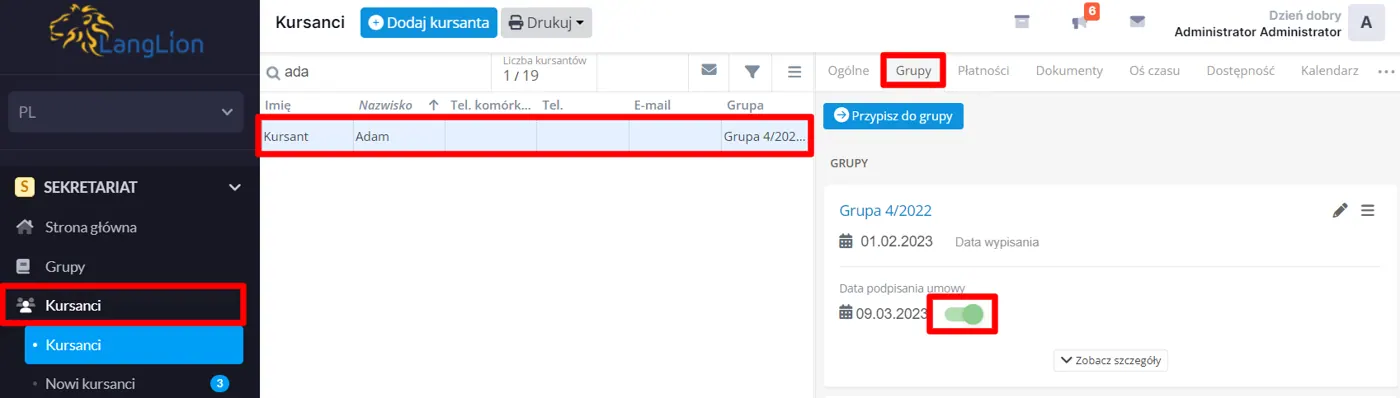
1. Mark the contract as signed – when you switch the "Contract signed" toggle on, the system will ask whether to move the student to the group's enrolled list. Confirm the message to enrol the student in the group.
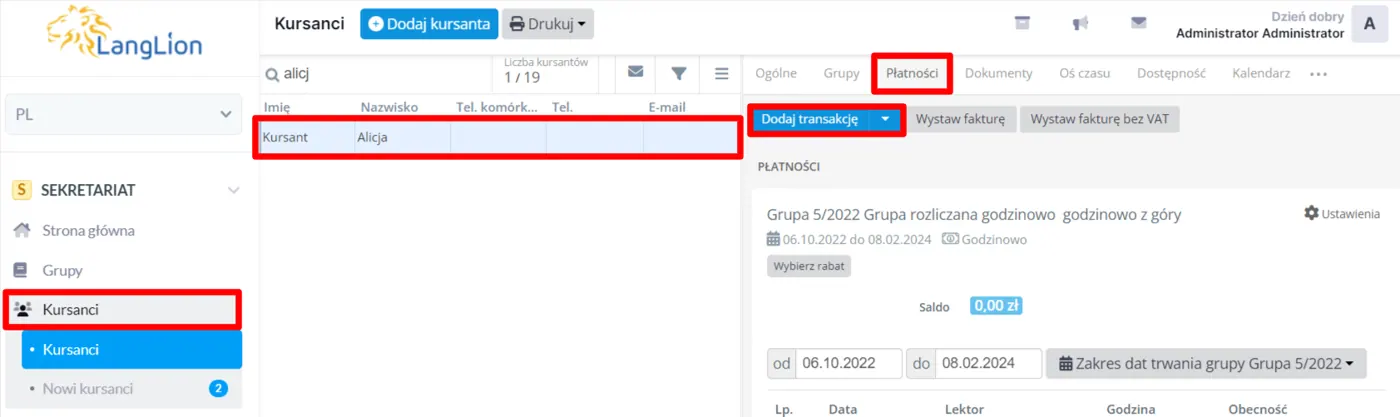
2. Add the student's first payment linked to the course – after you save the transaction, the system will ask whether to move the student to the group's enrolled list. Confirm the message to move the student to the enrolled list.
3. You can move the student manually from the reservations list to the group's enrolled list. Simply drag the student from one list to the other in the group's “Students” tab.