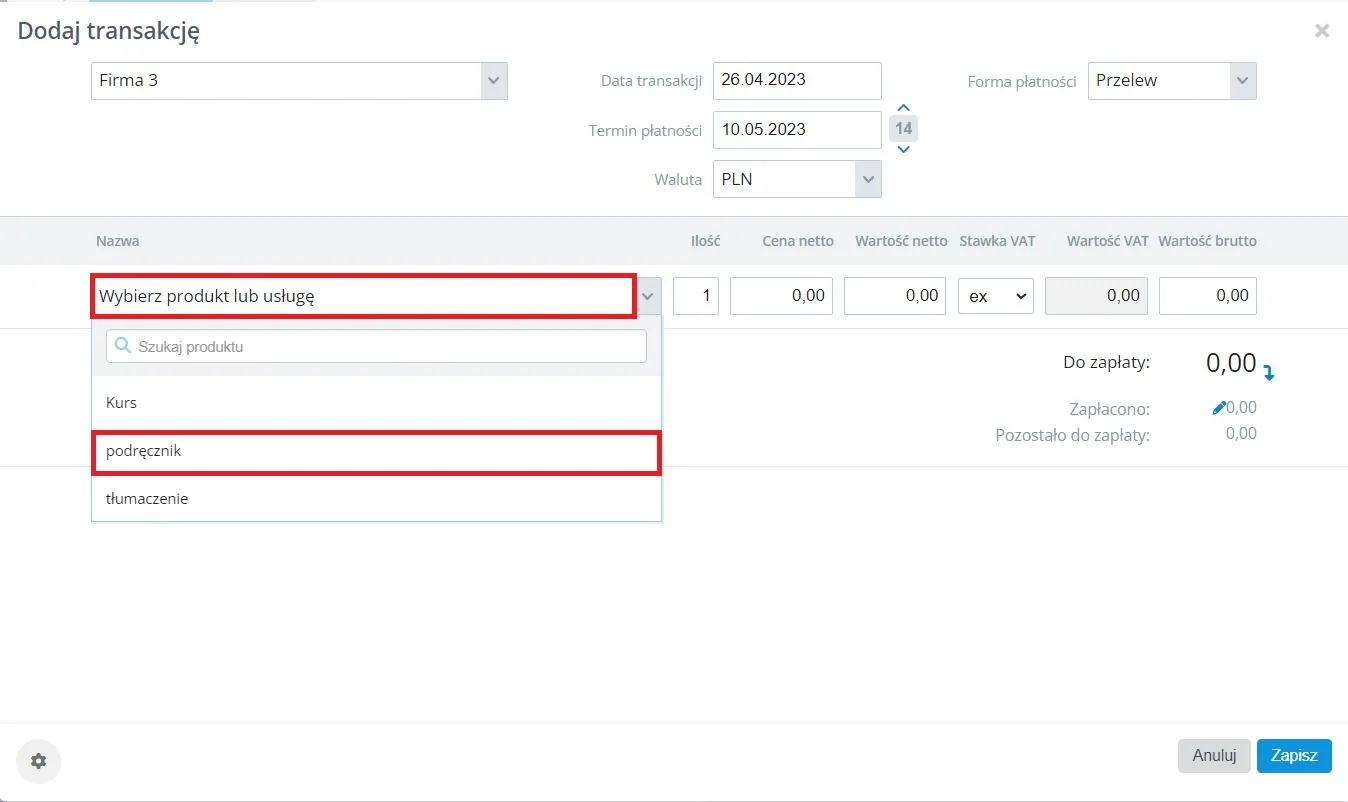
A message saying that the transaction cannot be posted and is saved with an amount of PLN 0 is most likely related to the configuration of goods and services.
When adding items to the "Goods and services" tab, you can choose one of the following types in the edit view: product, service or course.
If you sell an item of the course type, the system will try to find a group and the classes generated in that group, and use them to get the amount due.
If the company does not use a course, but buys educational materials or services (e.g. translations) from your school, check whether the product you want to sell to the company has been configured correctly.
To do this, go to the "Goods and services" tab. Click the product and open its edit view.
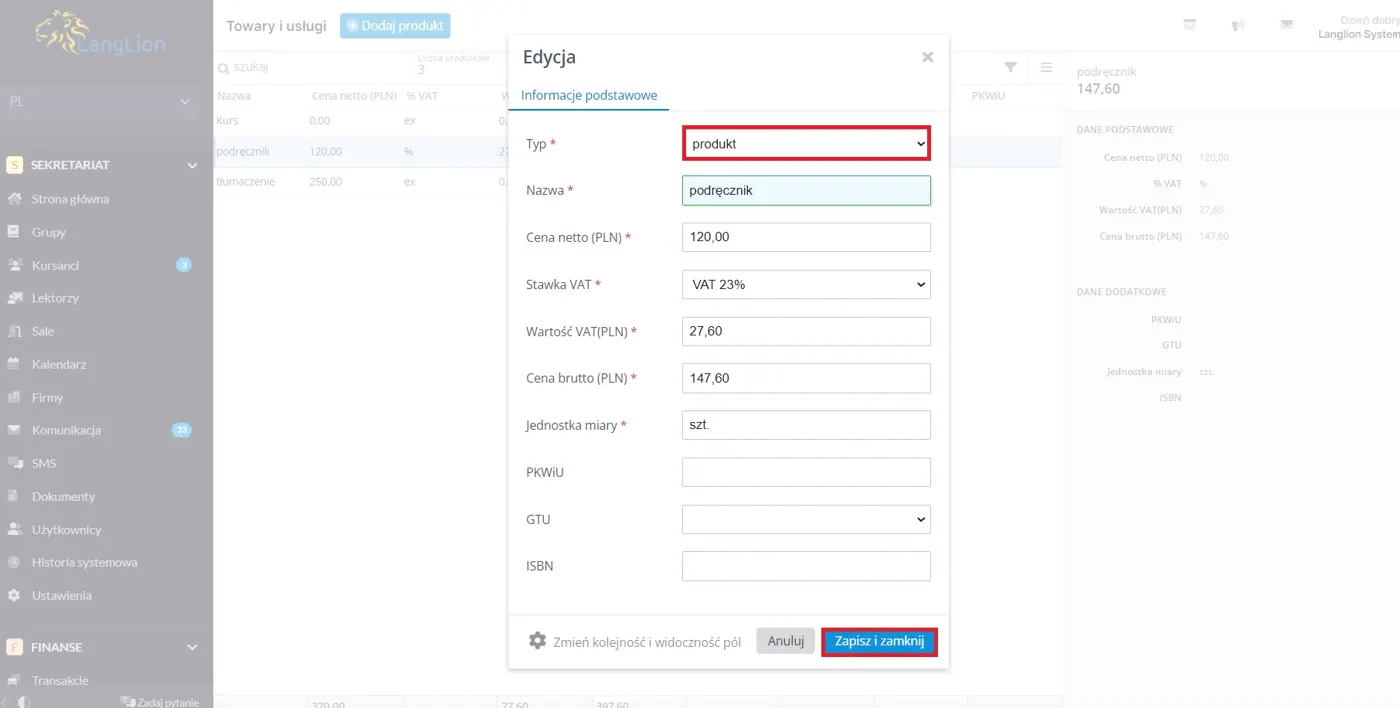
Change the type to product or service and save the changes.
Why not course?
When you settle a company and choose a product of the course type, the system looks for groups assigned to the company and the classes generated in those groups, which it can use to settle the company. If no groups are assigned to the company, the settlement cannot be issued and the transaction with the course product cannot be posted.
There are two simple ways to settle the company correctly.
In the first, you can assign groups to the company and then settle it for the lessons completed in the course. After you add the payment, a transaction will be created for the settlement amount, which you can then invoice. This method does not require you to change the product settings.
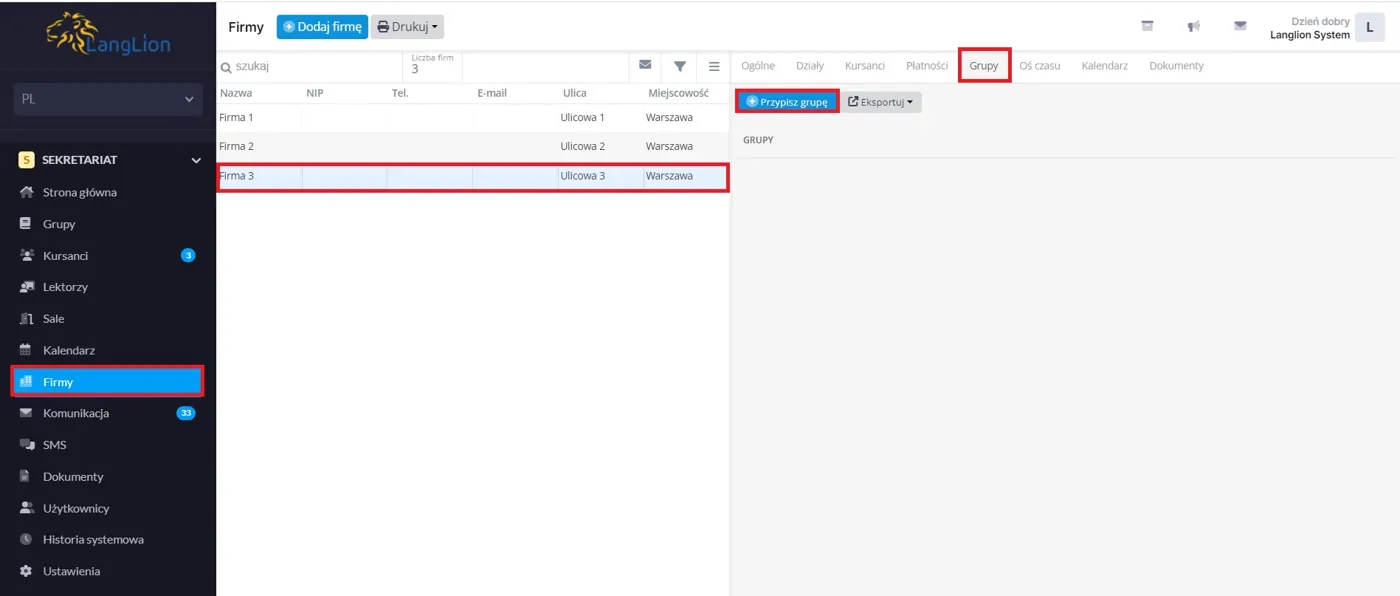
If no groups are assigned to the company, create an item for it (e.g. language training, educational materials, staff training) and set its type to product or service. After you add the payment, the transaction will be posted correctly. In the next step, issue an invoice to the company.