
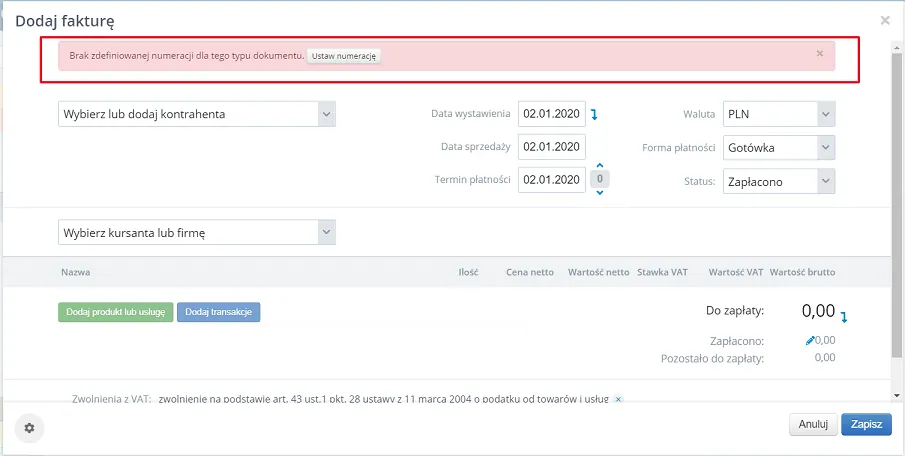
The defined numberings may have expired. The validity period of a numbering is checked against the current date. For example, if document numbering was defined for half a year, i.e. from 1.01.2020 to 30.06.2020, you will not be able to issue documents with this numbering in July. In this situation, the system displays a message saying that no numbering is defined.
Check the document numbering settings
To do this, go to the "Settings" tab in the "Finance" module and choose the "Numberings" tab. You can also click the "Set numbering" button in the message – the numbering edit window will then open directly.
You can also change the numbering settings in the Administration module. Go to the "Settings" tab, then "Basic settings" -> "Numberings".
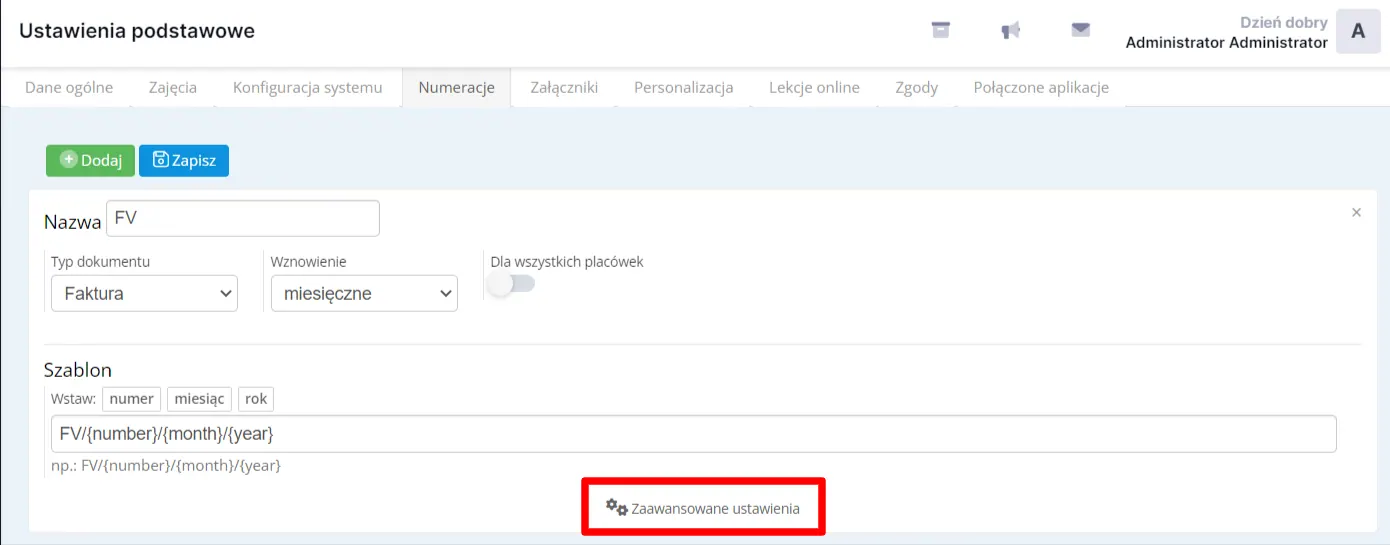
Find the numbering by the type of the document that could not be issued and click "Advanced settings".
Then extend the validity period by changing the "Date to" field, or simply delete it, and save the changes.
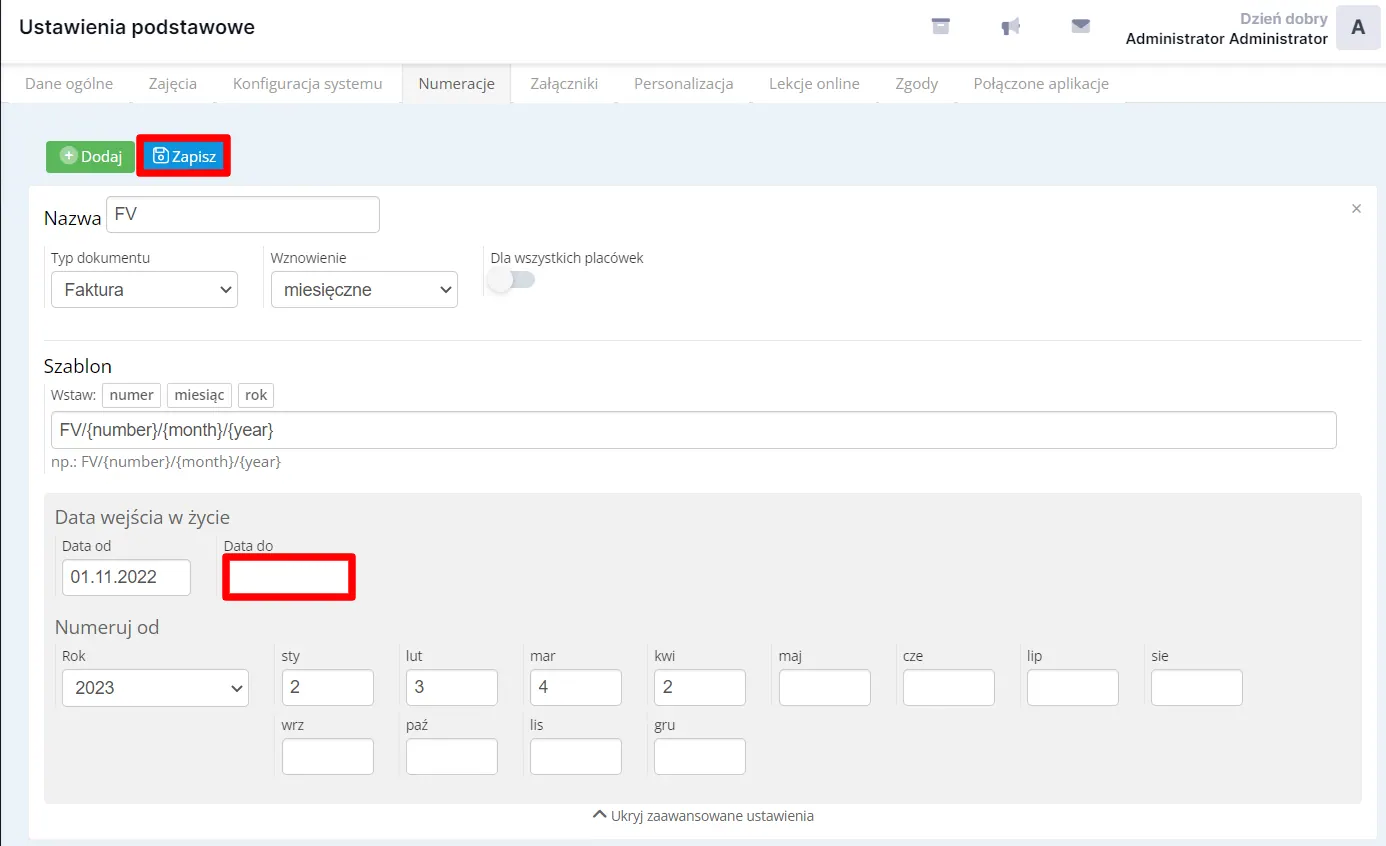
Done – the numbering has been extended, the message will no longer appear and you will be able to issue the document.
Remember that numbering reset annually will change in the new calendar year. If you want to continue the numbering, you need to edit it manually. You can read more about numbering types in the article Number schemes.