To view the class details of a group that is in the archive, you do not need to restore it.
The teacher's "Classes" tab is only visible to users who have access to teachers' rates or payments.
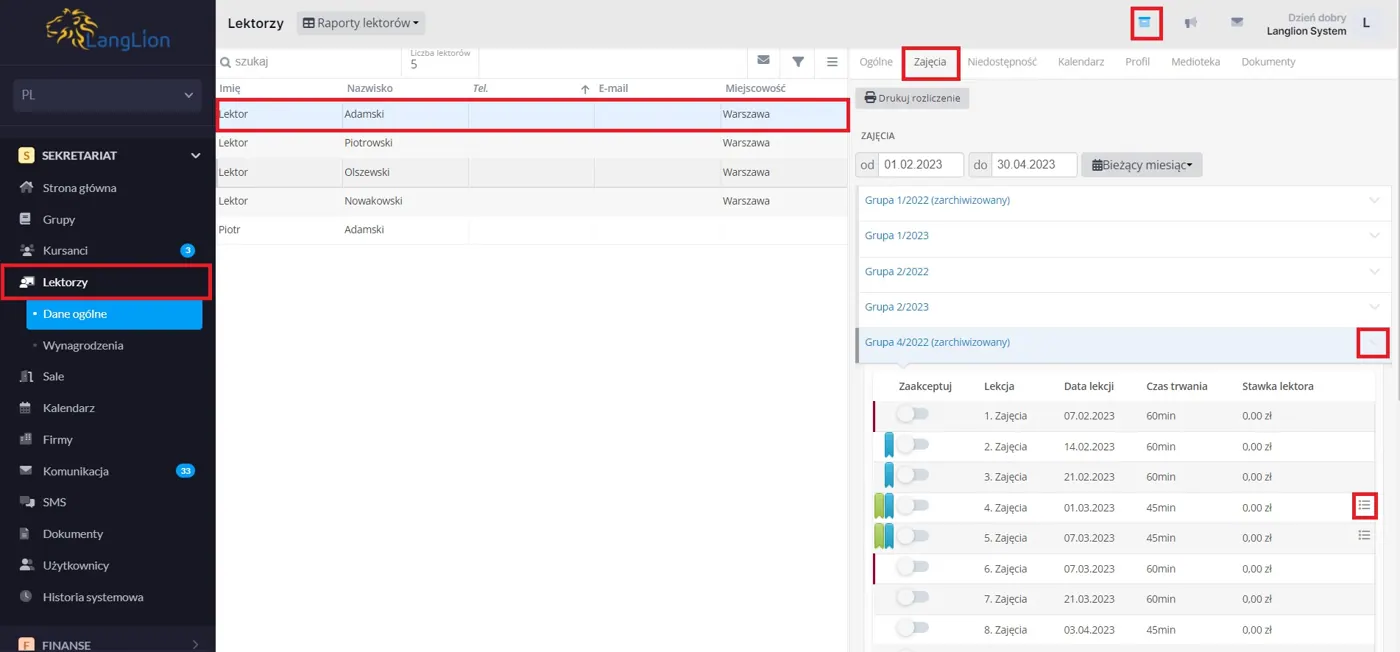
Switch to archive mode, open the "Teachers" tab and select the teacher who taught the group. Then go to the "Classes" tab and set a date range covering the period of the group – by default, the list shows only the current month.
Next, expand the list of lessons of the archived group and click the "View classes details" icon next to the selected lesson. The icon is only shown for classes to which the teacher has added details.
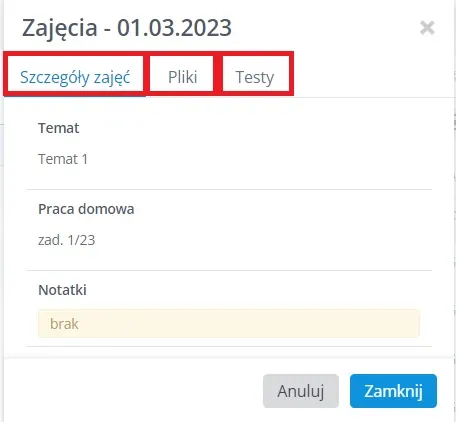
Done, the class details that were added are now shown on the screen. You can also view the files and tests added by the teacher.