
If you forget your password, the system will send you an e-mail with a link to set a new one. The link is sent only to the e-mail address saved in your account, so it is worth keeping it filled in in your profile.
How do I reset my password?
- On the login page, click "Forgotten password".
- Enter your e-mail address and click "reset password".
- Open the message and click the link. The link is valid for 15 minutes.
- If the same e-mail address is assigned to several accounts (e.g. a student account and a parent account), choose the account you want to set a new password for and click "Continue".
- Enter the password in the "New password" and "Repeat password" fields and save.
Done! You will see a message that your password has been changed, and you can log in.
Why does the system always show the same message?
After you click "reset password", the message "If an account with this email exists, a password reset link has been sent." always appears – also when the address you entered is not on any account. This way, no outsider can check whether an address is registered at the school.
If you click the button again too quickly, you will see "Please wait … seconds before requesting another reset link." – you can request another link after 2 minutes.
Didn't receive the message with the link?
- Check your spam folder.
- Make sure the address you entered is the one the school has saved in your account.
- If the message still doesn't arrive, your account most likely doesn't have this e-mail address. Contact your school administrator to get current login details.
How do I add an e-mail address to my account?
After logging in, click the settings menu in the top right corner and select "Profile".
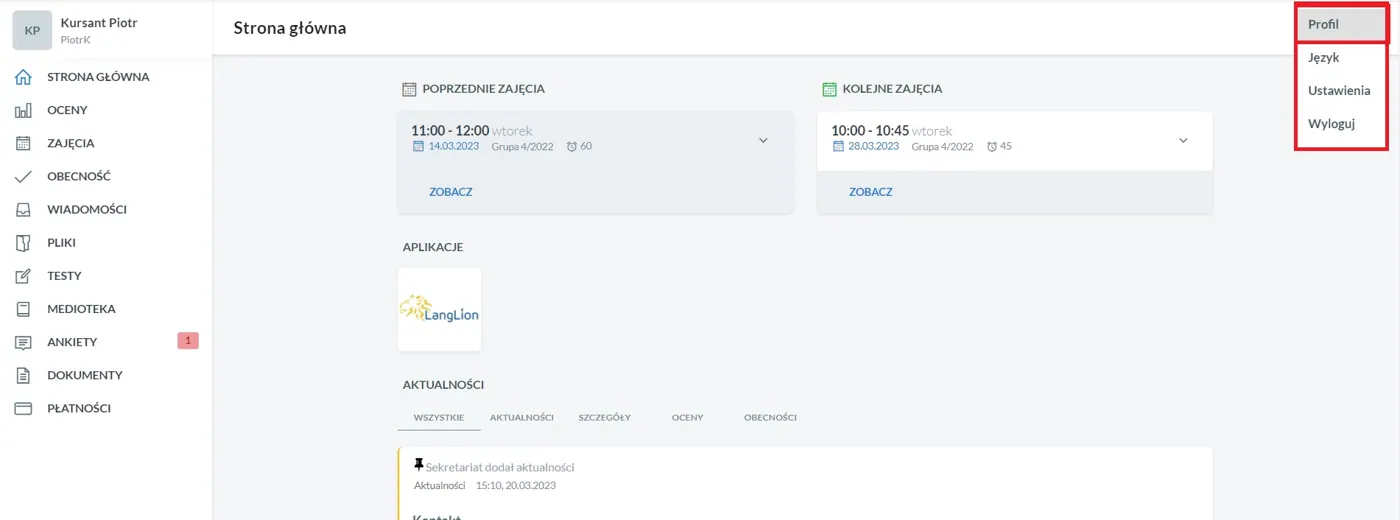
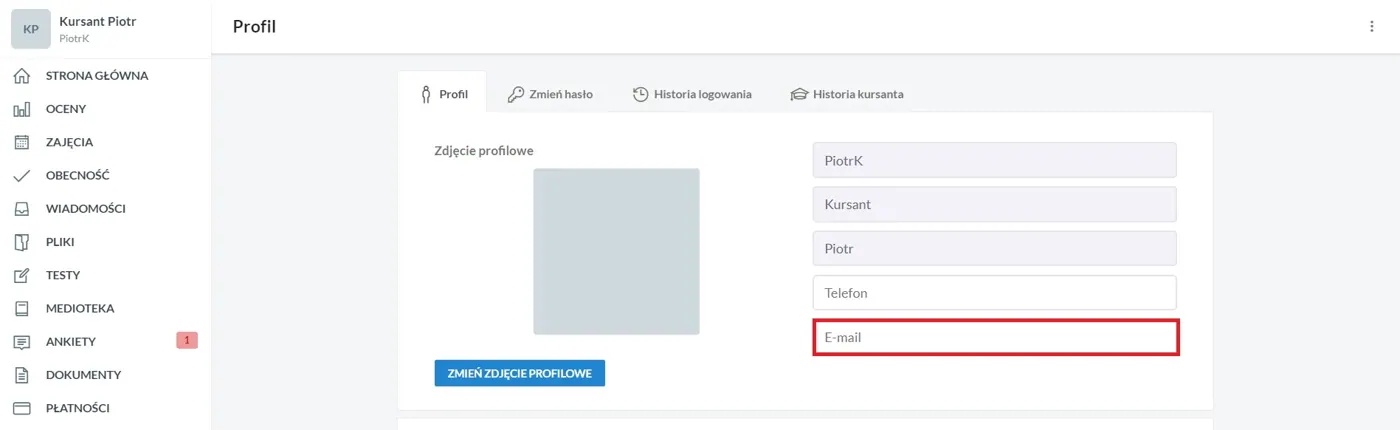
Then enter your e-mail address in your profile. If you forget your password, you will receive a message with a password reset link at this address.
The mobile app shows "Unknown email"?
This message can appear only when resetting the password in the mobile app for students and parents. It means the address you entered is not on any account – contact your school administrator.