
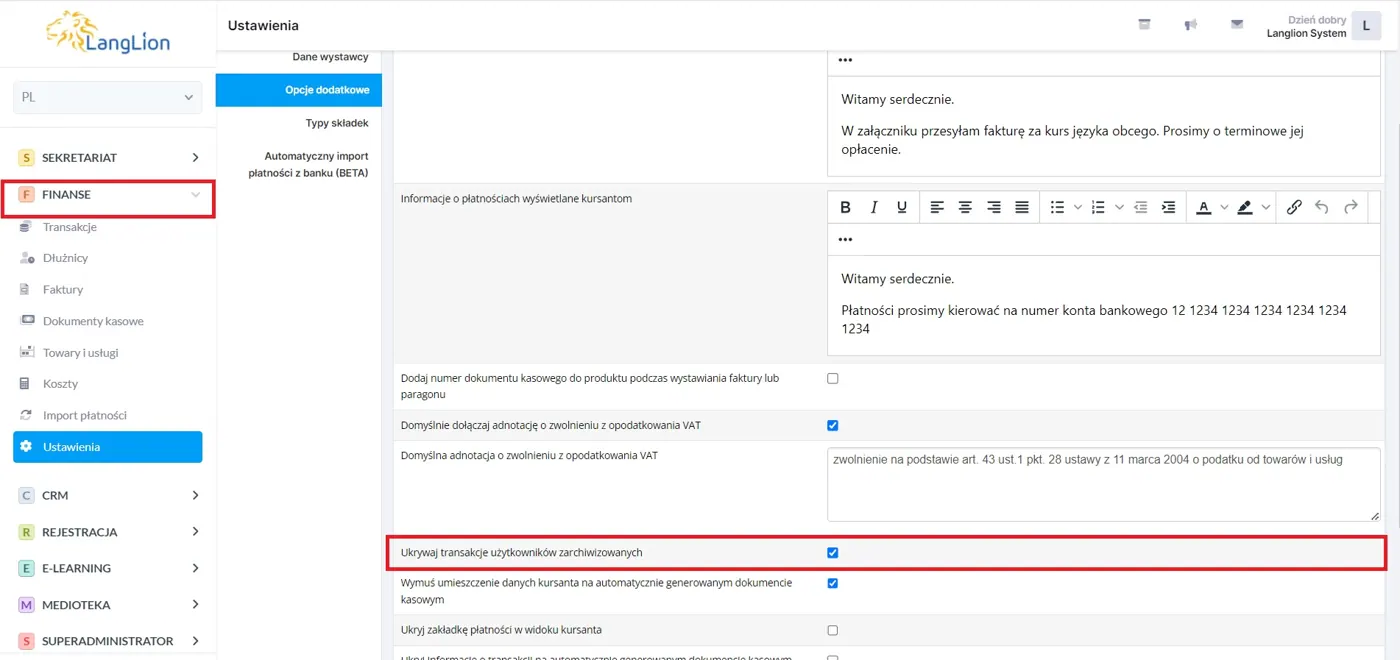
Most likely, the sales report does not show transactions of students who are in the archive. This is caused by the "Hide transactions relating to archived users" option being switched on. When there are a lot of transactions to show, the system may slow down. To keep the system running smoothly, this option is switched on by default.
How do I show all transactions?
There are two simple ways to do this. The first way is to switch off this option: go to the "Finance" module, select the "Settings" tab and then "Additional options".
Done, the report should now include all transactions, although the system may run more slowly.
The second way is to turn on the archive before showing the report. This also lets you see the full report results.
Regardless of the "Hide transactions relating to archived users" option, when the archive is switched off the sales report also skips transactions relating to archived groups. To see them, turn on the archive before showing the report.