
Classes may not appear in a teacher's account for the following reasons:
1. The group in which the teacher teaches may have been set as a planned group.
The planned group option is useful just before the start of the school year, when students and teachers are already assigned to groups but the class schedule is still changing. Marking a group as planned hides it in the teacher's and student's accounts, so its classes are not visible.
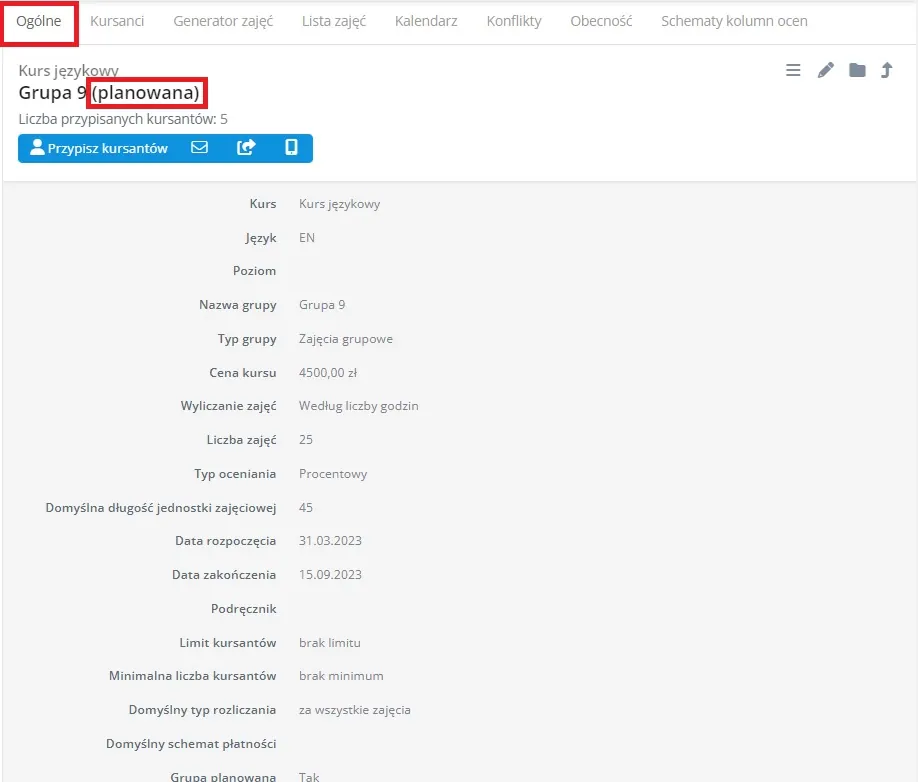
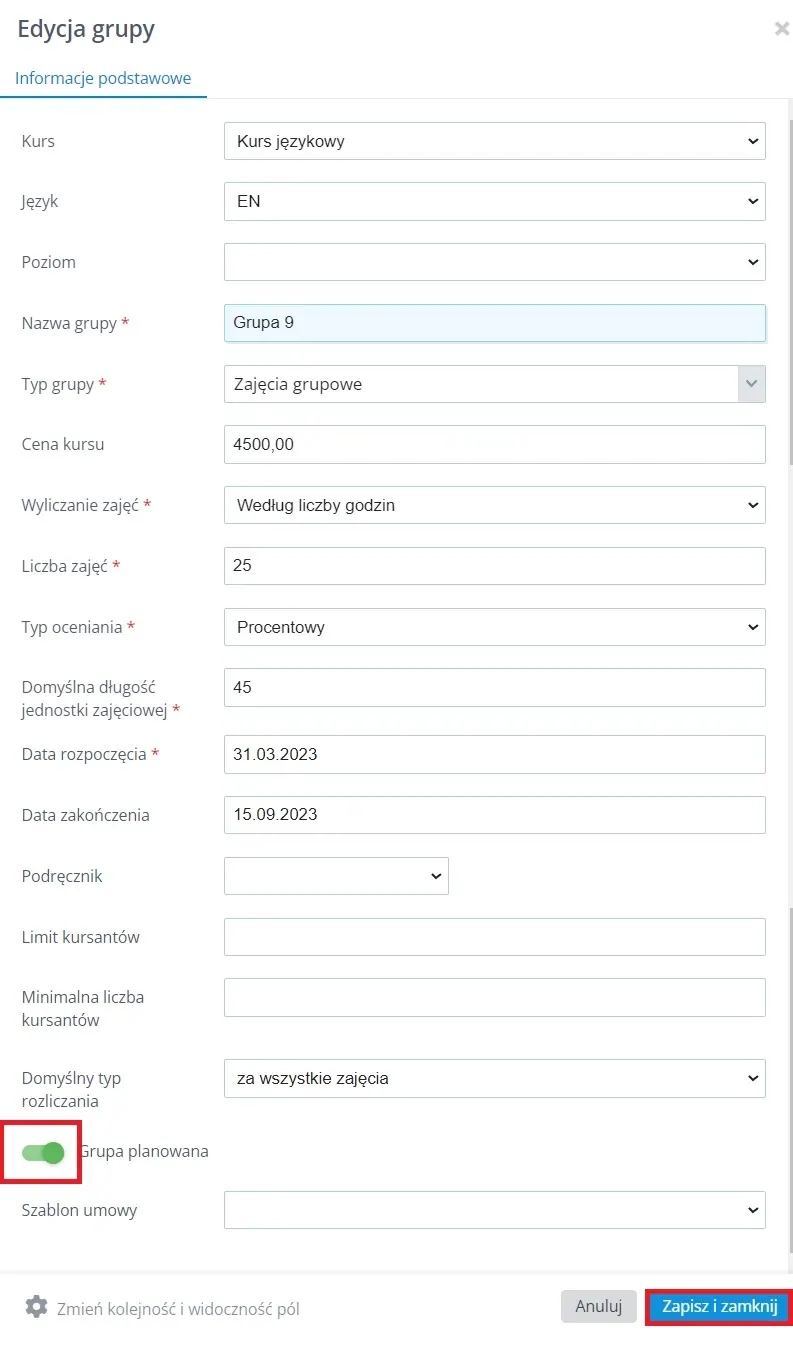
Once the schedule is final, click "Edit" on the group card, untick "Planned group" in the "Basic information" section and click "Save changes". From then on, the classes will be visible in the teacher's and student's accounts. The "Planned group" option is available when "Planned groups option (data invisible for students and teachers)" is enabled in "Basic settings" → "System configuration".
2. The teacher has not been assigned to the classes. This means the classes were set up in the group's "Classes generator" tab, but for some reason no teacher was entered. As a result, the classes may have been generated without a teacher.
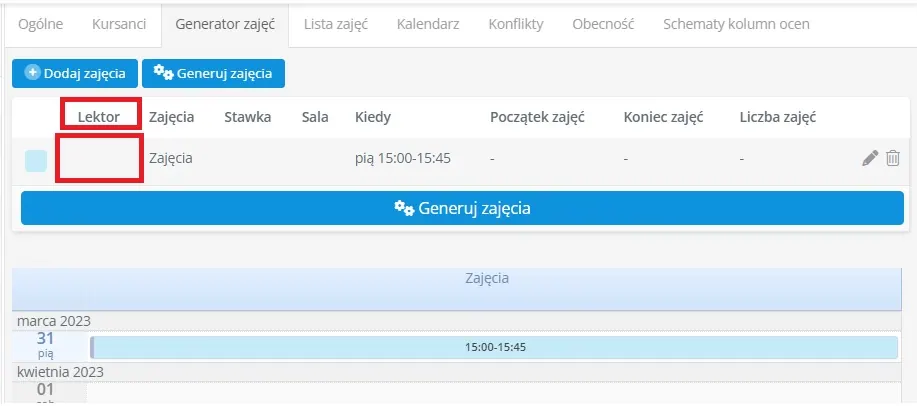
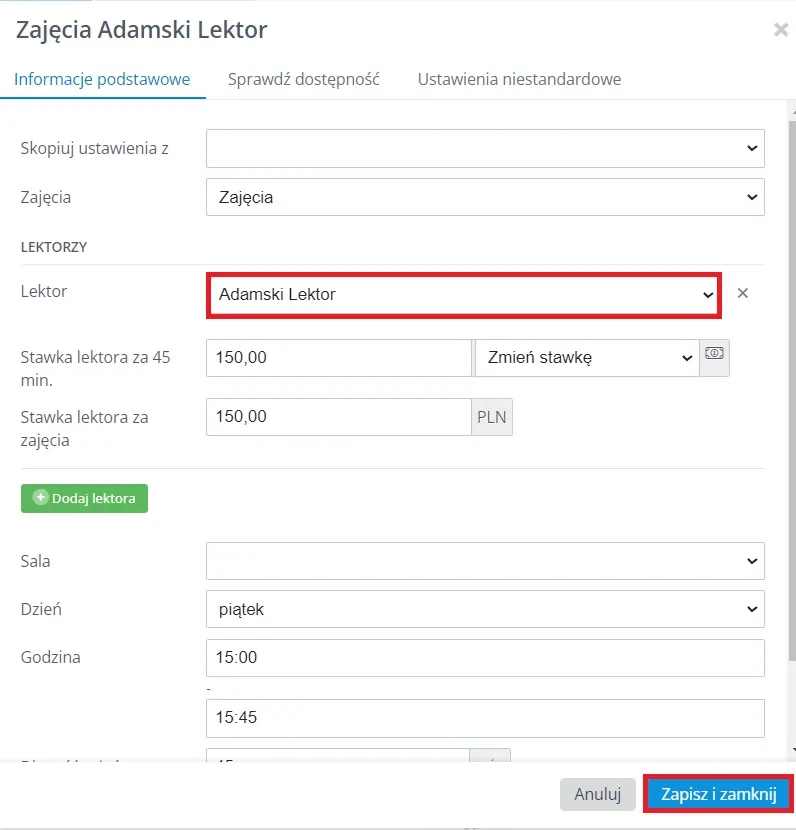
To show the classes in the teacher's account, add the teacher to the generated classes. To do this, go to the "Classes generator" tab and edit the entries that have no teacher. Then select the teacher and save the changes. To apply the changes to the teacher's account and the list of classes, click the "Generate classes" button.
If you use the new "Lessons beta" tab, set the teacher there in the same way.
After the classes are generated in the group, they will be visible in the teacher's account.