
The corporate students' attendance report lets both the administrator and the company manager track how the company's students attend lessons. For the report to show complete and reliable results, all of the company's students must be assigned to it. If some students are missing from the report, the most likely reason is that they are not assigned to the company. So assign the students to the company.
Students have to be assigned to both the company and the corporate group so that other students' data is not shown in the company account if someone is added to a corporate group by mistake.
How do I assign a student to a company?
It's easy – go to the "Companies" tab and select the right company. Then go to the "Students" tab and use the "Assign students" button. Next, select the people you want from the list and save your changes.
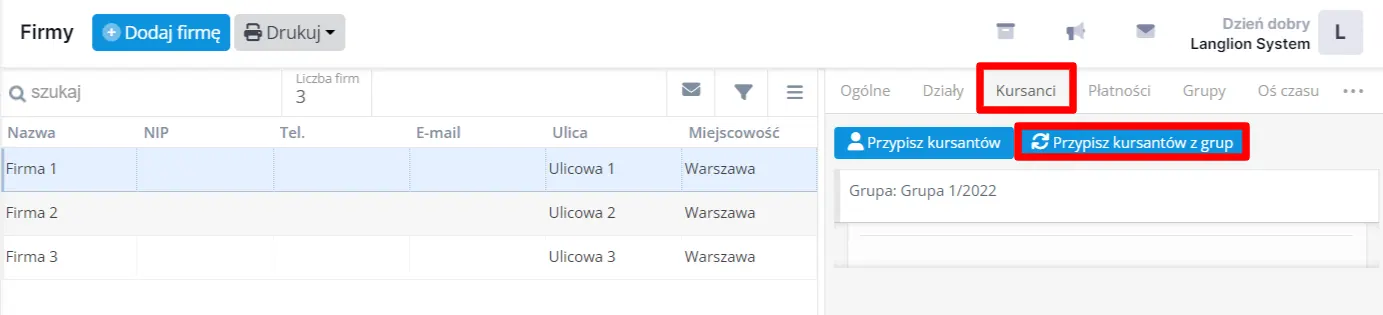
You can also click "Assign students from groups" and confirm – the system will assign all students from the company's current corporate groups to the company.
Done – the students are now assigned to the company and you can create a complete attendance report.