
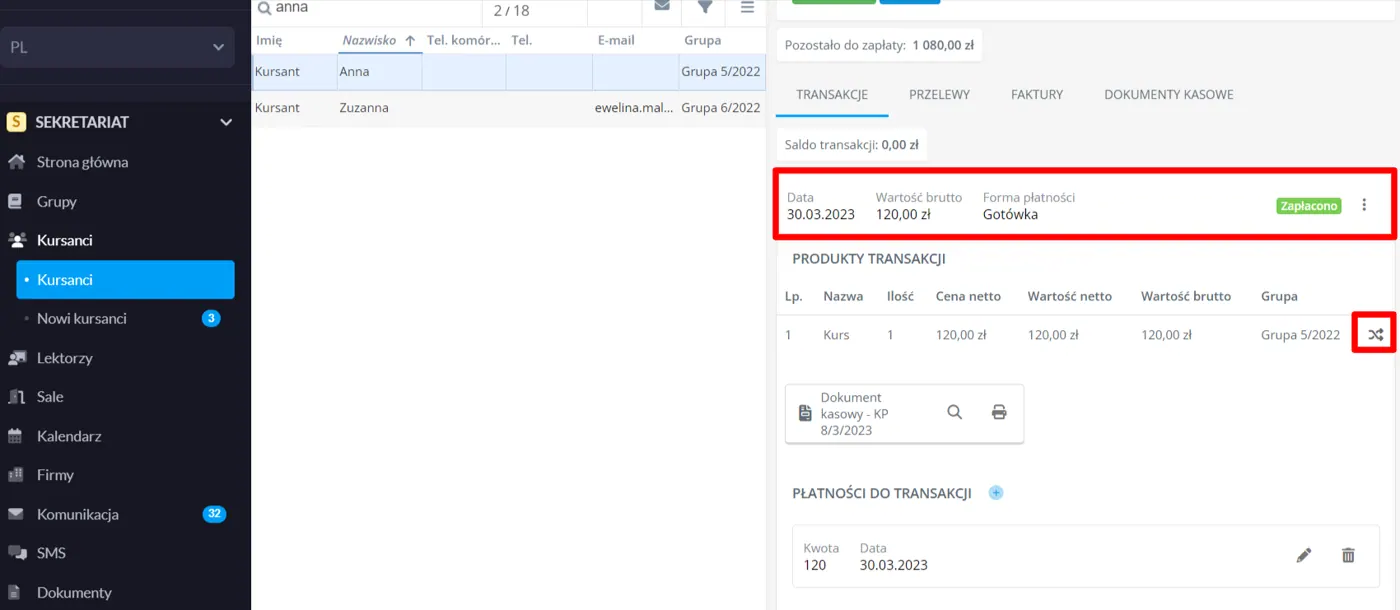
If the transaction shows a different group, the payment was probably added in that group.
A payment can be added to a group the student no longer studies in if the group has been archived or the student has been discharged from it, but unpaid instalments may still remain there.
In this situation, you can choose which group the student's payment should be added to.
Do I need to delete the payment and add it to the other group?
No, you do not. You can move the transaction to the current group. Simply click the "Assign payments to other group" option next to the transaction. A window will appear where you can choose the group the payment should go to.
Choose the correct group and click the "Save and Close" button.
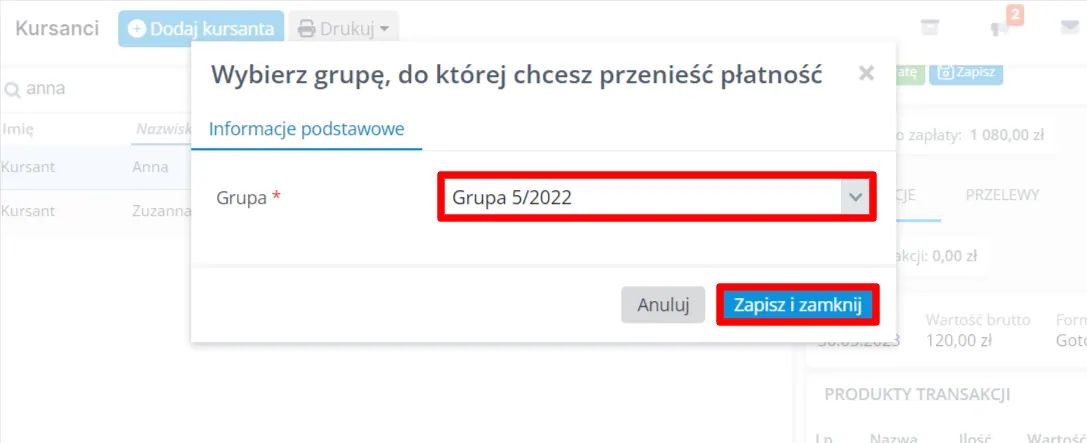
Done – the payment has been moved to the correct group.