
Administrators can change the student's rate for a single lesson, so the most likely cause of an incorrect student settlement is an overwritten lesson price.
If you assign a rate to a student, each of their lessons will be settled at that rate. The exception is setting a class status, which can change the price of a lesson.
Most likely the student's rate was overwritten in some lessons, and this causes the incorrect settlement.
How to correct this?
It's easy: check which lessons have the wrong rate by looking through the student's settlement.
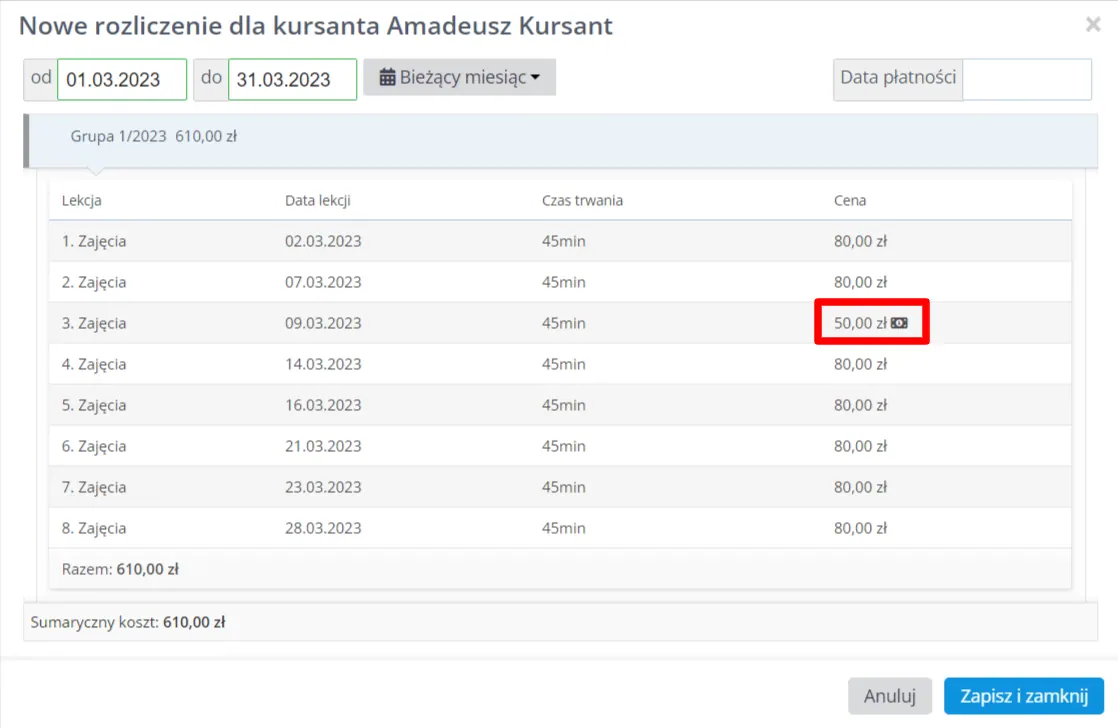
Edit the lessons with the incorrect student rate in the "Groups" -> "Class list" tab.
In the lesson edit form, delete the value in the "Override price for student" field and save the changes.
Done, the student's settlement will now be correct again, with the same rate for all lessons.