
Hourly payment in advance is a student settlement method where individual hours (lessons) are paid for in advance. This way, a student can buy a set package of lessons and pay for it straight away. Below you will find some useful tips on this settlement method.
Important – if you want to change a student's settlement method and are not sure how to do it, see the article Student settlement.
Paying for a specific number of lessons
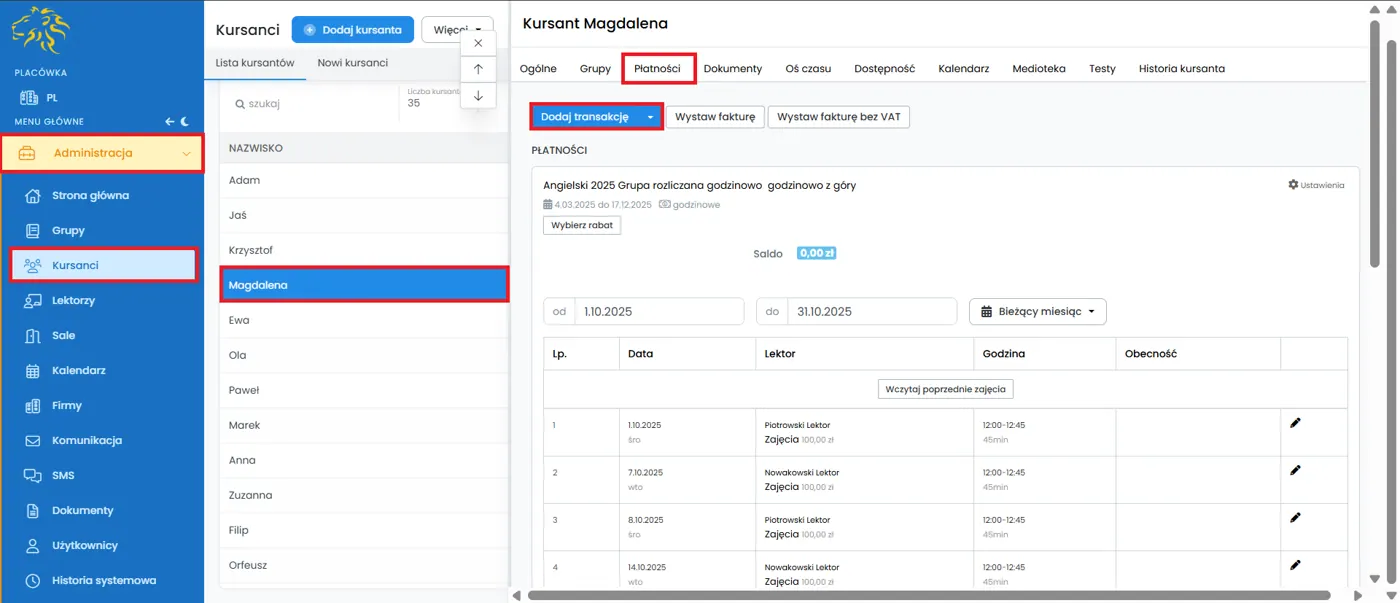
- Click the "Add transaction" button.
- Select the lessons the student wants to pay for.
- Save the changes.
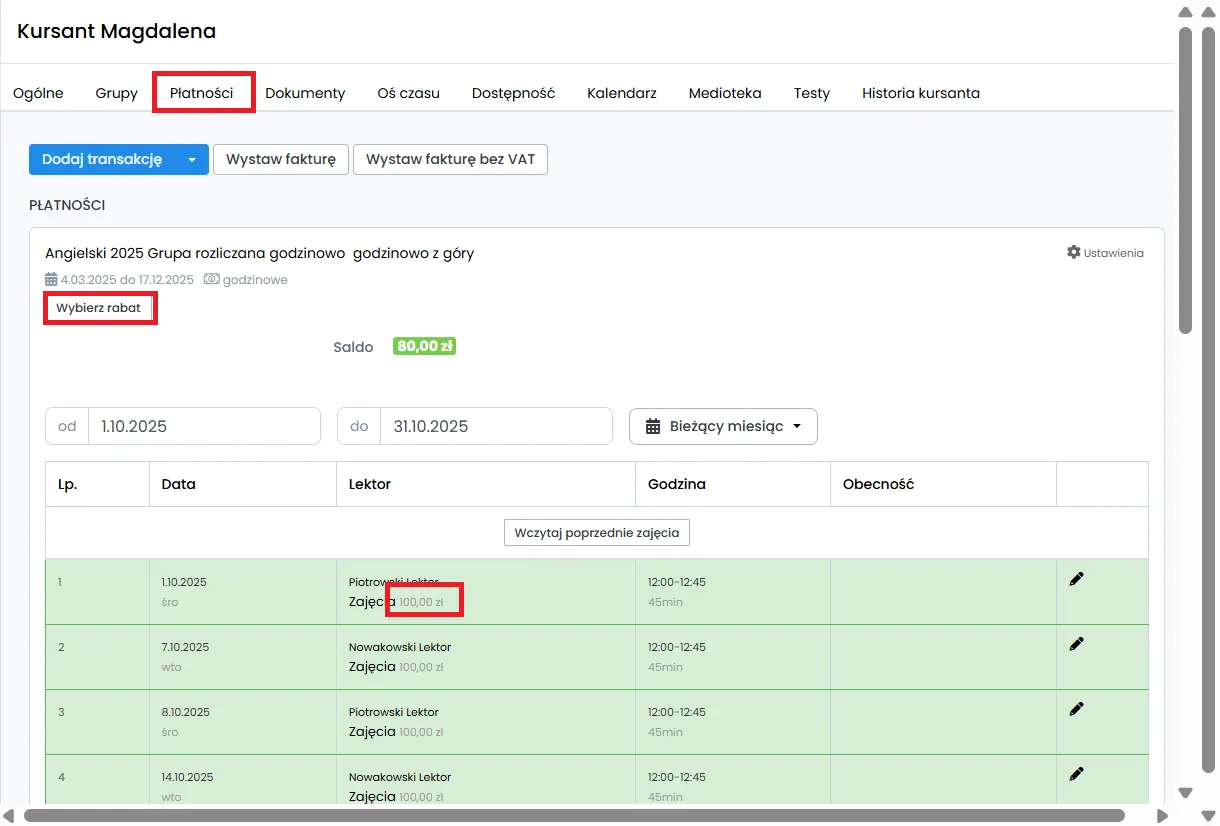
Done – the lessons have been paid for and are marked graphically on the list in the student's payments.
Adding a discount for a student on hourly payment in advance
If you add a discount that lowers the student's hourly rate, the student's rate and the price of lessons that have not been paid yet will change. You can also remove the discount, but the student's rate and lesson prices will not return to their previous values – you will need to edit them manually.
Deleting a transaction created after paying for lessons
If you delete a transaction that paid for lessons, the system will ask: “The transaction contained lessons settled in advance. Do you want to automatically set the status of the last lessons to "unpaid"?”. If you confirm, the last paid lessons will be marked as unpaid. If you decline, the lessons stay paid and the student's balance will be negative.
The student has paid for lessons in advance but is removed from the group during the course.
When you remove a student from a group, remember to enter the removal date. This lets the system unmark paid lessons that fall after the removal date and move their total to the balance. You can transfer the student's balance to another group on hourly payment in advance or add a refund for the student.
Adding a refund for paid lessons
If you add a refund for a student, the system will let you know and ask whether to change the lesson status to unpaid. If you confirm, the lessons will be marked as unpaid and the student's balance will not change. Lessons are unmarked starting from the last paid one and moving up the list of classes.
Enrolment date and hourly payment in advance
The system works the same way as with a removal date. If you enter the student's enrolment date and lessons have already been paid from the start, the system will mark the lessons before the enrolment date as unpaid and move their amount to the balance.
If the enrolment date was entered incorrectly, i.e. the student enrolled earlier than the current enrolment date, the system will not mark the unpaid lessons after you change the date, and the balance will not change either. In this case you will need to mark the lessons as paid manually.
What happens when a lesson is deleted from the list of classes, the student was absent or the classes were cancelled?
If the student paid for a lesson that was later deleted, the system will move the amount for that lesson to the balance as funds to use.
The same happens when lessons have been paid for and the teacher enters overdue attendance. Lessons the student did not attend will be marked graphically and their amount will be moved to the balance.
The same also happens when classes are cancelled. The system marks the lesson as unpaid and moves its amount to the balance.
The amount moved to the balance when an attendance status or class status is set depends on your class and attendance status settings. The lesson price is recalculated based on the student fee %.