
This is most likely because semesters have been introduced. A semester works as a kind of filter that hides some data in student and teacher accounts.
Apart from its name, each semester has a defined start and end date. Any data entered outside the dates of the active semester will not be visible in teacher and student accounts.
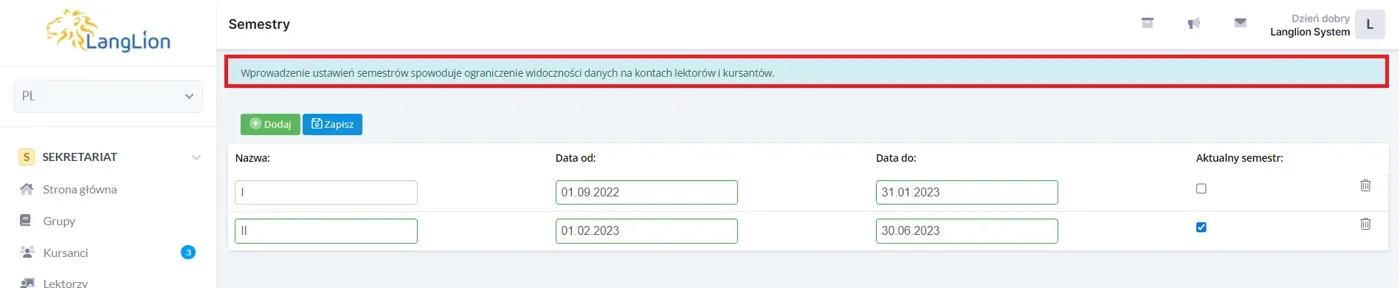
So the columns may have been added before the semester's start date, or the semester may have been changed. Columns whose actual creation date does not fall within the dates of the current semester are also hidden.
To show the hidden columns, switch the semester view: click the button with your user name – below the login history you will find the semesters option. Hover over it to display the list of semesters and choose the right one.
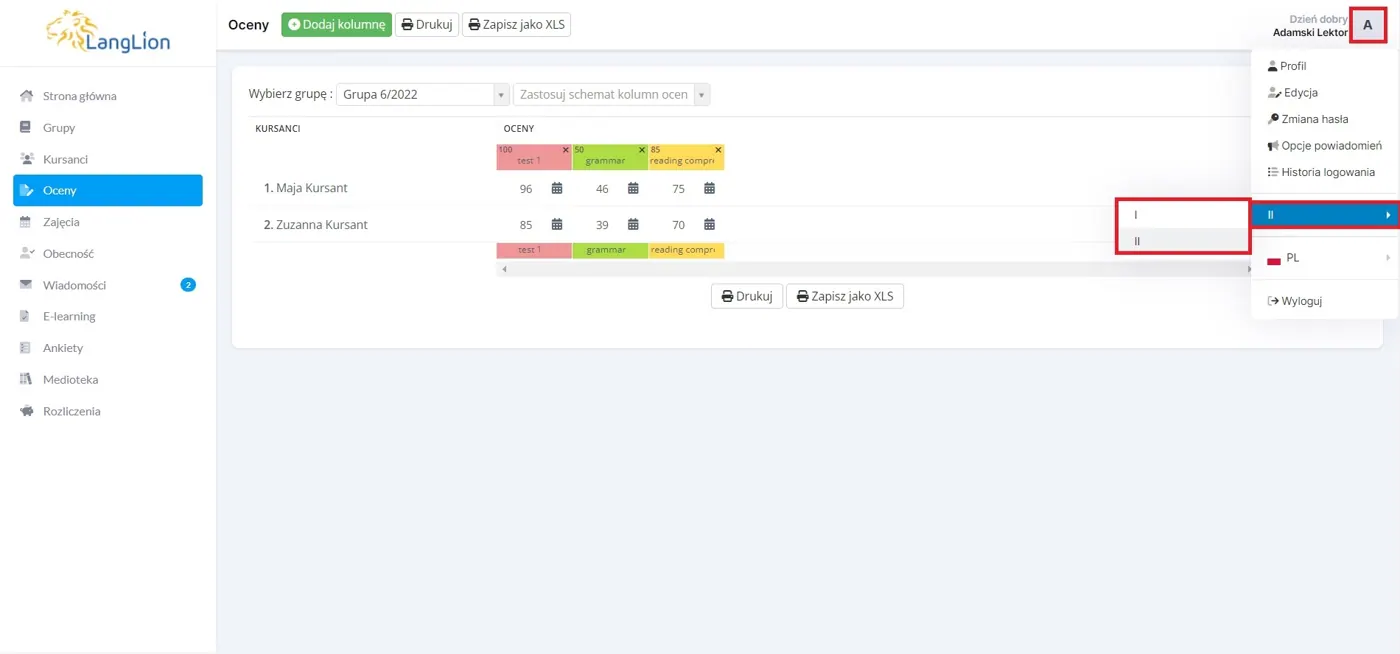
Done – the columns that fall within the previous semester's dates will be displayed.