
You can set the issuer name permanently in “Finance” → “Settings” → “Issuer's details”, in the “Issuer” field – it is filled in on every new invoice (and can be changed on the invoice form). Only if this field is empty does the system use the last and first name of the user issuing the invoice – for the default system management account this is “Administrator Administrator”.
If you do not want to set a permanent issuer name, you can change the administrator's name so that it is shown on invoices issued from now on.
How do I change the administrator's name?
It is easy. Click the "Administration" tab and choose the "Users" tab, then in the "General" tab click the edit option.
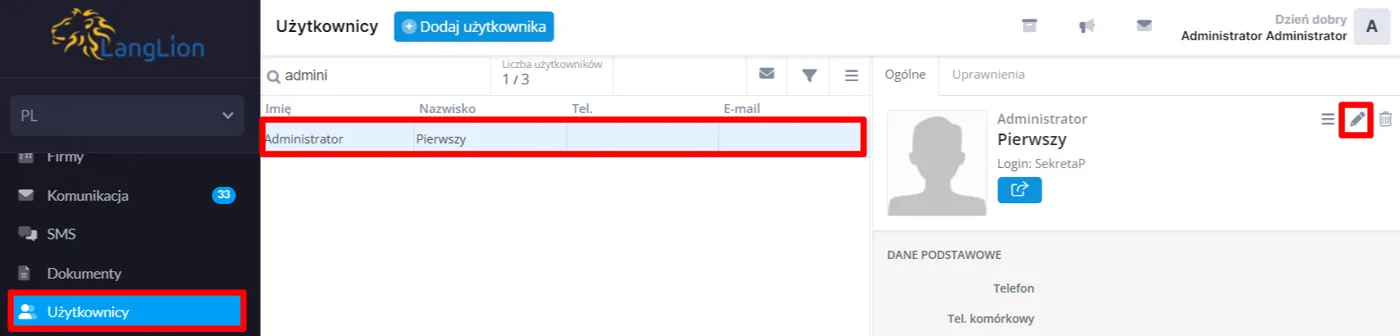
In the administrator edit window, change the "First name" and "Last name" fields, then save them by clicking the "Save and Close" button.
Done – from now on, the changed user name will appear on newly created invoices.