
Most likely the teacher has not published the class details yet. This happens when the “Teachers can publish and unpublish classes' details” option is on in the system settings (“Administration” → “Settings” → “Basic settings” → “System configuration”). This option lets the teacher prepare the class details but keep them hidden until the lesson.
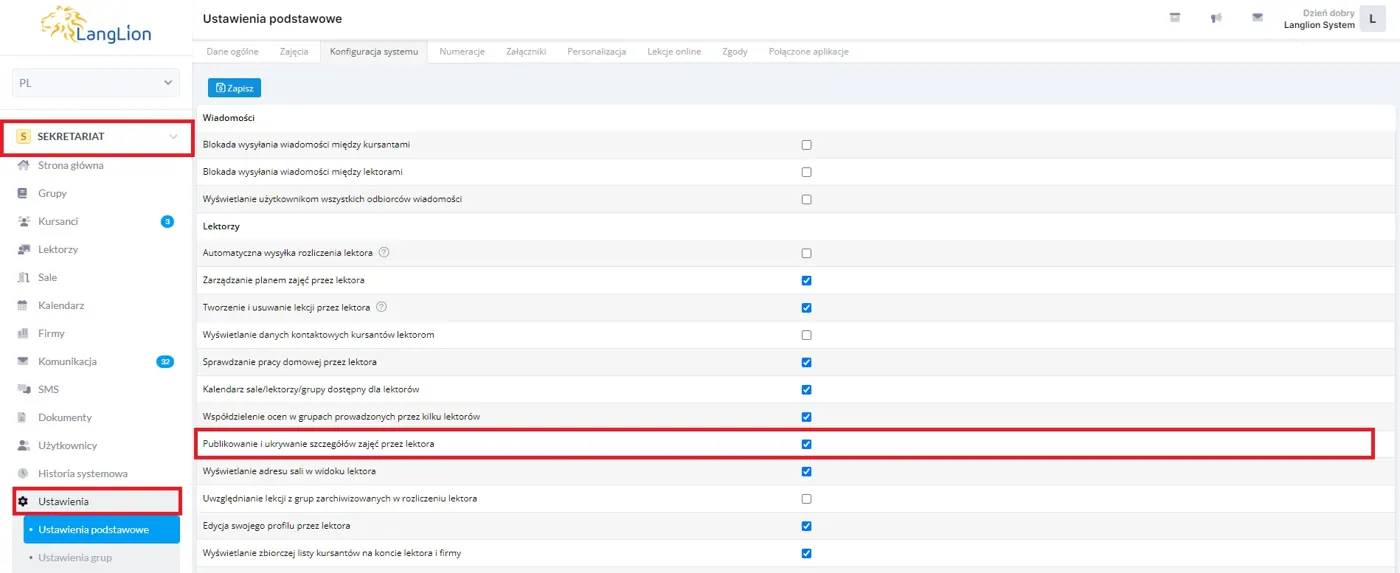
How do I show class details in students’ and parents’ accounts?
Go to the "E-gradebook" and click the group’s “Classes” -> “Class details” tab. Then find the right lesson on the list and click it. When the details open, turn on the “Publish” switch above the detail fields – the change is saved immediately, so you don’t need to save anything else.
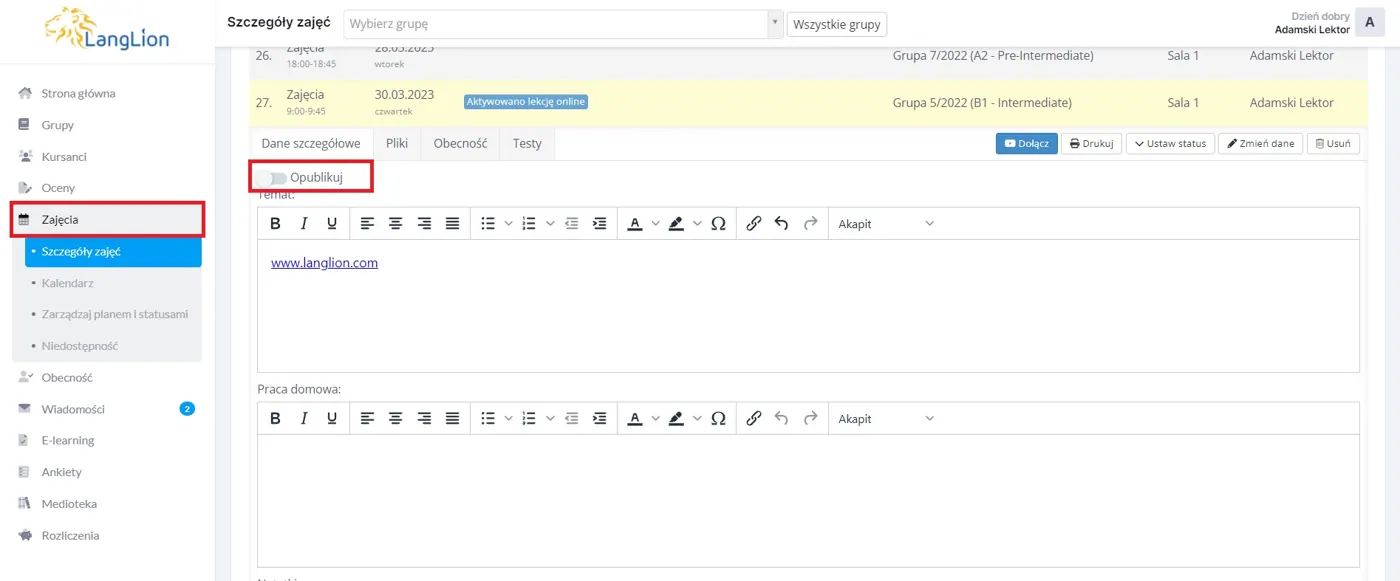
Done, the class details have been published. They will now be visible in the student’s and parent’s accounts.
If the details should be published as soon as they are saved, turn off “Teachers can publish and unpublish classes' details” in the system settings.
This option also works in the teachers’ app. So if it is turned on in the configuration, the Publish switch will also appear when filling in class details in the app.